SRenee
Known Participant
June 4, 2018
Answered

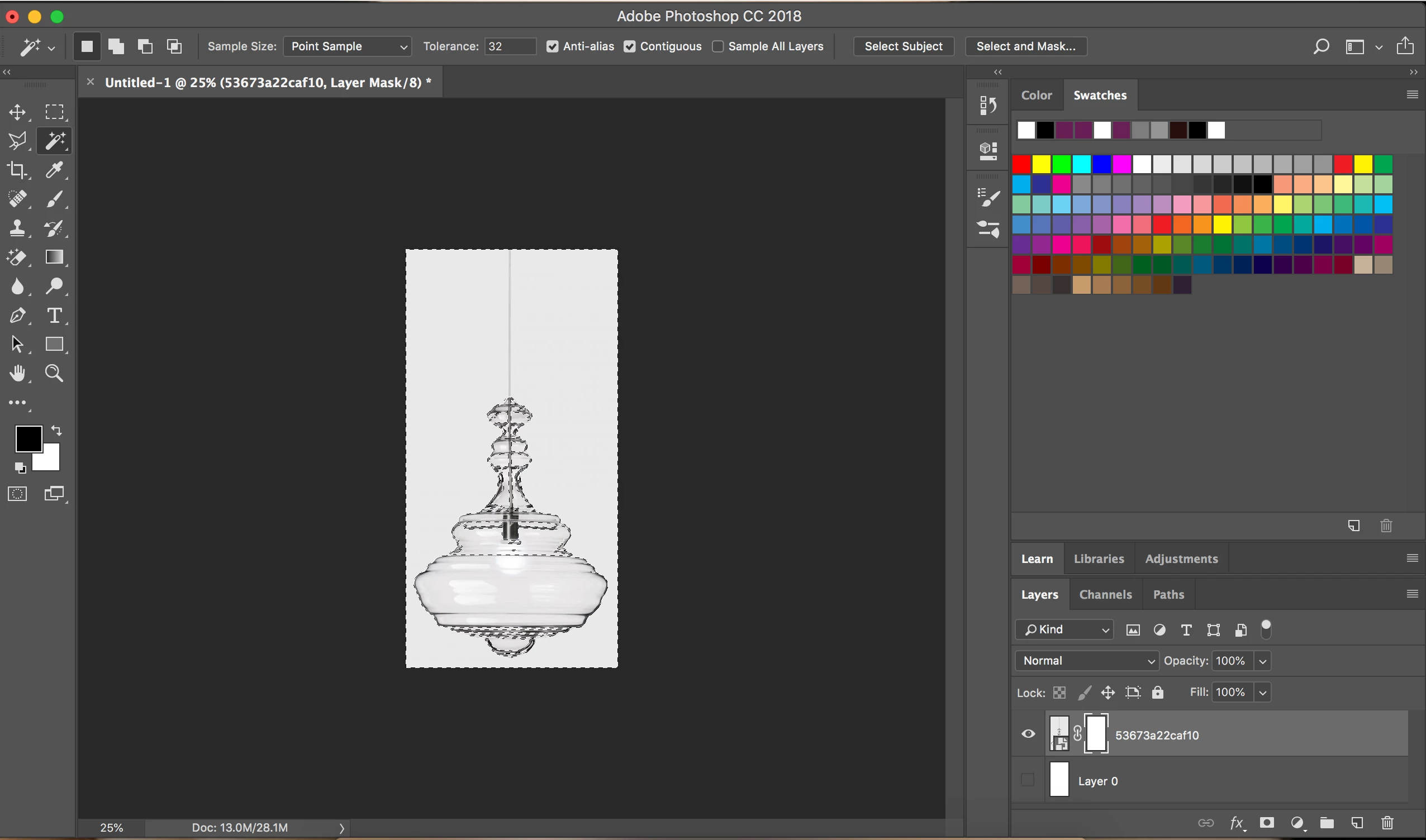
Why can't I get the checkered pattern?

  • June 4, 2018
  • 3 replies
  • 1626 views

I have gone into my Layer > Layer Mask > Reveal All as wel. Can someone help me please? With Thanks.

I don't want any tutorials at this stage please.
    This topic has been closed for replies.
    Correct answer rayek.elfin

    Your layer mask is showing all white - which means nothing of that layer is masked (transparent). Fill the selected areas with black in your layer mask, and those areas will be masked.

    3 replies

    davescm
    Community Expert
    Community Expert
    June 5, 2018

    SRenee  wrote

    I don't want any tutorials at this stage please.

    Having looked at the other threads where you have asked very similar questions , it suggests that you do need to follow some tutorials.

    For your immediate question with the selection made, click on the mask and Edit >Fill then fill with black. That will make your selected area transparent.

    Dave

    SRenee
    SReneeAuthor
    Known Participant
    June 5, 2018

    With all your respect Dave. I would appreciate no contact anymore.

    davescm
    Community Expert
    Community Expert
    June 5, 2018

    SRenee  wrote

    With all your respect Dave. I would appreciate no contact anymore.

    That's a strange attitude to take with people trying to help you. Your choice though, I'm out

    Dave

    Mohammad.Harb
    Community Expert
    Community Expert
    June 4, 2018

    Delete the exisiting layer mask first,

    when you make the selection, hold Down Alt key + click on the layer mask icon in the layer panel ( the square with a black circle), this will mask the selected Area,

    if you did not press the Alt key it will make the opposite,

    anyway, to invert the Mask:

    click on the mask thumbnail and press ctrl + i

    SRenee
    SReneeAuthor
    Known Participant
    June 5, 2018

    I am on a MAC no Alt Key. Please also may you let me know where the square with a black circle is by taking a screen shot - I am a Beginner. I appreciate your help.

    June 5, 2018
    rayek.elfin
    rayek.elfinCorrect answer
    Legend
    June 4, 2018

    Your layer mask is showing all white - which means nothing of that layer is masked (transparent). Fill the selected areas with black in your layer mask, and those areas will be masked.