
Question
Why did my Start Workspace Disappear?
when i open Photoshop CC 2018 my 'start workspace' disappeared. So when I open PS with a blank work area with no canvas. Below is an image of what my preferences are set to.
I don't know how to get back to this 'start workspace' when i open PS and even if I"m working on a convas how do I get back to the 'start workspace'
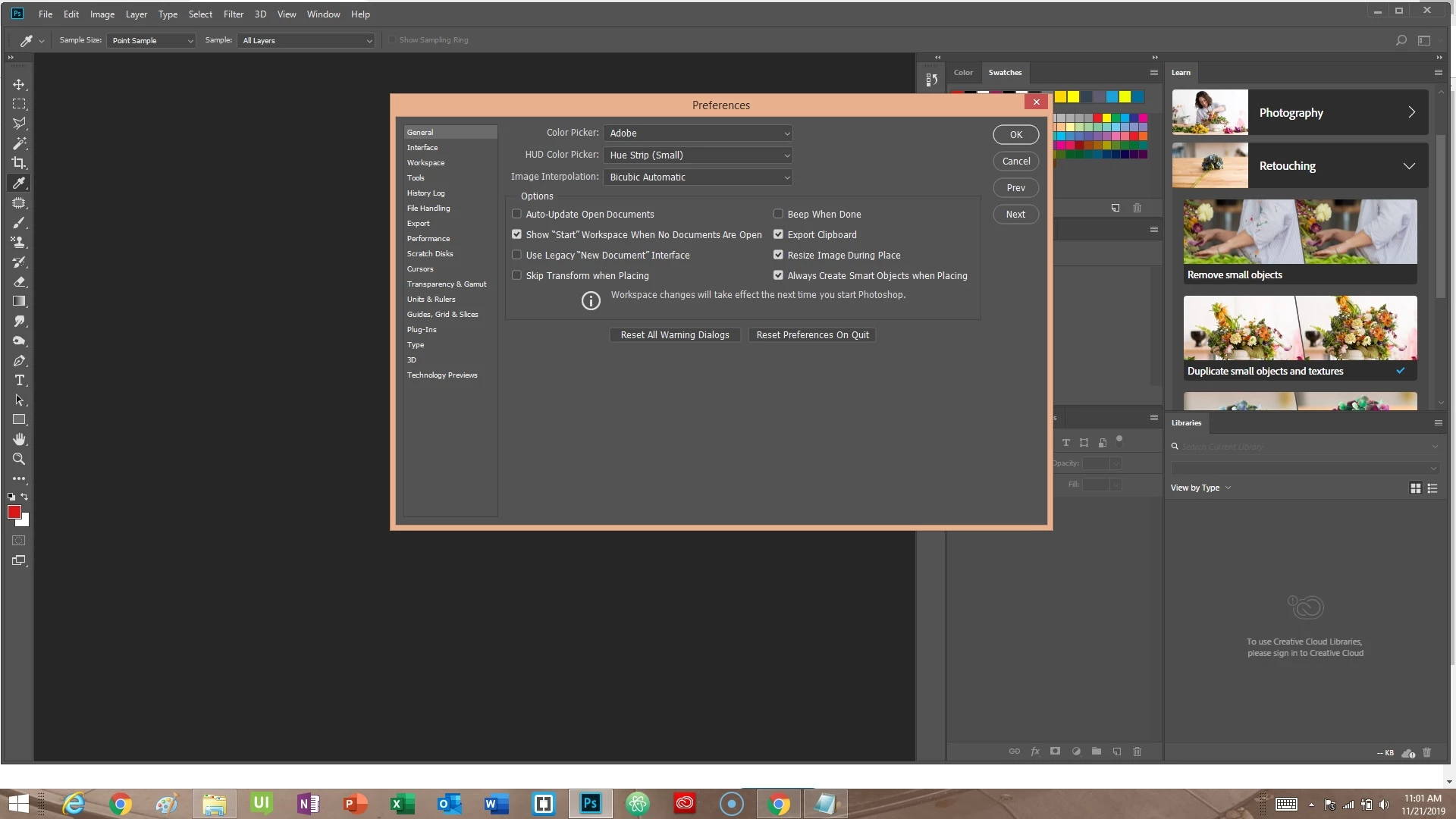
as you can see the 'show start workspace....' is checked
 AdChoices