Inspiring
May 17, 2025
Answered

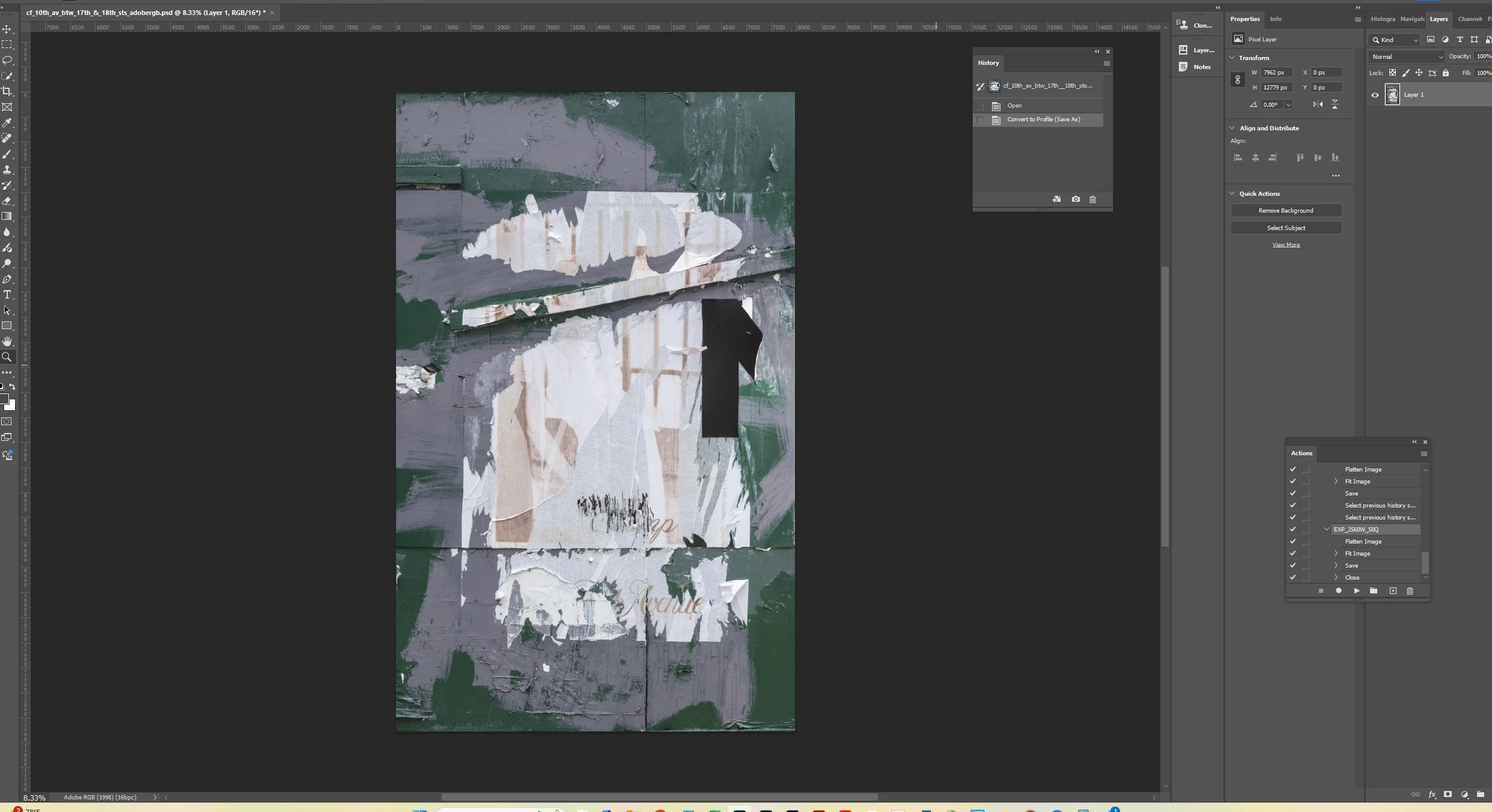
why does converting the color profile flatten my image?

  • May 17, 2025
  • 2 replies
  • 639 views

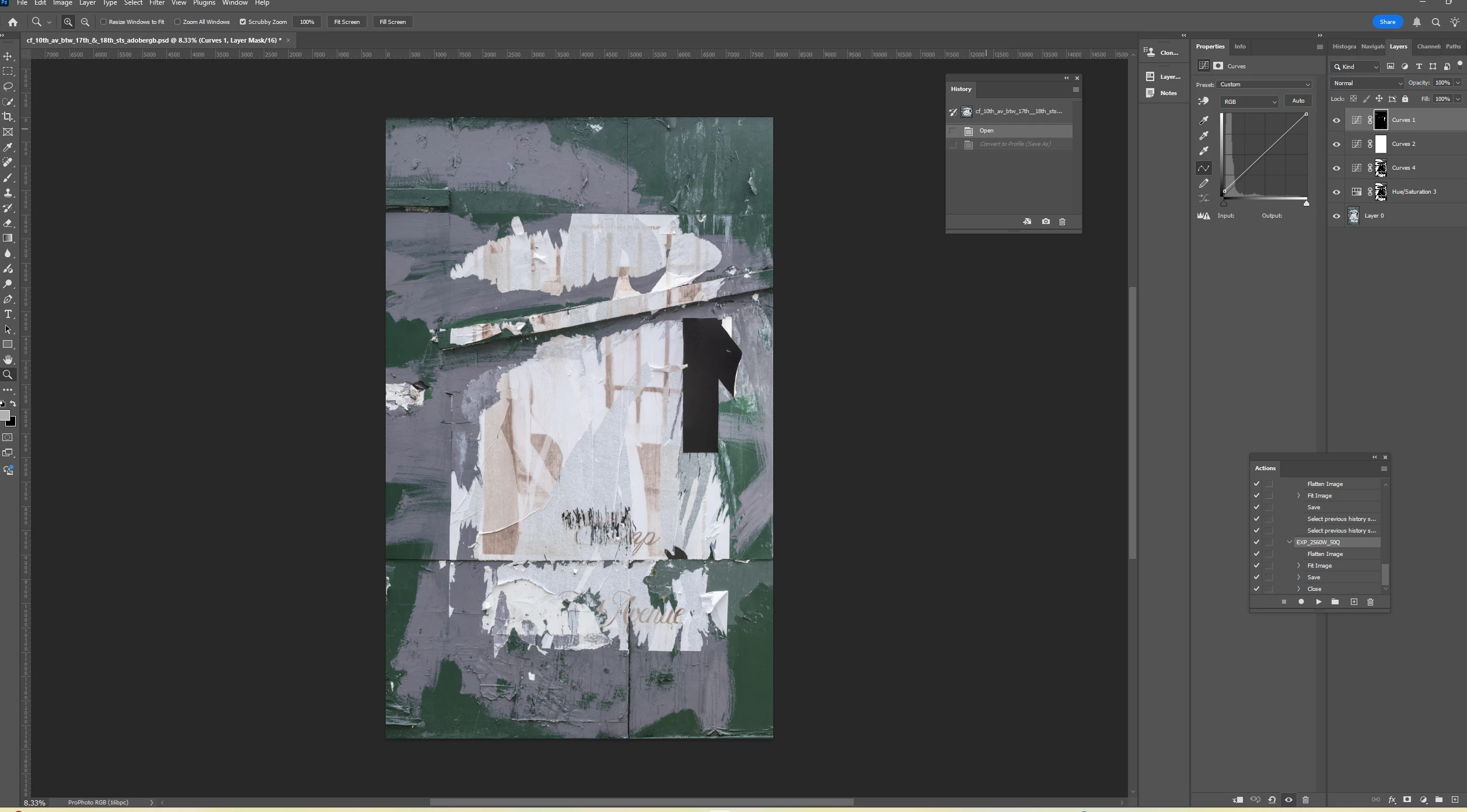
I needed to convert the color profile of my image from ProPhoto RGG to Adobe RGB.  However doing so flattened my image - or appeared to.  Why is this?


Thanks.


Correct answer davescm

When you convert the profile of a multilayered document you are normally given the option to flatten it, as not doing so can change the appearance of some layers and the way blend modes work together. If you did not get that warning dialogue then try resetting the dialogues using Edit > Preferences > General > Reset All Warning Dialogues.

Dave

2 replies

D Fosse
Community Expert
Community Expert
May 17, 2025

And not just blend modes, adjustment layers too. They would change meaning in the new color space.


If you want to preserve the current appearance of the image, you have to flatten. If you don't, you'll need to redo your adjustment layers and set new values.


Here's a crop from an Adobe RGB file with two simple adjustment layers (curves and color balance) - converted to ProPhoto without flattening:

NB, colourmanagement
Community Expert
Community Expert
May 17, 2025

@Barton5C39 as @D Fosse wrote " If you want to preserve the current appearance of the image, you have to flatten. If you don't, you'll need to redo your adjustment layers and set new values."

That’s absolutely right, it's bad practice to convert between colour spaces or colour models (e.g. RGB>CMYK) without flattening . I'd recommend leaving the change until later so you can archive the Prophoto latered file and convert to Adobe RGB for whatever reason. 

Why are you doing that, by the way? It might help us guide you in workflow to know what you're making that conversion. 


I hope this helps

neil barstow colourmanagement - adobe forum volunteer,

colourmanagement consultant & co-author of 'getting colour right'

See my free articles on colourmanagement online

Help others by clicking "Correct Answer" when the question is answered.

Found the answer elsewhere? Share it here. "Upvote" is for useful posts


NB, colourmanagement
Community Expert
Community Expert
May 19, 2025

Thank you - I had made a copy of the image before doing the conversion so as to preserve the ProPhoto RGB file.  The reason I am converting is because I am in a group exhibit later this summer, and the gallery wants the images in Adobe RGB color space.


@Barton5C39 "the gallery wants the images in Adobe RGB color space." in that case then in your position I'd be working the master file in your chosen colour space (using layers etc) then archiving a layered original, duplicating,  flattening, converting the duplicate copy to Adobe RGB, resizing as needed then sharpening (Unsharp Mask). careful sharpening based on how an image will be viewed can make or break an image, almost every image needs it.

Save this Adobe RGB copy as a "gallery exhibit" file. 

With Colour management there's no reason for the gallery to specify a specific colour space, but, hey that’s apparently what they've decided. Are they making prints? 


I hope this helps

neil barstow colourmanagement - adobe forum volunteer,

colourmanagement consultant & co-author of 'getting colour right'

See my free articles on colourmanagement online

Help others by clicking "Correct Answer" if the question is answered.

Found the answer elsewhere? Share it here. "Upvote" is for useful posts 


davescm
Community Expert
davescmCommunity ExpertCorrect answer
Community Expert
May 17, 2025

When you convert the profile of a multilayered document you are normally given the option to flatten it, as not doing so can change the appearance of some layers and the way blend modes work together. If you did not get that warning dialogue then try resetting the dialogues using Edit > Preferences > General > Reset All Warning Dialogues.

Dave