
Question
Why does my new layer lose quality when I copy paste a selected area?
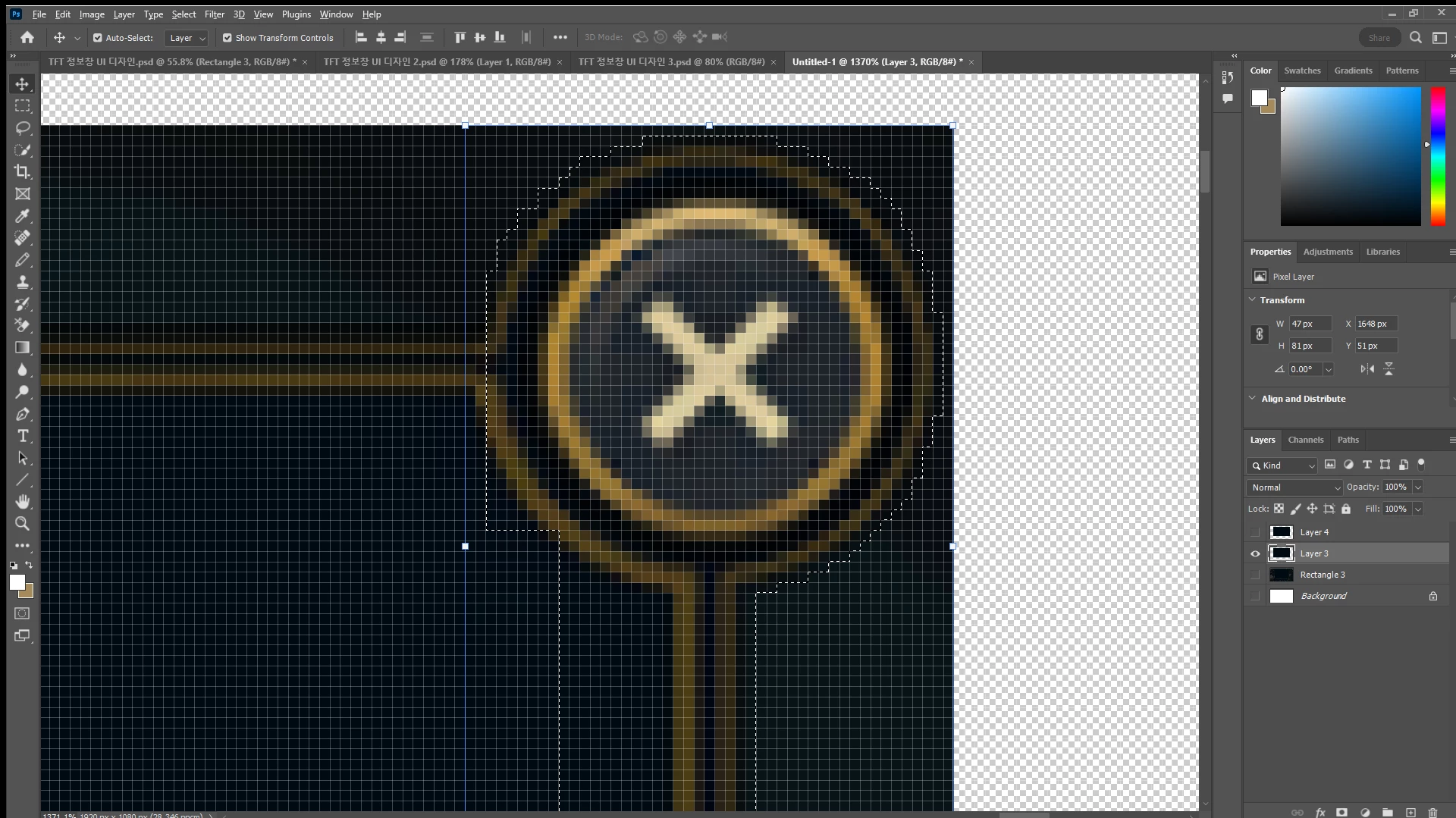
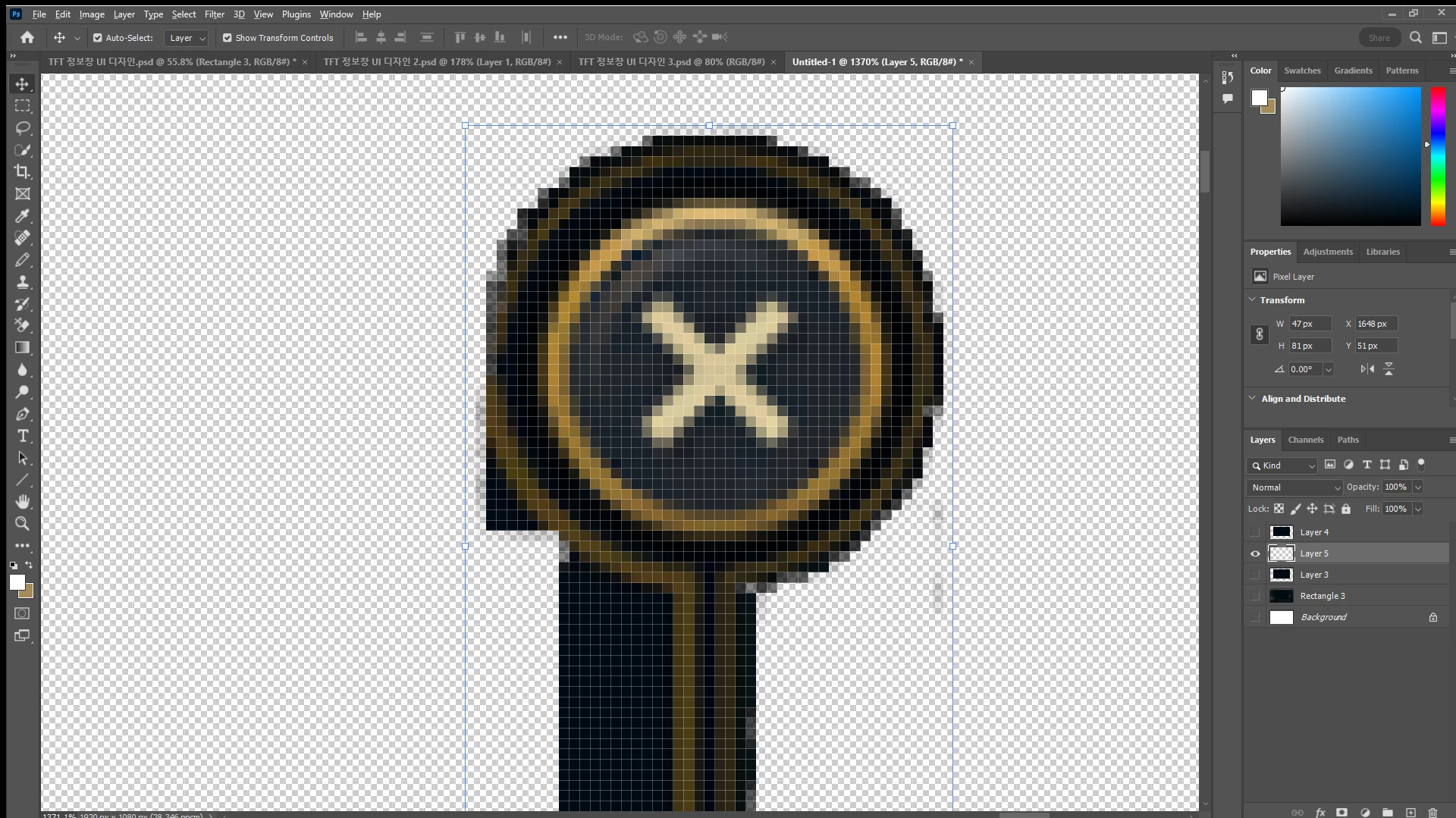
I'm trying to cut out a specific area of an image, but I've had no success pinpointing the exact pixels of the outline I want so I'm doing it bit by bit. I'm currently working on the corner round part of the UI outline that contains X in it. After selecting the area with the lasso tool, I copy pasted the layer, but in the new layer some of the pixels are blurred and slightly changed in color as you can see in the 2nd image below. Why does it do that? How can I extract that part without losing quality?
 AdChoices