
Participant
December 1, 2018
Question

Why does paint bucket tool not work correctly?

  • December 1, 2018
  • 3 replies
  • 1090 views

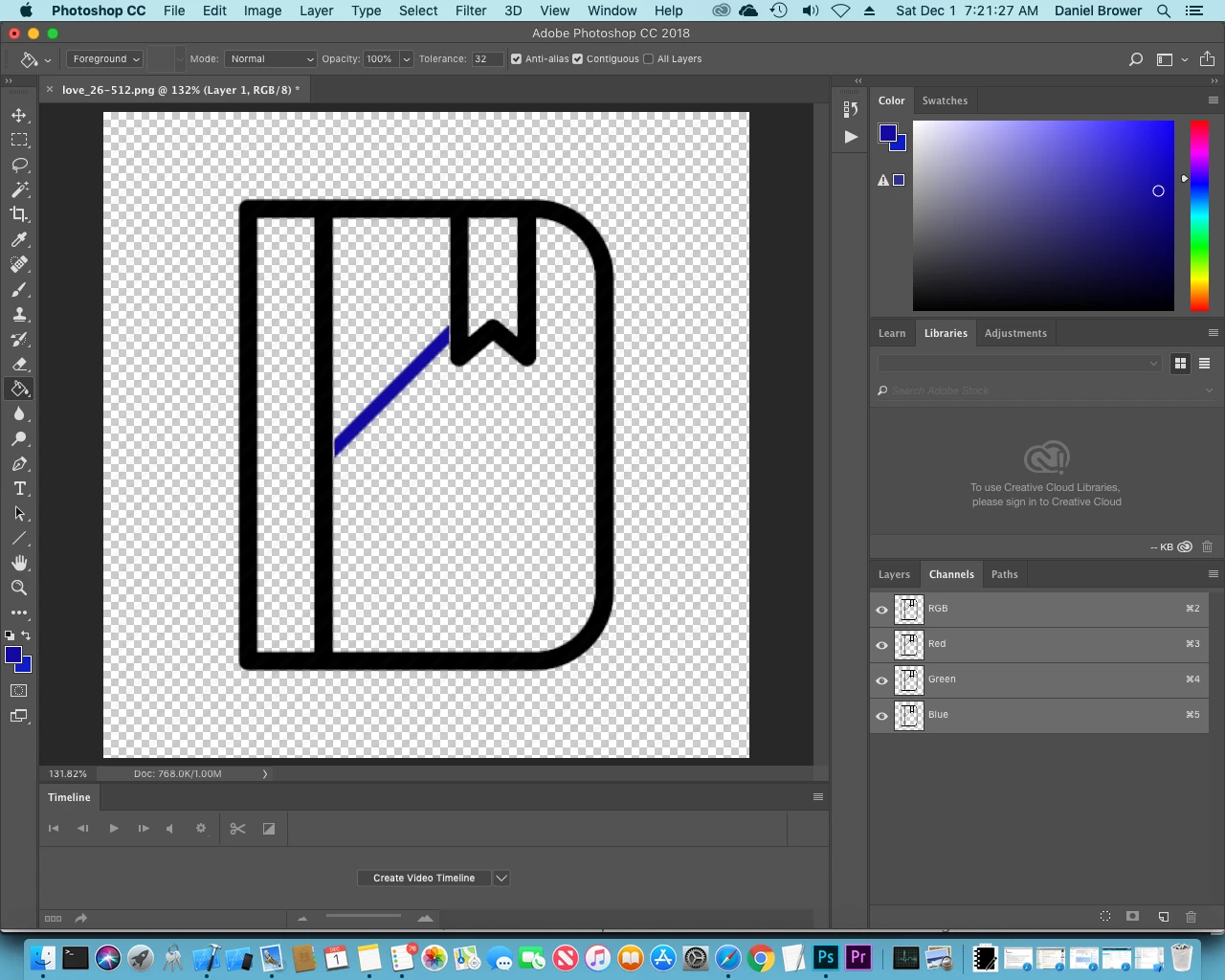
When I use the paint bucket tool on the center of this image, only a diagonal strip is colored. Why is this and is there a way for me to paint bucket the entire section within the black lines? It does the same thing with the magic wand tool.
This topic has been closed for replies.

3 replies

Legend
December 1, 2018

Judging from your screen shot there is a gap between the selected part and the rest. You have contigious checked so it will stop at the gap.

Inspiring
December 1, 2018

Are you layer blocked? You need unblock first, its a locker, click on that.

Inspiring
December 1, 2018

This is because of "tolerance". But the best way to change thia color with bucket is: In the layer panel, move your cursor at top of the thumbnail, press Ctrl+leftMouse, a new selection will appear, create a new layer and use paintbucket in anywhere inside of the selection.

Participant
December 1, 2018

When I get to the part when I ctrl-leftclick, I get a popup menu. It doesn't give me an option to create a new layer, but I created a new layer a different way. When I paint bucket the image, it makes the entire image blue, whether behind or in front of the original image. I actually just want to paint the inside of the black lines, not all over.