
Participant
February 23, 2025
Question

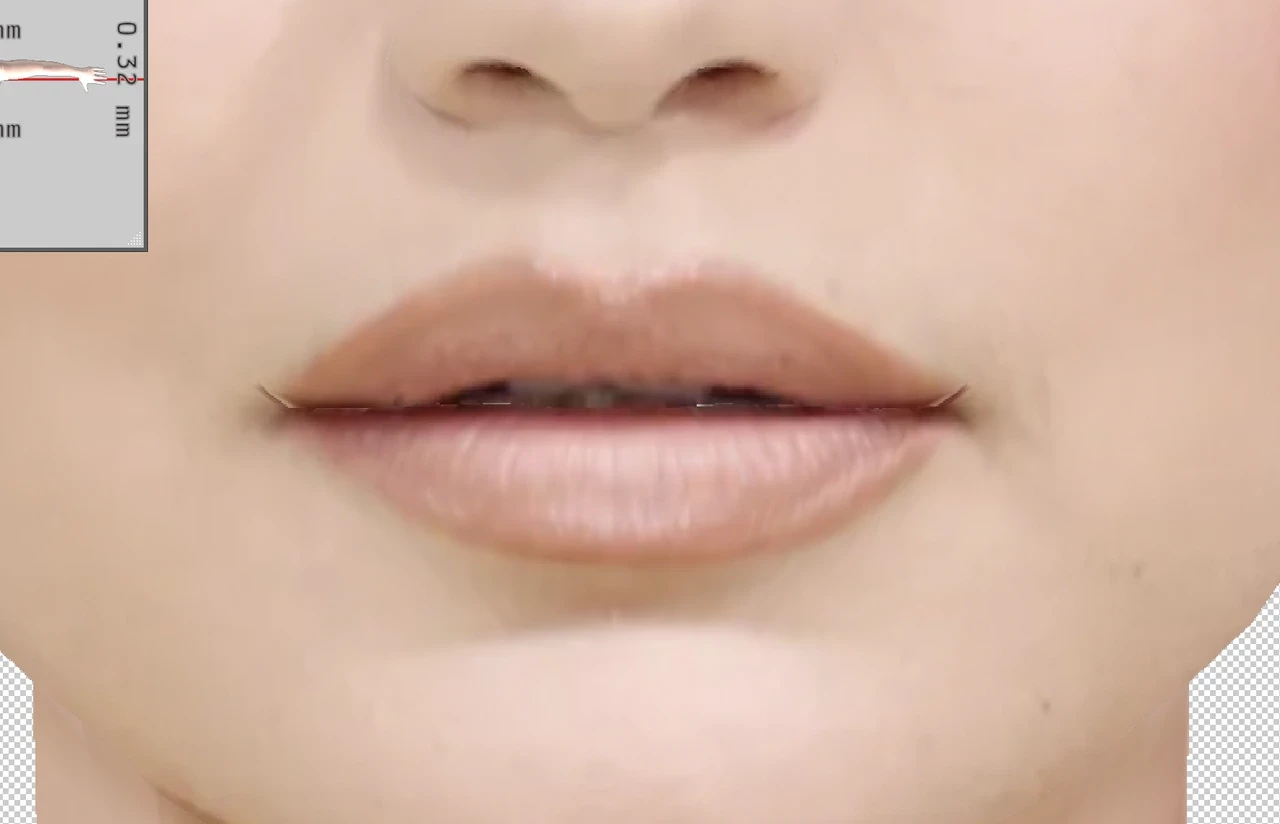
Why does this happen when I merge an image with a 3D object?

  • February 23, 2025
  • 1 reply
  • 123 views

Hi. I am experiencing an issue with the 3D features in photoshop 22.2 on my M1 mac. I am working with a .OBJ file and merging down reference images, however, as soon as the texture is projected onto the 3D mesh, there is a problem with the pixels getting mixed with the 3D structure around the mouth corners. I have tried but not been able to solve the issue. Any help would be much appreciated.
 

1 reply

davescm
Community Expert
Community Expert
February 24, 2025

From the limited info I can see in your screenshot, you will need to either adjust the mesh or warp the projected image. To warp the image open it as a flat texture and use puppet warp to move just the corners of the mouth, using the UV as a guide. To be honest though, I would not use Photoshop for this. The 3D functionality in Photoshop v22 was limited, often unreliable, and is now discontinued. Adobe Substance Painter has much better tools for this job.

Dave