Known Participant
September 15, 2019
Answered

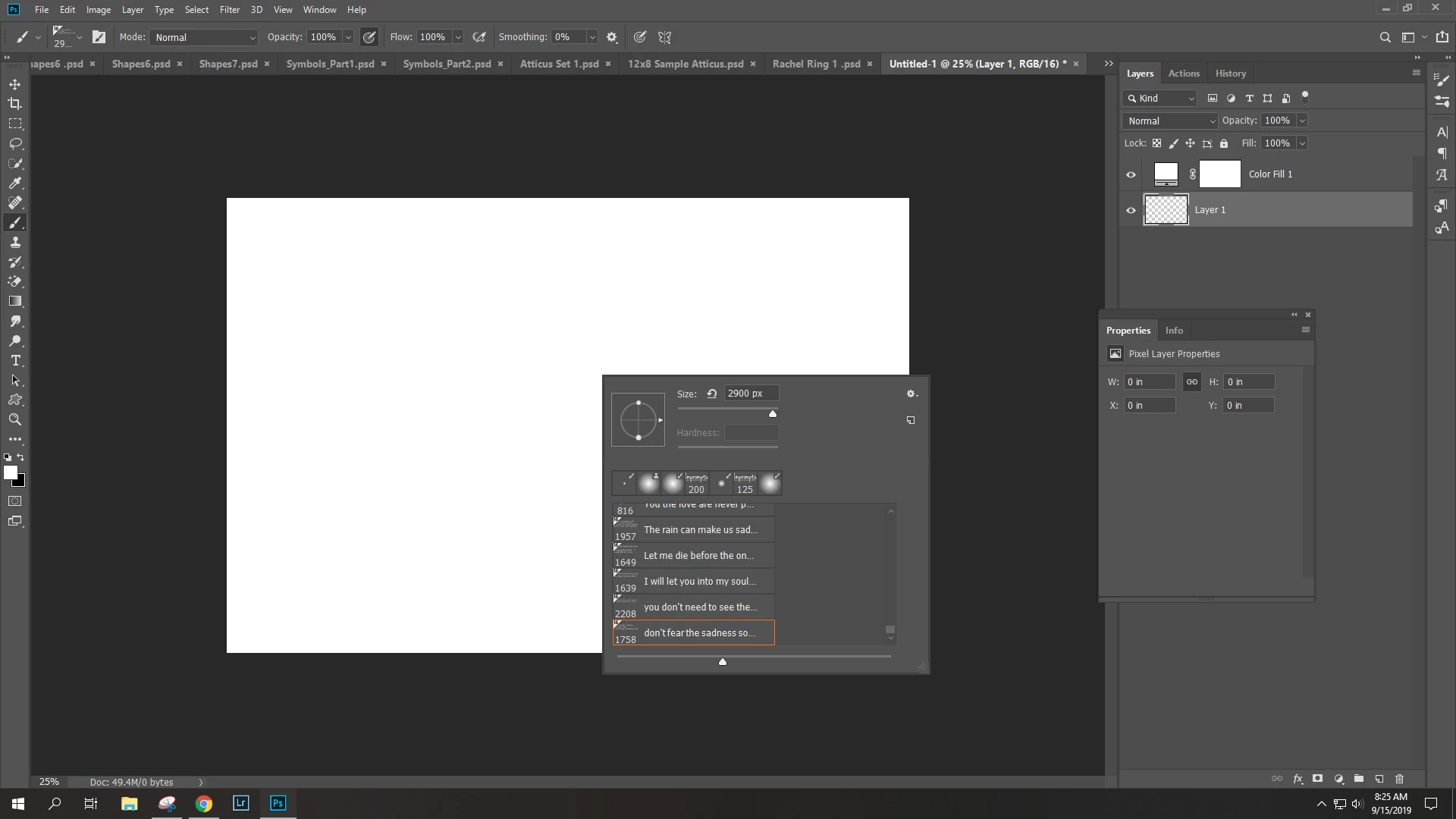
Why is my custom brushes showing a triangle

  • September 15, 2019
  • 2 replies
  • 1430 views

Why is there a triangle showing in the corner of my custom brushes?    I've never seen this before and I have made a ton of brushes over the years.   Version 20.0.3
This topic has been closed for replies.
Correct answer Tom Winkelmann

That's because you use 16Bit instead of 8Bit while you create your brush...

2 replies

Known Participant
September 15, 2019

Figured it out but thought I would post the answer.   It was because I was in 16 bit mode / profile.   So hence the 16.   

Tom Winkelmann
Tom WinkelmannCorrect answer
Inspiring
September 15, 2019

That's because you use 16Bit instead of 8Bit while you create your brush...

Known Participant
September 15, 2019
I think we typed at the same time. Could you tell me... what the advantage would be to do them in 16 bit mode?
Participant
April 9, 2024

Slight correction - 16 bit does not offer a wider range of colours it just divides the same range into more steps. That way the steps are not visible as bands. To get a wider range then you would need to change the colour space.

32 bit works slightly differently and does offer a wider range in that it can go lighter than the lightest white visible in 8/16 bit and darker than the darkest black. It cannot be displayed directly on screen though and is reserved for specialist uses such as HDR or 3D rendering
Dave


Adobe noob here-  thank you for explaining the differences between the 8, 16 & 32 bits.  
Cheers
Jessica
