Participant
June 8, 2021
Answered

Why is my layer mask semi-transparent/checkered/grey
  • June 8, 2021
  • 1 reply
  • 6696 views

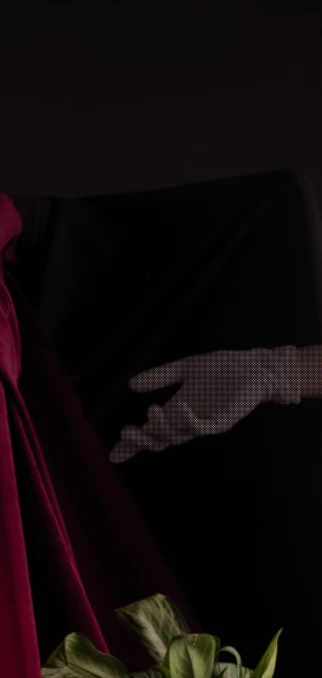
I am trying to create a composite image with three layers (nothing crazy). But for some reason I am getting a grey/transparent layer instead of full opacity. I learned that this is because my layer mask is grey, not full white. Weirder still when I take off the invert it goes to pure white but now the black is grey... I have been going crazy trying to figure it out. 
This topic has been closed for replies.
Correct answer c.pfaffenbichler

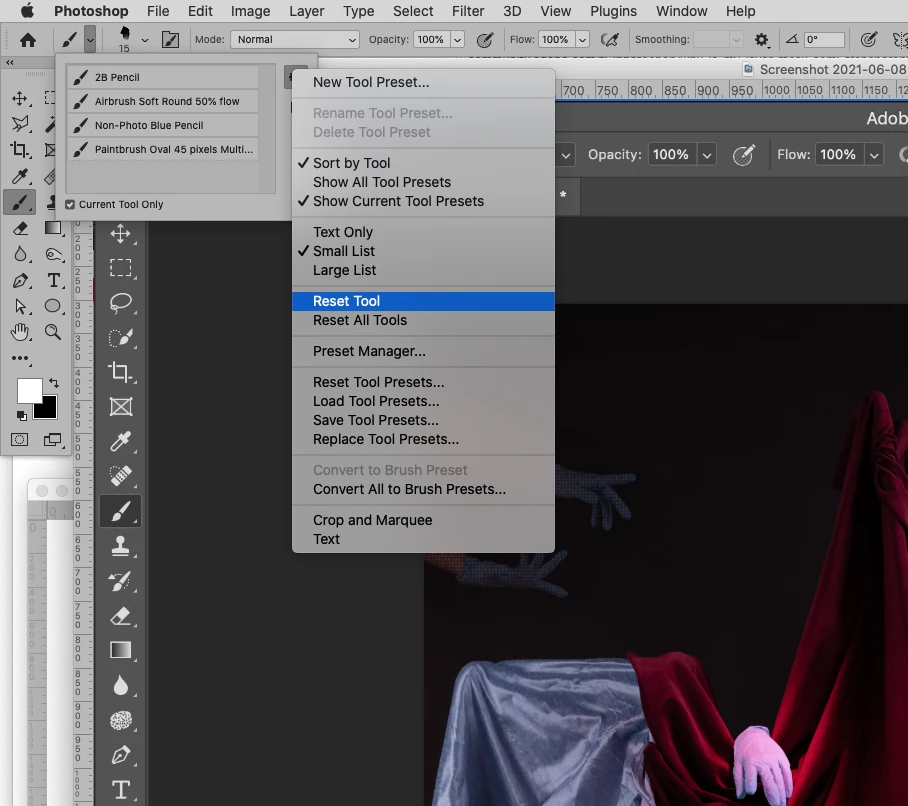
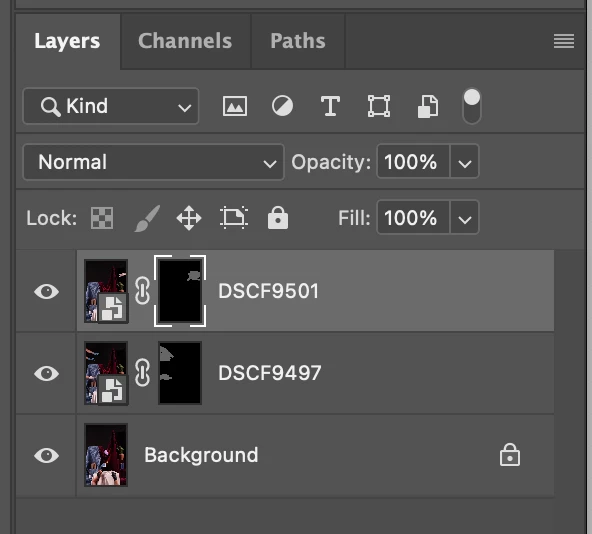
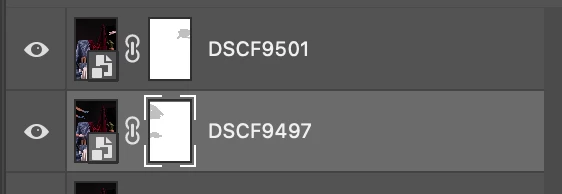
 does this provide the necessary information? Also tried to do the rectangular selection and fill with black but it did not seem to fill? Unfortunately I am hardly a PS expert and might have attempted it incorrectly


Sorry, to reveal the Layer content you would need to fill with White. 


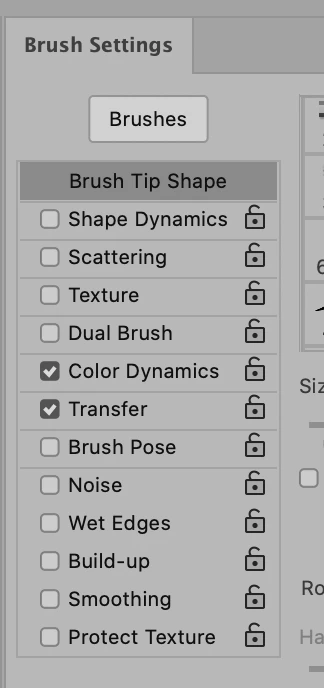
Are any Transfer or Color Dynamics set in the Brush Settings Panel? 


Please try restting the Tool. 


If that does not help it might be time to try restoring Preferences (after making sure all customized presets like Actions, Patterns, Brushes etc. have been saved): 

https://helpx.adobe.com/photoshop/using/preferences.html

1 reply

c.pfaffenbichler
Community Expert
Community Expert
June 8, 2021

Is it definitely black? 

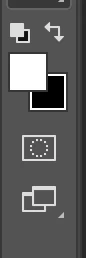
What are the Layer Mask’s settings in the Properties Panel? 


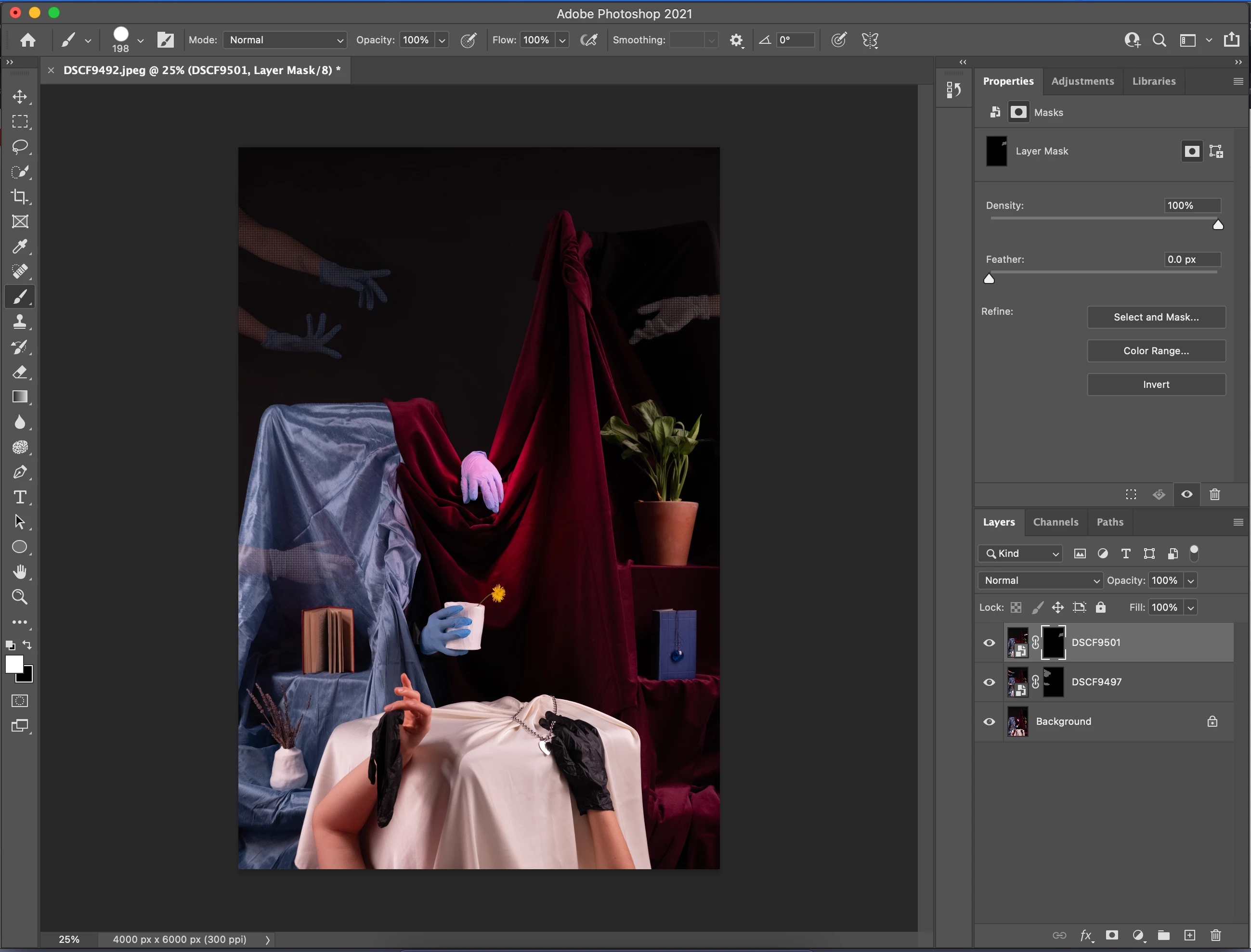
Could you please post screenshots with the pertinent Panels (Toolbar, Layers, Properties, Options Bar, …) visible? 

Participant
June 8, 2021

Thanks for the reply- pardon my ignorance but can you direct me to what panels you need open? Here's my screen

c.pfaffenbichler
Community Expert
c.pfaffenbichlerCommunity ExpertCorrect answer
Community Expert
June 8, 2021

 does this provide the necessary information? Also tried to do the rectangular selection and fill with black but it did not seem to fill? Unfortunately I am hardly a PS expert and might have attempted it incorrectly


Sorry, to reveal the Layer content you would need to fill with White. 


Are any Transfer or Color Dynamics set in the Brush Settings Panel? 


Please try restting the Tool. 


If that does not help it might be time to try restoring Preferences (after making sure all customized presets like Actions, Patterns, Brushes etc. have been saved): 

https://helpx.adobe.com/photoshop/using/preferences.html