
Participant
November 18, 2020
Question

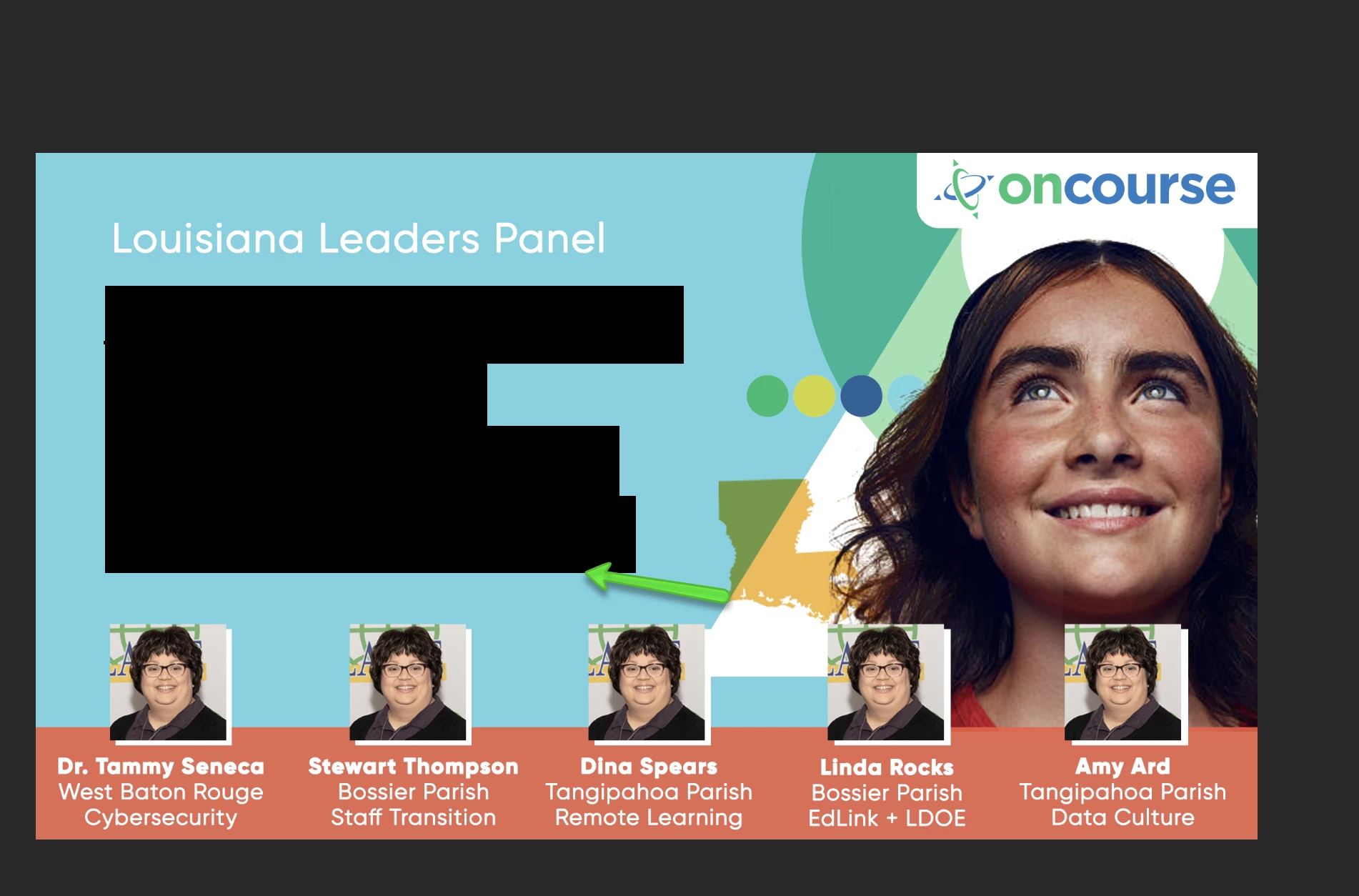
Why is my text blacking out when I highlight it (Photoshop)?

  • November 18, 2020
  • 2 replies
  • 1386 views

When I go to highlight text (which normally gives you a translucent panel), it's suddenly showing in all black making it super-difficult to work with. Did I flip a setting on somewhere or is this a bug?
 

This topic has been closed for replies.

2 replies

marliton
Community Expert
Community Expert
May 13, 2021

Hi. Have you tried resetting the preferences? https://helpx.adobe.com/photoshop/using/preferences.html#reset_preferences


Marlon Ceballos
lindac59935593
Participating Frequently
May 14, 2021

Yes, resetting preferences no matter which way, makes no difference. This is PSD 2021 ver 22.3.1, which is terrible to begin with, but thought I'd ask this question anyway. Not really using it, as it is incredibly buggy and slow and basically a "dog"!

davescm
Community Expert
Community Expert
May 18, 2021

Have you tried Photoshop 22.4 released this week?

Also does going to Preferences >Performance unchecking Use graphics Processor and restarting Photoshop affect the issue ?

Dave

lindac59935593
Participating Frequently
May 13, 2021

I'm having similar problem in that I don't have to highlight text for this to happen. If I am just looking at the text only on its layer, it is blacked out. If I put a filled layer below it, it shows fine. If I turn on transparency, the text shows fine. So can anyone give some insight into this problem? ADOBE, WHY NO ANSWERS?!!