Inspiring
March 7, 2020
Answered

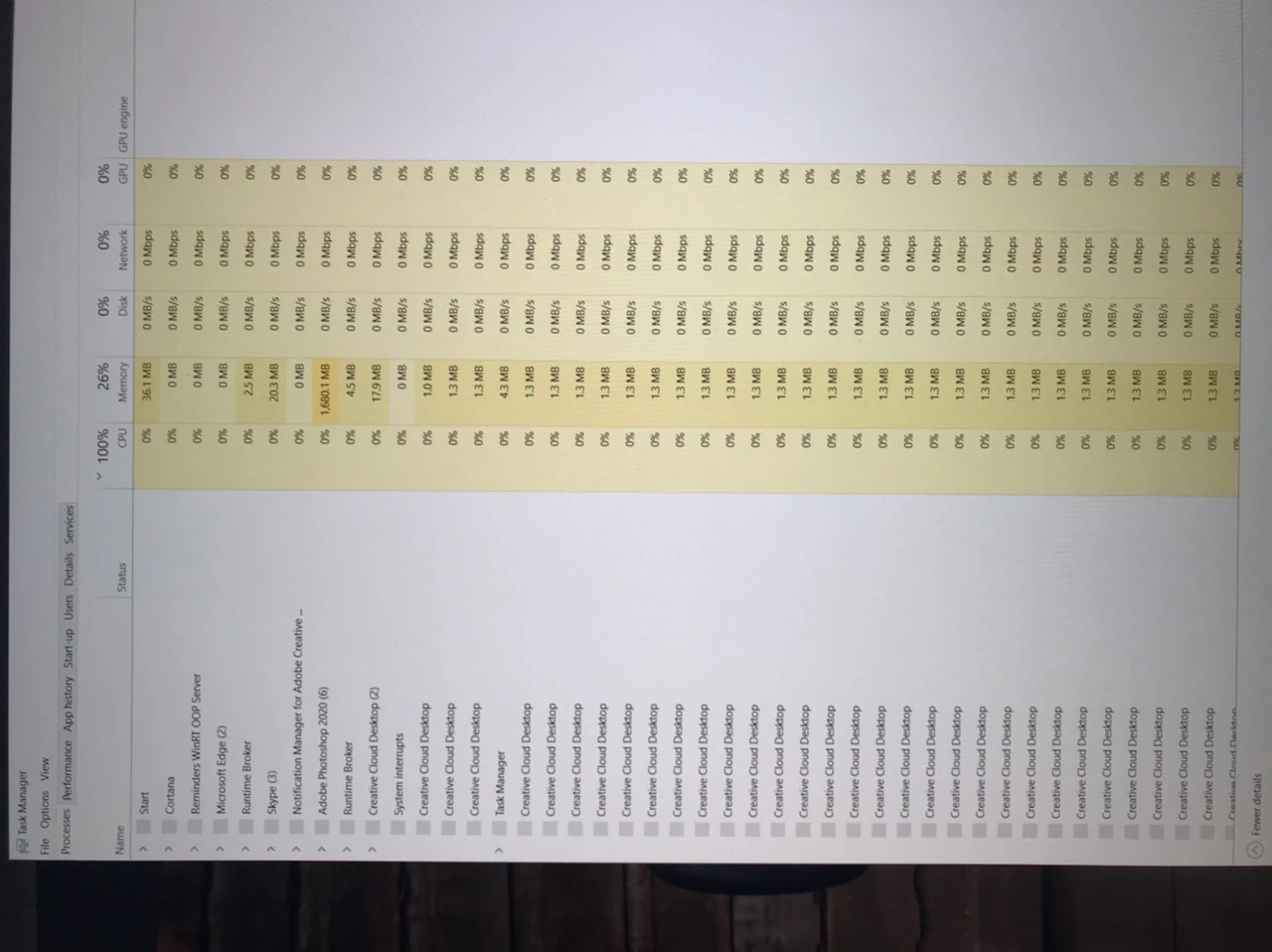
Why multiple processes of creative desktop running
  • March 7, 2020
  • 2 replies
  • 1673 views

I'm running windows 10. Creative Cloud desktop is disabled yet after 5 mins or so after boot I get screens like the above and I am unable to use the computer for a few minutes (my mouse will not even move) while it loads dozens of Creative Cloud Desktop. Although it says it's using 0% the sheer number of these prossesses opening is locking up th PC. Does anyone have any ideas how to cease this?

thanks Gary

    Correct answer five-bellies
    I turned off creative cloud from startup and that seems to have solved my
    issue....
    I hope this helps in your case...

    2 replies

    PECourtejoie
    Community Expert
    Community Expert
    April 23, 2020

    HEllo, I'm tempted to move this to the getting started forum, as it does not exactly pertain to Photoshop. let me look if the Creative Cloud app forum has been restored or not.

    Inspiring
    March 7, 2020

    I've just checked how many Creative Cloud Desktop processes are running and it is 1555, yes one thousand five hundred and fifty five Creative Cloud Desktop processes.... WTF!

    Participant
    April 23, 2020

    Was this ever solved? I had a post about this that went unanswered and am still looking for a solution to this exact issue. 

    five-belliesAuthorCorrect answer
    Inspiring
    April 23, 2020
    I turned off creative cloud from startup and that seems to have solved my
    issue....
    I hope this helps in your case...