Participating Frequently
February 13, 2024
Question

Why my Photoshop Generative Fill stuck on loading
  • February 13, 2024
  • 7 replies
  • 2431 views

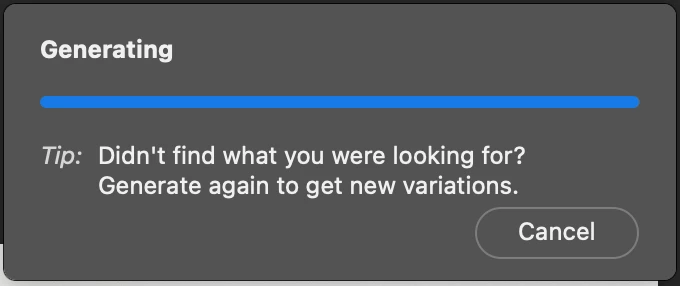
Like the screenshot above, the Generative Fill function stucked at loading and didn't show any result for it

Is there any solution for that?

7 replies

Participant
May 30, 2024

Im still having this issue. Can someone help? Thanks

Participant
January 31, 2025

Hey, I might be a bit late to the scene, but I found a fix! Simply switch your internet connection, and you should be good to go. If you're on Wi-Fi, try connecting to a different network or use your mobile data instead. This should allow the image to load and generate properly.

Participating Frequently
April 2, 2024

Hi, please tell me there is a fix to this?? I have been struggling for the last 5 hours trying everything under the sun to get it to work. PLEEEEEEZ let me know if anyone has fixed this??


Participating Frequently
May 12, 2024

Hello. Has anyone solved this problem yet?

Dan Ajinuo
Community Expert
Community Expert
February 13, 2024

I've answered a similar question here earlier. What comes to mind with this problem is a.) cache issue and b.) RAM/ROM issue. Under "edit" in the topmost option bar on Photoshop (between "file" and "view"), look for "purge" and clear your cache. As for your RAM/ROM, it might be that the generative fill feature isn't responding due to processor limitations. Try to check on your RAM/ROM capacity, clear up a little bit more space in your internal memory, or close other apps/software while using generative fill and see if it makes a difference.

@Kevin Stohlmeyer mentioned about firewall configuration, so you should also check that out if none of those mentioned above works. Another community expert in the other thread mentioned about possible use of VPN services that might stunt the generative AI feature, so be sure to turn them off while working.

Hope this helps!

Kevin Stohlmeyer
Community Expert
Community Expert
February 13, 2024

@Dan Ajinuo VPN is a no go with Generative Fill/Firefly AI.

Participating Frequently
February 13, 2024

Yes , everal of us are also having the same issue . I was in discord of 100 + peers and we have over 10 ppl having the same issue here . We had no issue like this , it just happened in the last 7 days or so . 


And no , it is not related to antivirus and other window firewall as I have double checked to ensure the app is working fine and I did not update my OS recently . 

Participating Frequently
February 14, 2024

I also tried uninstall it and install again but same issue having, anyway thanks for your help!

Kevin Stohlmeyer
Community Expert
Community Expert
February 13, 2024

@Foo31171123d03a if on a PC - check your Windows Defender firewall settings to make sure PS is listed and allowed.

Participating Frequently
February 14, 2024

I'm using macbook but thanks for your help!

kglad
Community Expert
Community Expert
February 13, 2024

in the future, to find the best place to post your message, use the list here, https://community.adobe.com/

p.s. i don't think the adobe website, and forums in particular, are easy to navigate, so don't spend a lot of time searching that forum list. do your best and we'll move the post (like this one has already been moved) if it helps you get responses.


<"moved from using the community">
Participating Frequently
February 14, 2024

Alright thanks a lot for your info, I'll do that in future! 

jane-e
Community Expert
Community Expert
February 13, 2024

@Foo31171123d03a 


Which Adobe application are you using? Firefly? Photoshop? Illustrator? 


You posted to Using the Community (for questions about the forums), and we can move your post for you.


Jane

Participating Frequently
February 14, 2024

Thanks for the info! I'm using Photoshop