
Known Participant
September 8, 2023
Answered

why suddeny do the blue guidelines i've set in a document dissapear?

  • September 8, 2023
  • 1 reply
  • 546 views

for many years i worked with a document into which i've set blue guidelines by dragging the lines in from the side and top rulers.  i use them to tell me where to place an image in the correct place for printing a document--it's a template.  suddenly, the blue Guidelines that I have set up, that have always been there, are no longer there. Twice now I have re-set them up  and then saved the document. When I open the document the next time the blue guidelines are gone. What's going on here?


 the attached image shows what they are supposed to look like


I'm using PS six on Mac OS 14
This topic has been closed for replies.
Correct answer jane-e

@sasabombasa 


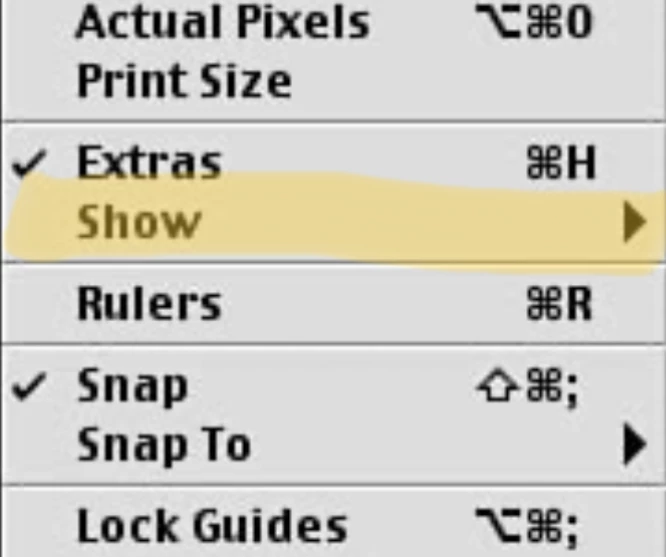
Cmd+H or View menu > Extras will hide/show everything that is checked in View menu > Show submenu. When you reopen the document, everything in View menu > Show is visible or hidden.


To fix this, go to View menu > Show and enable "Guides" from the submenu.


Jane


1 reply

c.pfaffenbichler
Community Expert
Community Expert
September 8, 2023

How do you save the image exactly? 

Could you please post screenshots with the pertinent Panels (Toolbar, Layers, Options Bar, …) visible? 

Are you sure there are no guides in the image (»Clear Guides« should be grayed out then)? 

jane-e
Community Expert
jane-eCommunity ExpertCorrect answer
Community Expert
September 8, 2023

@sasabombasa 


Cmd+H or View menu > Extras will hide/show everything that is checked in View menu > Show submenu. When you reopen the document, everything in View menu > Show is visible or hidden.


To fix this, go to View menu > Show and enable "Guides" from the submenu.


Jane


Known Participant
September 10, 2023

Jane, this worked!  so easy, thank you so much!

Lisa