

WHY the spinning rainbow wheel??? ONLY with Adobe apps!!!
I know this has been discussed MANY times—but I wanted to add to the growing body of complaints about this: I've been a professional Adobe app user for decades. So I'm very familiar with what is considered "normal" and what isn't.
For the past year (or more) I've been plagued with the "spinning rainbow wheel" on my 2016 15" MacBook Pro—which as any Mac user knows basically amounts to a "temporary system crash" because you cannot do anything while the rainbow wheel is spinning away.
I've observed VERY carefully, and am 100% certain that this ONLY ever happens on my system when I open an Adobe app. Most commonly Photoshop, but also Bridge and Illustrator and InDesign. I never, ever get the rainbow wheel in any other app—ever.
It is absolutely infuriating—and did NOT used to happen with Adobe apps a few years ago or before. I've spent hours reading through posts online about why this happens—and there never seems to be one solution—but an entire galaxy of supposed "issues" unique to each person's system—and none of the issues ever seems to be Adobe's fault (which is ridiculous).
But speaking of "issues unique to each person's system," I have noticed that my problem seems to possibly be font-related, because I almost always get the spinning rainbow wheel ONLY when I choose the Text Tool for the first time—every time, the rainbow wheel appears and sits there spinning for a good 60 seconds or more (while I'm locked out of my system)...until it goes away and I can finally use the Text Tool. I cannot think of any GOOD reason why using the Text Tool would cause the rainbow wheel to appear?!
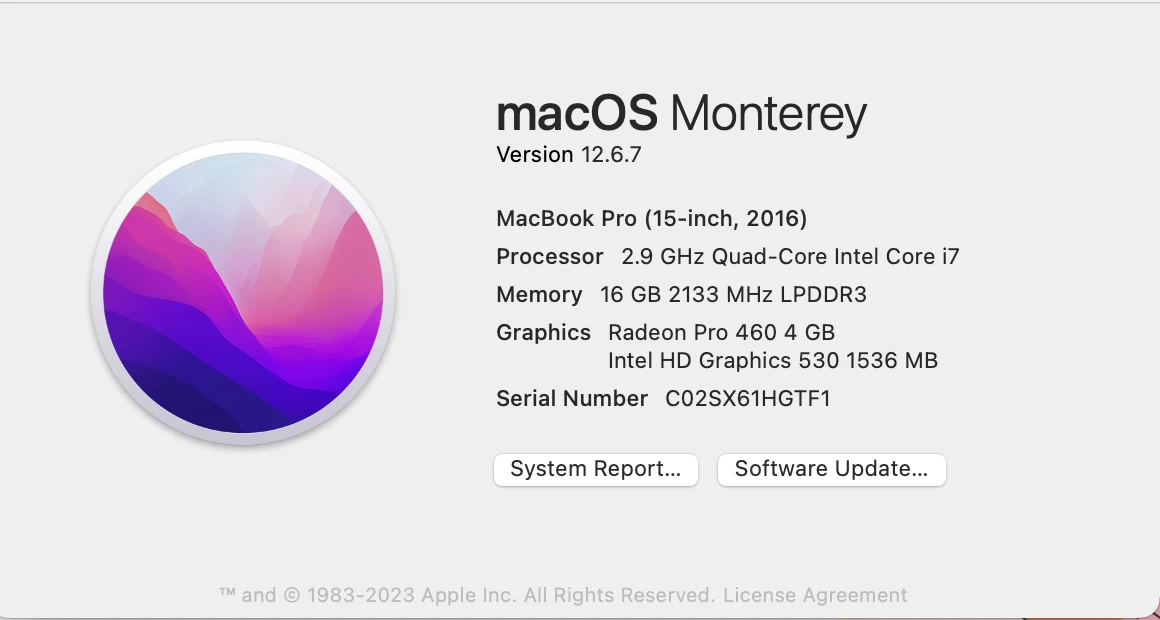
While I appreciate any tips offered, I'm highly dubious that there will be any solution to this...unless someone tells me that with their brand-new, M2-chip MacBook Pro they never experience this issue—in which case I'll know that it's likely a problem resulting from me using a 2016 Intel-based MacBook Pro (which I should add is still fast and works flawlessly for every other task). Here's a screenshot of my system specs:
Thanks,
Scott in Eugene, Oregon
 AdChoices