Participant
January 4, 2023
Answered

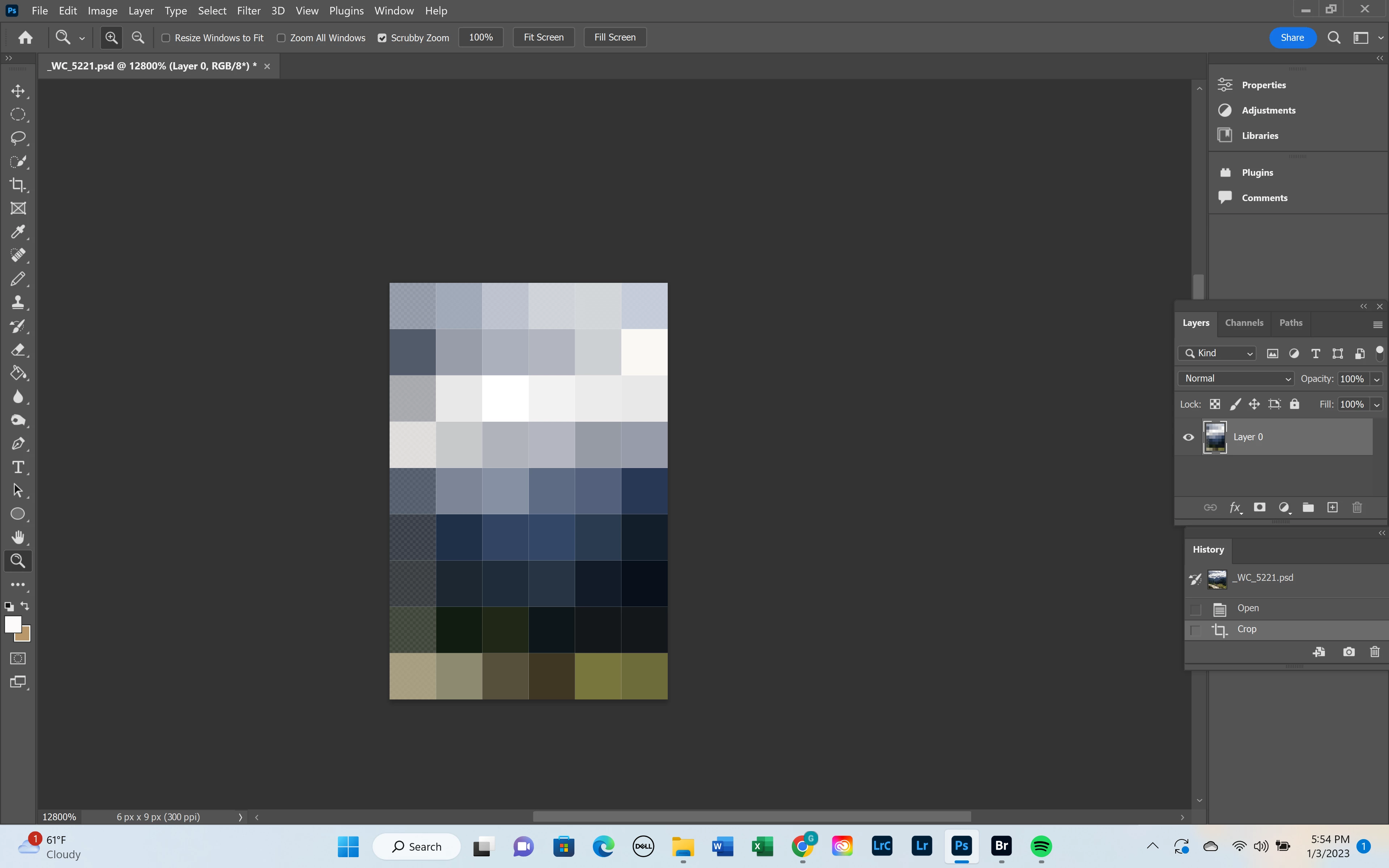
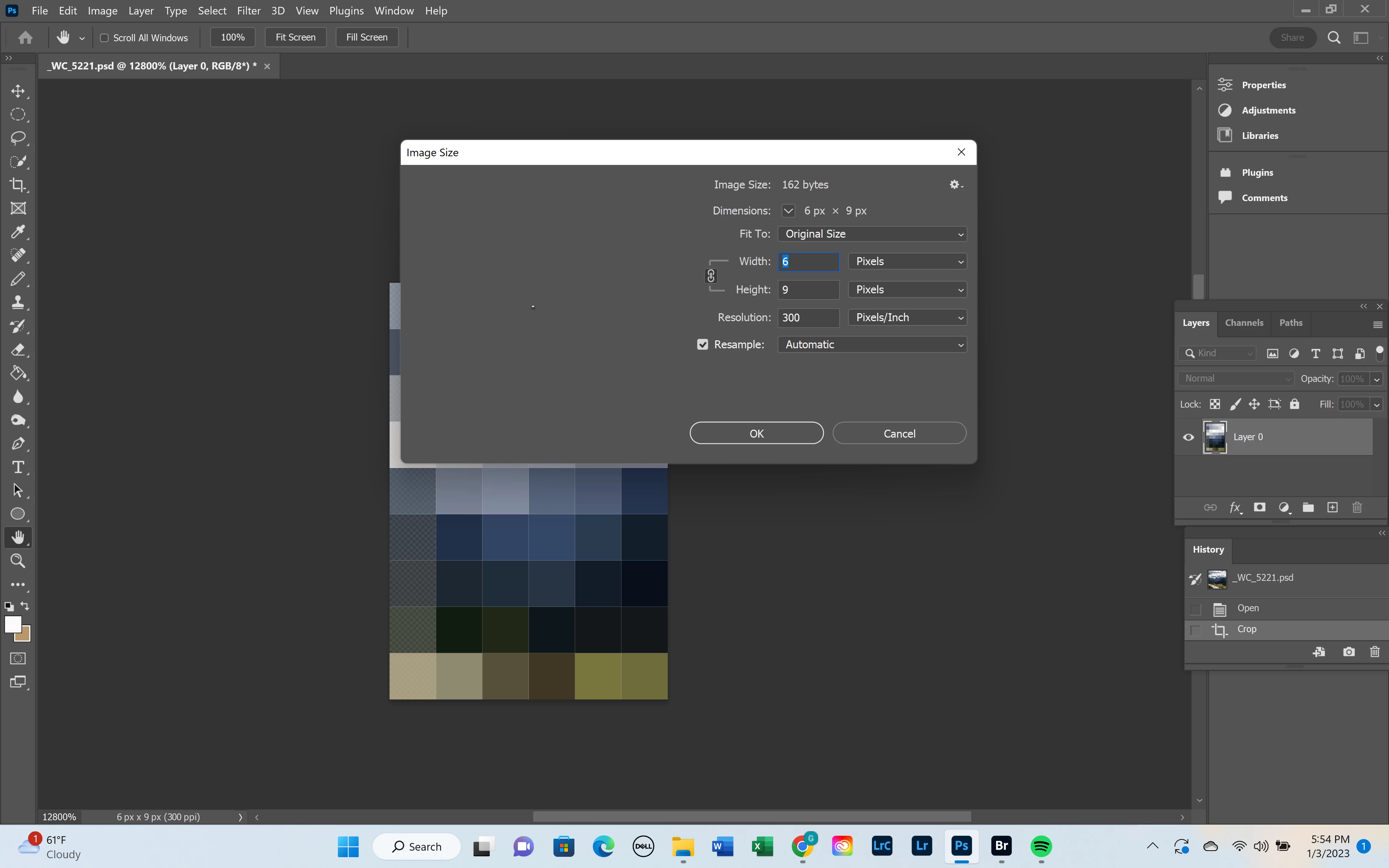
Win 11 crop tool fails... image turned into 4 x 6 pixel image

  • January 4, 2023
  • 2 replies
  • 224 views

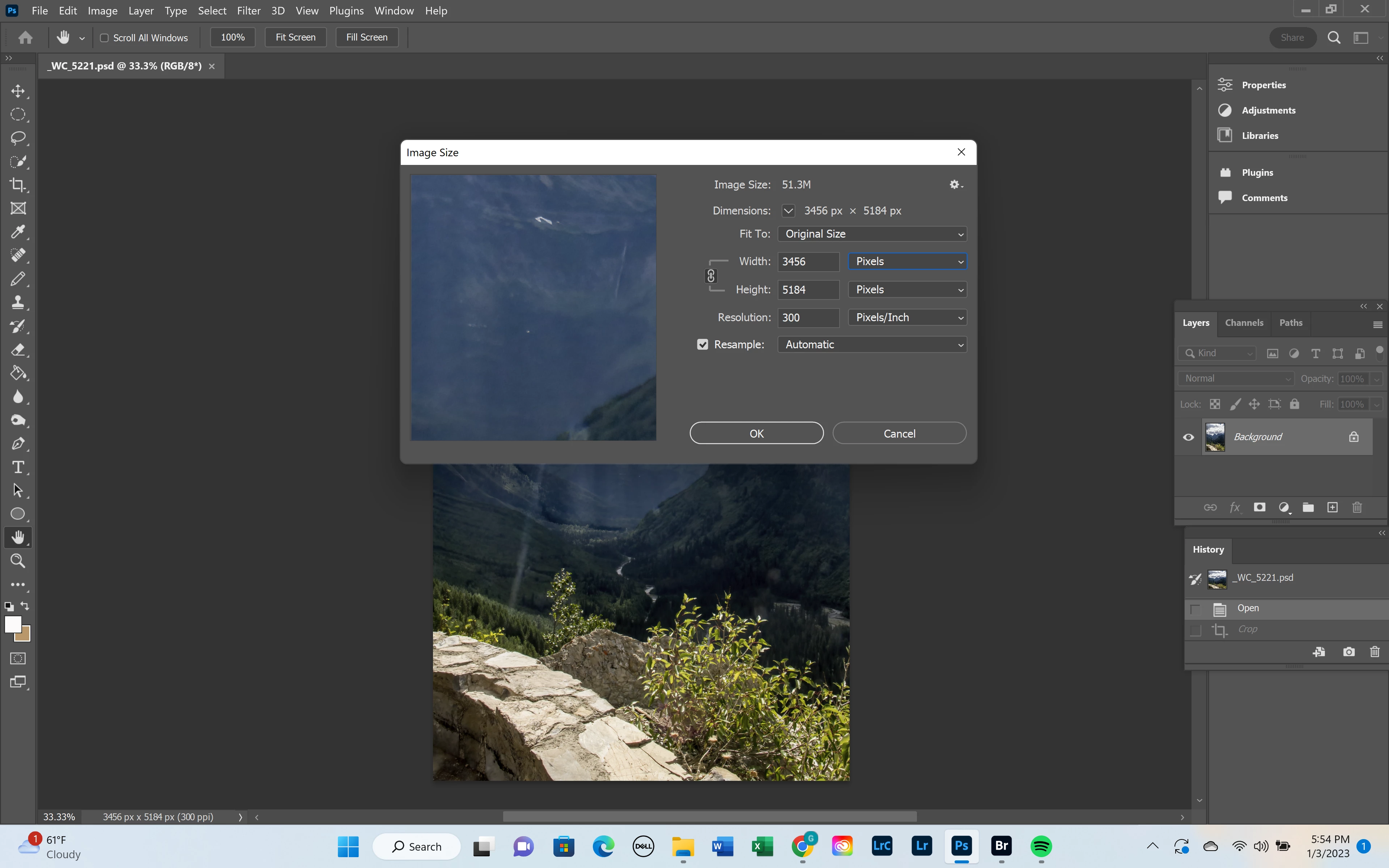
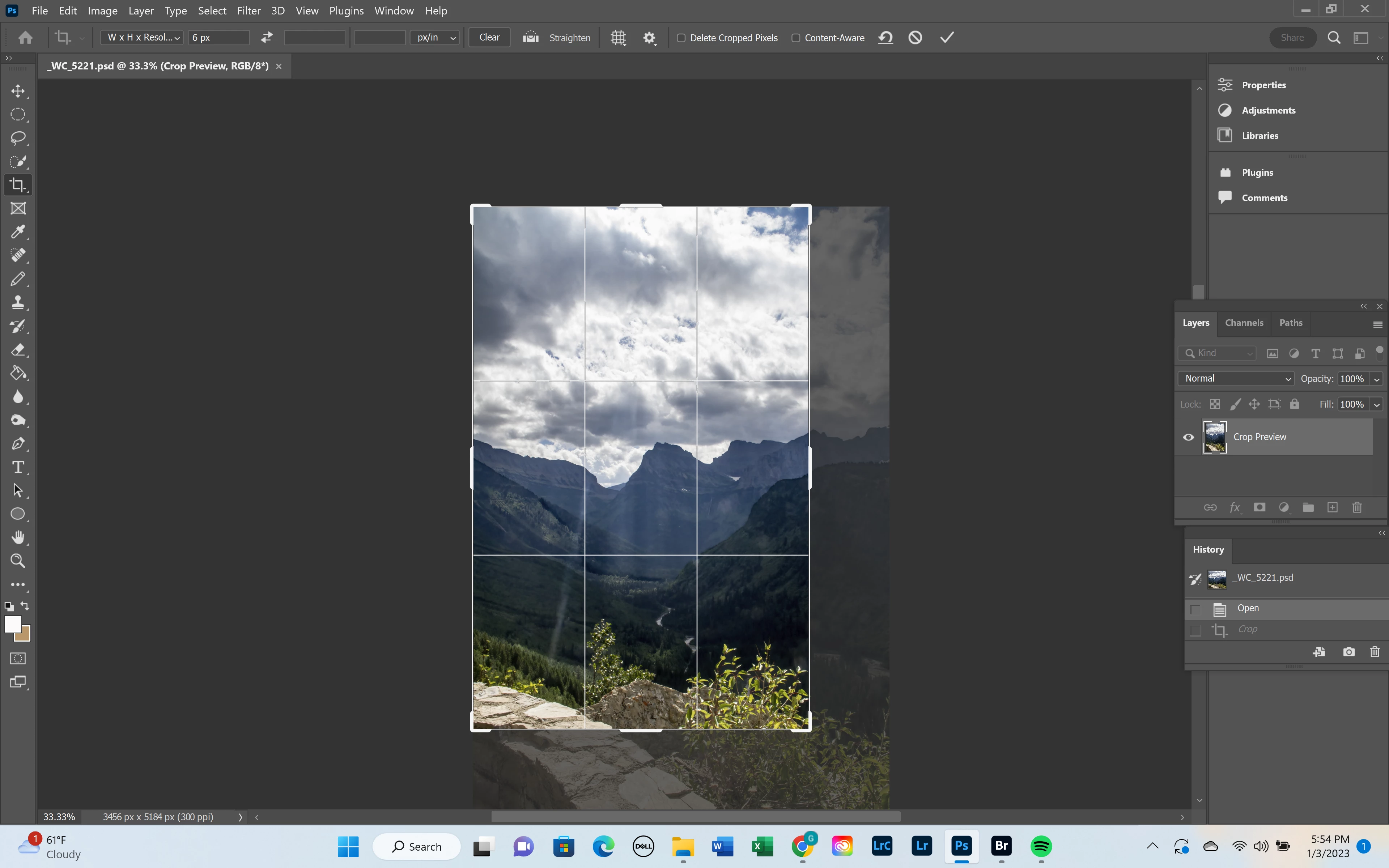
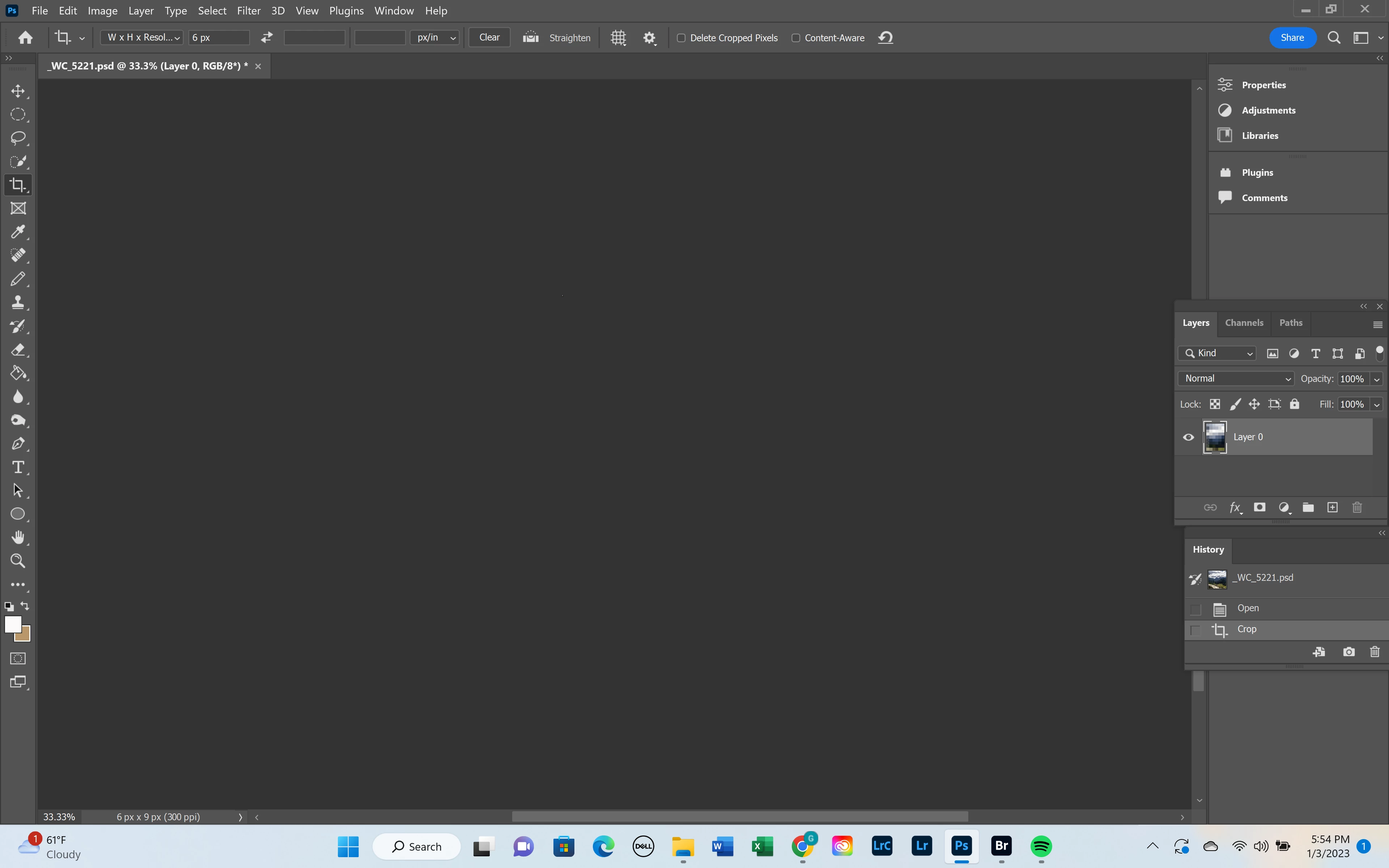
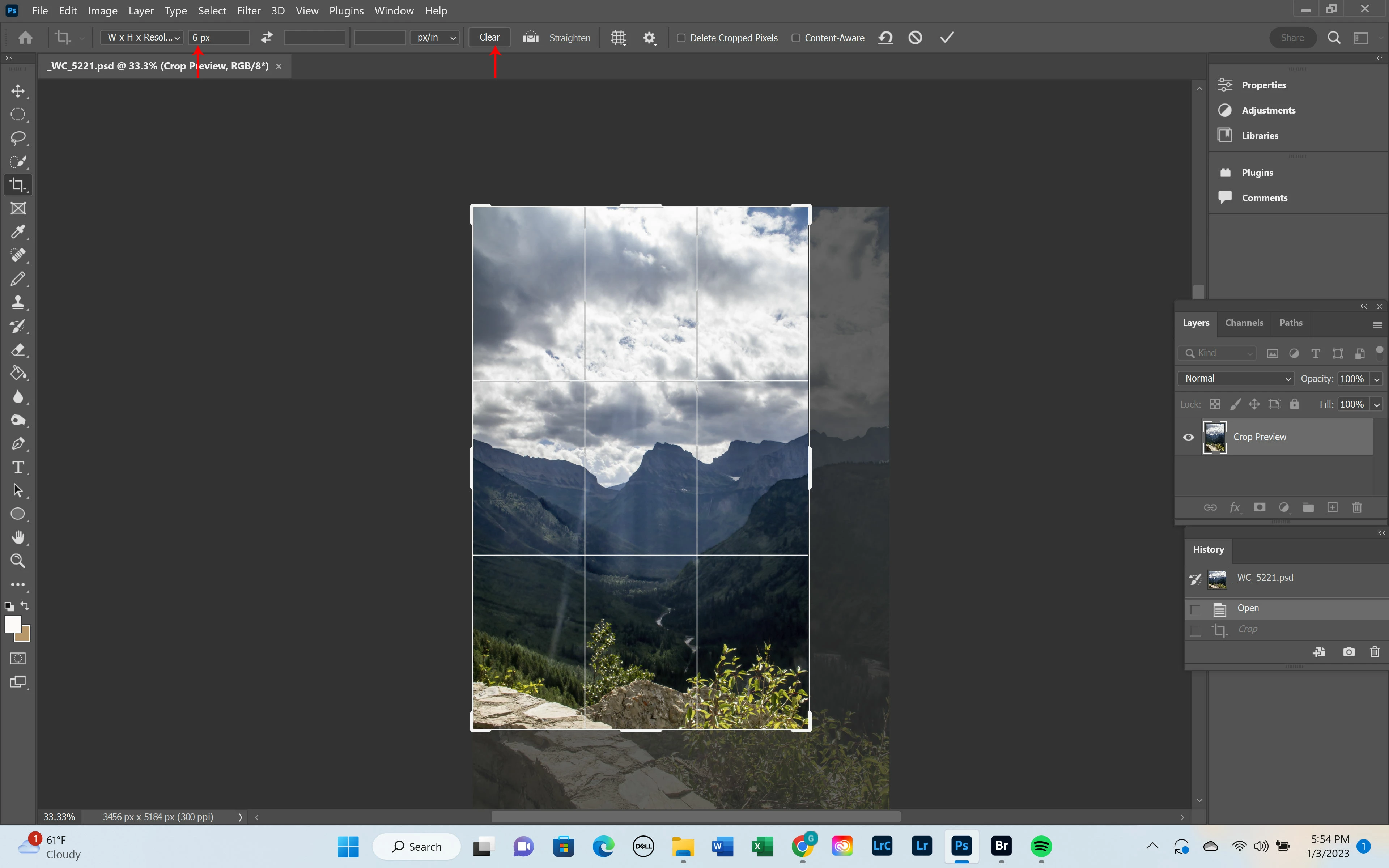
I have rebooted, checked for updates etc.  when I use the  standard crop tool, regardless of how muc crop I am doing, it looks like the image is cut, howeer it leavea a 4 x 6 pixel reminant of the file.  It is quite frustrating as it is the most simple of tasks  you ask this program to do and it cannot do it.  Photoshop version 24.1.0.  Win 11, 21h2 build 22000.1335.  it was working fine a couple of days ago.  it started while editing som older images, but the same problem is happening on images from this week now.  I have attached screen shots of the images sizes  and how the crop occurs.   please advise as to a fix for this.. Thanks!

Gregg


This topic has been closed for replies.
Correct answer Jeff Arola

It looks like you have 6 px in the Width field. Click on the Clear button and see it that resolves the issue.


2 replies

Bojan Živković11378569
Community Expert
Community Expert
January 4, 2023

@Jeff Arola is right, you have active W x H x Resolution and value 6px in the first or Width field. Delete that value or expand first drop down (W x H x Resolution) and choose some other preset like Original Ratio.

Jeff Arola
Community Expert
Jeff ArolaCommunity ExpertCorrect answer
Community Expert
January 4, 2023

It looks like you have 6 px in the Width field. Click on the Clear button and see it that resolves the issue.