
Participating Frequently
May 6, 2024
Question

Windows Explorer want images not icons

  • May 6, 2024
  • 4 replies
  • 947 views

Hello,  Thanks for helping.  In windows explorer .jpg's .png's etc. display an image, but .psd files are displayed like the screen cap below.  I need to see the actual image not the icon.

Thanks for tips on how to change this.   thnx michael
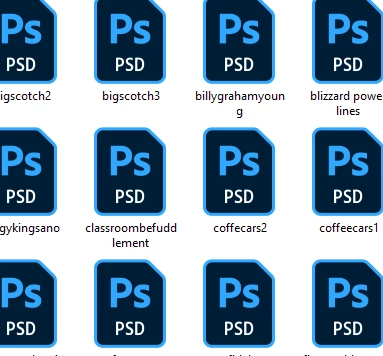
 

4 replies

Trevor.Dennis
Community Expert
Community Expert
May 7, 2024

Hi Michael.  Could you use Bridge when dealing with Photoshop files?  It's not as fast as File Explorer, but not too bad once it has built its cache.  You have thumbnails for .psd .psb etc. full metadata, you can give each file a star rating and it has a bunch of filters.  A lot of us old die hard Photoshop users love Bridge, and wouldn't give Lightroom space on our systems.


Participating Frequently
December 27, 2024

FOR THE RECORD I HATE BRIDGE, DON'T NEED IT DON'T WANT IT F'ING HATE IT IT DISPLAYS PICS IN SMALL THUMBS THAT YOU CANNOT SEE.  I GO BACK TO PHOTOSHOP 3 AND HAVE NEVER HAD THIS AGGRAVATION THAT STILL IS NOT SOLVED.  WHY SHOULD I HAVE TO GET A 3RD PARTY PLUG IN WHEN I PAY EVERY MONTH AND HAVE FOR YEARS.  


Ged_Traynor
Community Expert
Community Expert
May 7, 2024

@michaeljmann you can install Pictus Image Viewer, just make sure to select .PSD when installing

https://poppeman.se/pictus/

Participant
June 5, 2024
  1. Excellent solve.  Recently at a new job, I realized a huge difference from my SOHO machine and the office machine was the office machine not displaying PSD and PDF icons.  My Soho machine has always worked for many years and I recall paying for a codec which has faithfully served me.  Not being able to spend money on this, I found your solution worked great for the PSD - but not the PDF.  Adobe says reader can show thumbs but it only works (for me) on 32 bit - and I'm forced using 'daCloud' which I absolutely hate. but I digress.   I then used a free reader tool called Foxit - and after some initial issues trying just to get their free reader, I succeeded and lo-and-behold PDF thumbnails work for me now as well.  Zero dollar sane solution. thanks!
D Fosse
Community Expert
Community Expert
May 6, 2024

There hasn't been PSD thumbnails in Windows Explorer since Photoshop 7.0. Adobe and Microsoft blamed each other until they both eventually gave up, some time in the early 2000s.


There are third-party codecs available. Just google it.

josantgomez
Legend
May 6, 2024

En configuración/ personalización, temas