Participant
October 30, 2012
Answered

Windows Fonts not showing in PhotoShop CS6

  • October 30, 2012
  • 1 reply
  • 41926 views

Newly built Windows 7 Machine, installed the fonts and they show in all office Apps but not showing in Photoshop CS6, can you tell me how to get them to appear?

Thanks

    This topic has been closed for replies.
    Correct answer sudarshan.t

    Have tried the above and still no joy

    Thanks


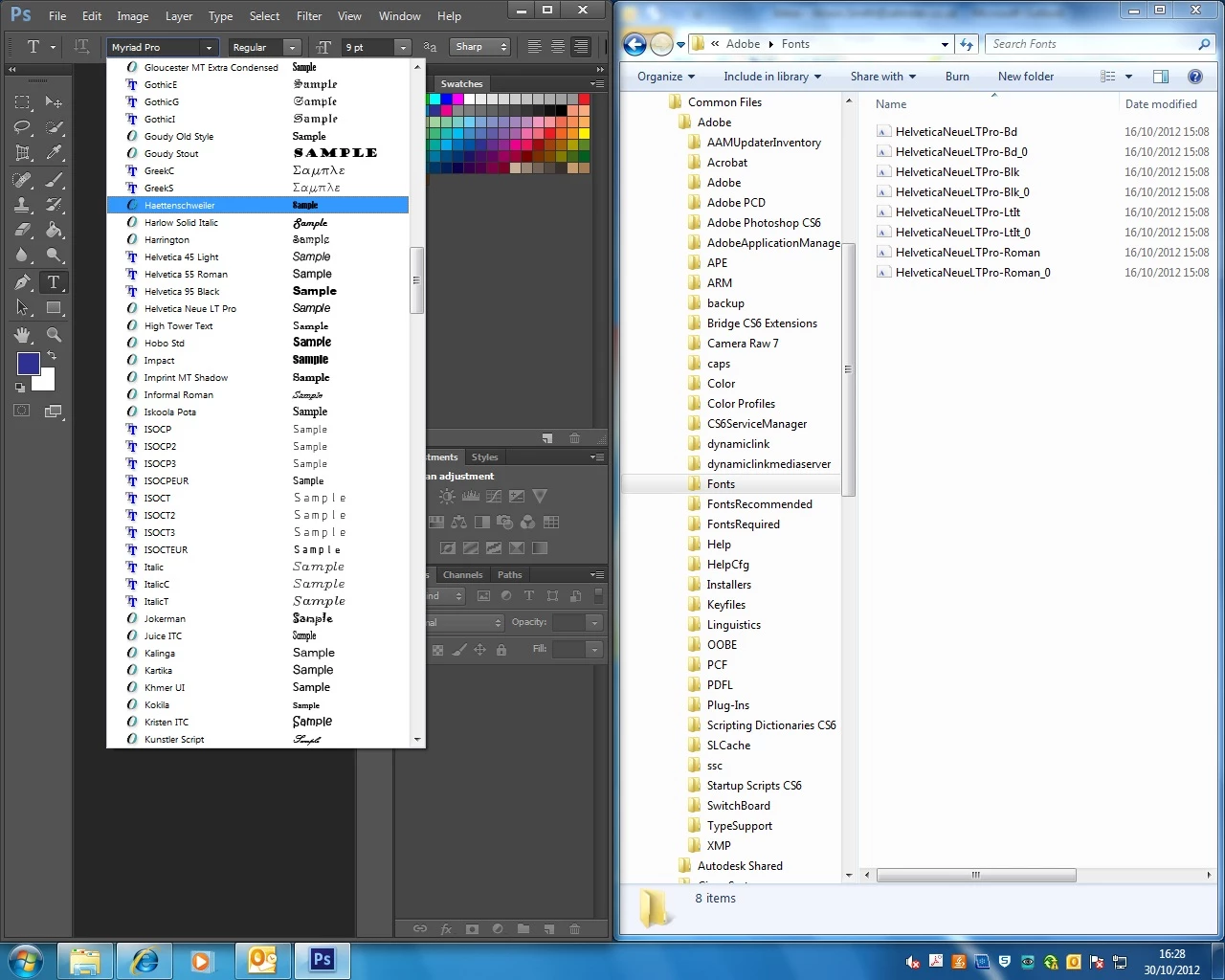
    Zehnder, looking at your screenshot, HelveticaNeue LT Pro is showing up in Photoshop. 6th font from the one you've highlighted in the screenshot.

    Choose that first. Then, to its right, where it shows 'Regular', you'll be able to change it to Roman, Bold, Black, Italic, etc...

    1 reply

    sudarshan.t
    Inspiring
    October 30, 2012

    Photoshop lists all fonts that are present in 'Fonts' folder in Windows.

    If PS is not listing some fonts:

    • Either those fonts are not located in 'Fonts' folders (Windows keeps it in a secret statsh as they're proprietary to Windows 7)
    • One or more of those fonts are corrupt. Adobe doesn't list corrupt fonts. In fact, often times Photoshop hangs when you have one or more corrupt/ invalid font registries on your system. Scan for corrupt fonts and remove them

    Can you post the 'fonts' that are 'missing', so we can see if they have any associated known issues with Photoshop?

    Zehnder69Author
    Participant
    October 30, 2012

    Hi Sudarshan,

    Thanks for the reply, I've jsut checked and the fonts are in c:\windows\fonts, how can I post the fonts up or are you jsut after the name?

    Thanks

    sudarshan.t
    sudarshan.tCorrect answer
    Inspiring
    October 30, 2012

    Have tried the above and still no joy

    Thanks


    Zehnder, looking at your screenshot, HelveticaNeue LT Pro is showing up in Photoshop. 6th font from the one you've highlighted in the screenshot.

    Choose that first. Then, to its right, where it shows 'Regular', you'll be able to change it to Roman, Bold, Black, Italic, etc...