Inspiring
June 18, 2018
Resuelto

Workspace and keyboard preferences not being saved

  • June 18, 2018
  • 1 respuesta
  • 631 visualizaciones

Hi

Whenever I load up photoshop I find that my workspace has reverted to a default and my keyboard preferences have been lost. I've been using photoshop for years and this has never been an issue previously. I have tried all the 'fixes' i can find and have tried saving things as described in the 'support' pages.

Please can someone at Adobe fix this or tell me what I need to do.

Thanks for your help.
    Este tema ha sido cerrado para respuestas.
    Mejor respuesta de gl27359377

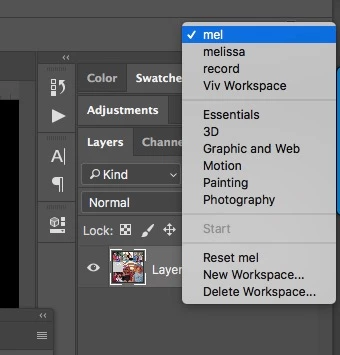
    Are you saving your workspaces? Once you have them saved, you can reset them.


    Well after several attempts it is now working.

    I just set up a new workspace gave it a new name and made changes.

    No idea why it was reverting to a different workspace each time I reopened photoshop but now it is loading the correct workspace.

    Thanks for your help

    1 respuesta

    c.pfaffenbichler
    Community Expert
    Community Expert
    June 18, 2018

    This is a user Forum, so you are not really addressing Adobe here, even though some Adobe employees thankfully have been dropping by.

    What have you really done for trouble-shooting so far?

    Restoring Preferences after making sure all customized presets like Actions, Patterns, Brushes etc. have been saved might be a good starting point, but it sounds like it might be a permissions issue, so check that out, too.

    https://helpx.adobe.com/photoshop/kb/basic-trouble-shooting-steps.html

    Can you load the saved presets after a restart?

    Inspiring
    June 18, 2018

    Thanks for getting back to me.

    Yeah I know I'm not really addressing Adobe but I am annoyed that I can't.

    I followed the instructions for resetting preferences here - Preferences in Photoshop

    which seems to have done the trick.

    Inspiring
    June 18, 2018

    Oops I spoke too soon. The issue with saving shortcut preferences is solved but there is still a problem with saving the workspace.

    I would like a workspace with the windows arranged so I can see the history and the layers tab both already open - see screen shot.

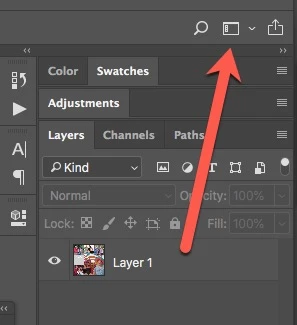
    Instead I keep getting a layout that looks like this...

    ...so that only the history tab is fully open and the layers tab has to be expanded.

    Why won't it save it so I can see both open at start up as it has always done for me for years?

    Thanks for your help.