
Participant
May 19, 2021
Answered

Workspace

  • May 19, 2021
  • 1 reply
  • 569 views

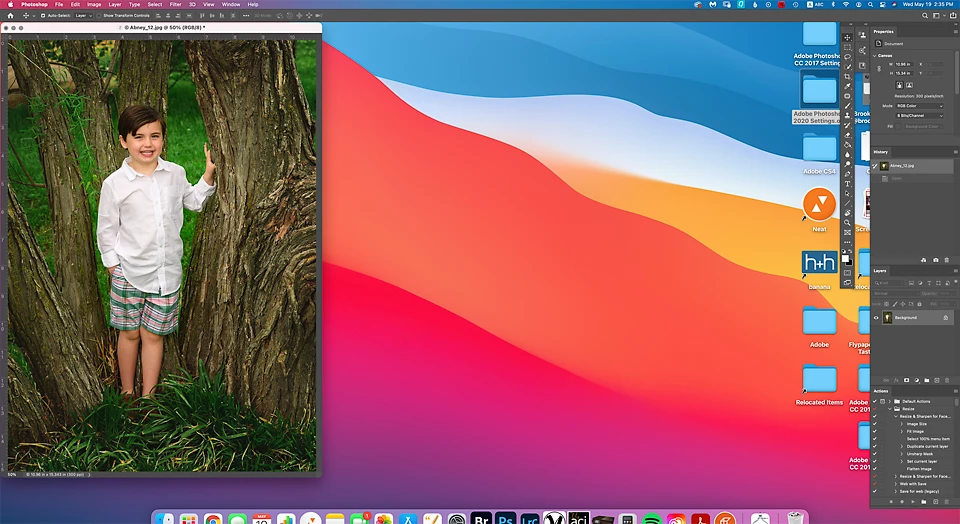
I am sure there is a quick fix, but I can't find it. Why does photoshop open like this? I have reset my workspace, but it still opens with the photo small like this. I have to hit the F key or grab the handle and pull it larger for each image.

Thanks,

Jana
This topic has been closed for replies.
Correct answer sydneyh10454707

I finally found the answer!

In Photoshop go to Window and click on Application Frame.

1 reply

sydneyh10454707AuthorCorrect answer
Participant
May 19, 2021

I finally found the answer!

In Photoshop go to Window and click on Application Frame.

Participant
January 19, 2023

Thanks! I needed that!!!