Inspiring
June 7, 2017
Answered

Wrap Text & Graphics onto Complex Surfaces with Displacement Maps

  • June 7, 2017
  • 1 reply
  • 641 views

How can I tighten the space between Displacement and Map, image below?
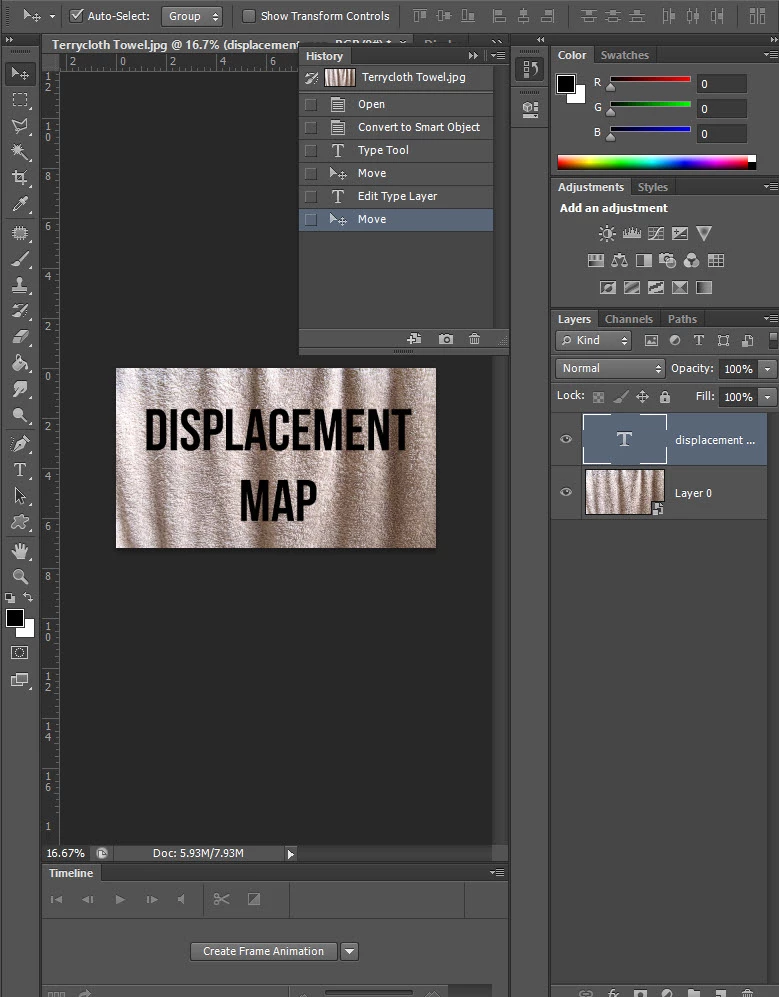

    This topic has been closed for replies.
    Correct answer davescm

    Hi

    Highlight the text, then go to the Character panel and adjust the leading
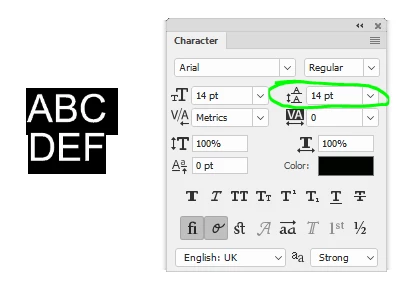
    Dave

    1 reply

    Chuck Uebele
    Community Expert
    Community Expert
    June 8, 2017

    What exactly do you mean by "Tighten up?" Make the text narrower like it's length is shorted by the folds in the fabric?

    Inspiring
    June 8, 2017

    I meant the amount of space between lines of text. Last night I remembered from my previous tutorial that The Size is 8 points and the "Leading" is 7 points.  Leading" is the amount of space between the lines of text. This should work, but haven't had time to get back to the tutorial. Mowing a ditch and dentist appointment today. I give it a go later tonight...

    Inspiring
    June 8, 2017

    Hi

    Highlight the text, then go to the Character panel and adjust the leading
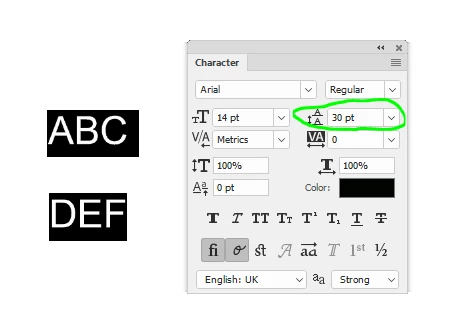
    Dave


    Thanks Dave!