
Participant
January 30, 2018
Question

Zoom Out Artboard Glitch

  • January 30, 2018
  • 1 reply
  • 2074 views

Hey all,

This started happening after I updated my Photoshop to the 2018 version, so every time I zoom out this happens:
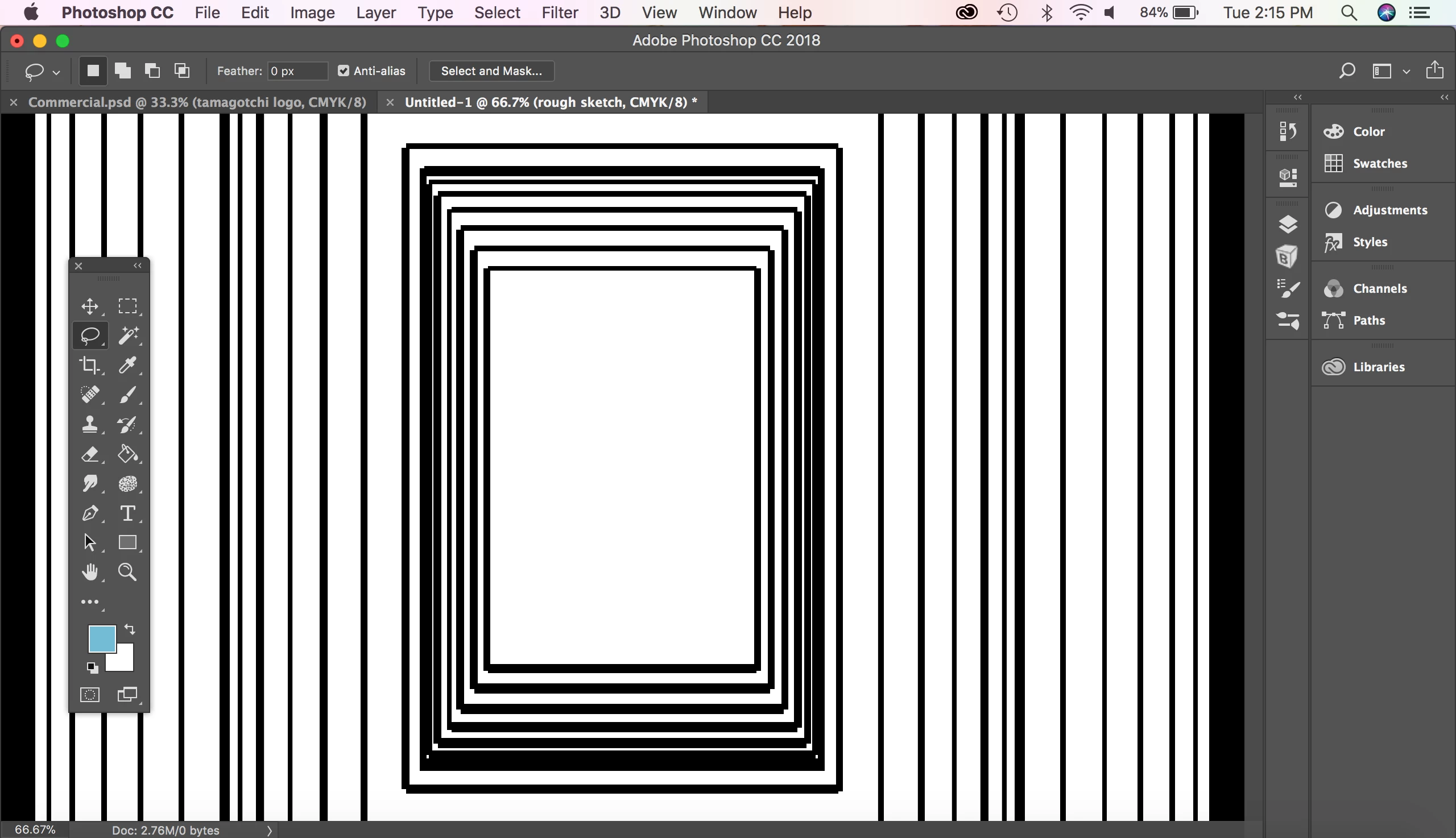
The art board gets weirdly repeated and zoomed out, regardless if there's art on it or not. This only happens if I have any other tool besides the Move tool selected, but it gets rectified if I click the background with the Lasso or Move tool. I can still draw just fine, everything else works, but it's gotten a bit distracting and annoying when I'm working and constantly zooming in and out.

Anyone else have this problem with the new update? Please help! Thank you!

This topic has been closed for replies.

1 reply

Akash Sharma
Legend
January 31, 2018

Hinatalieb,

Thanks for sharing this behavior with us. Does the issue persists if you uncheck "Use graphics processor" in the Photoshop> Performance menu?

Also, have you notices if the issue is limited to only zooming artboards and while using the Lasso or move tool?

Thanks,

Akash

Participant
January 31, 2018

Hi Akash,

I switch off "Use graphics processor" and it still does do this. It does this regardless of the tool I am initially using and the only way I can get rid of it is if I use the Lasso or Move tool and click on the background.

Akash Sharma
Legend
February 1, 2018

Thanks for the heads up natalieb,

Could you please help us with the Photoshop>> Help>>System info report so that we can check the app and system specs?

~Akash