
Exit
  • Global community
    • Language:
      • Deutsch
      • English
      • Español
      • Français
      • Português
  • 日本語コミュニティ
  • 한국 커뮤니티
1

Make Layer Filter (Color/Kind/Name) recordable in Actions

Community Beginner ,
Oct 07, 2025 Oct 07, 2025

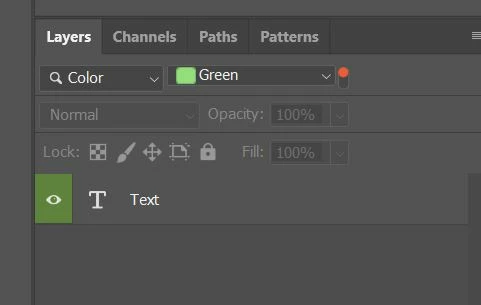
I frequently need to show/hide layers based on the Layer Filter. Today this workflow cannot be automated:

  • Actions do not record the Layer Filter state (Color/Kind/Name).

  • Scripting (DOM/Action Manager) does not provide a reliable way to read a layer’s label color or to set/read the Layer Filter programmatically.

    • Tried stringIDToTypeID('color'), charIDToTypeID('Clr '), and variants like layerSheetColor / sheetColor; many builds return nothing, so a script can’t detect that a layer is “Green”.


This would drastically speed large design/retouch pipelines (hundreds of layers). Typical need:

Thank you!
sample.JPG


Idea No status
TOPICS
Actions and scripting
75
Translate
Report
Community guidelines
Be kind and respectful, give credit to the original source of content, and search for duplicates before posting. Learn more
community guidelines
2 Comments
Community Expert ,
Oct 07, 2025 Oct 07, 2025

I second the feature request idea and have voted!

Translate
Report
Community Expert ,
Oct 07, 2025 Oct 07, 2025
LATEST

@Solesea_art 


You can use the following code to isolate by the layer color label:


Related topics:


var ref = new ActionReference();
ref.putEnumerated(charIDToTypeID("Lyr "), charIDToTypeID("Ordn"), charIDToTypeID("Trgt"));
var desc = executeActionGet(ref);
var theLabelColID = desc.getEnumerationValue(stringIDToTypeID('color'));

// "none", "red", "orange", "yellowColor", "grain", "blue", "violet", "gray" - New in 2024: "magenta", "seafoam", "indigo", "fuchsia"
if (theLabelColID === stringIDToTypeID("red")) {
    alert("The active layer has a red label!");
} else {
    alert("The active layer does not have a red label!");
}
Translate
Report