
Inspiring
February 2, 2015
Released

P: Ability to recover deleted items in Libraries panel

  • February 2, 2015
  • 13 replies
  • 1247 views

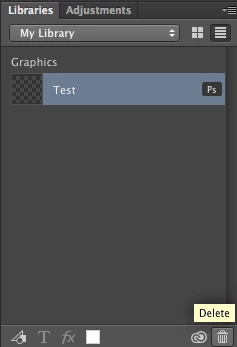
Be able to "Undo", when I accidentally Delete an item in the Creative Cloud Libraries panel.
Or that deleted items are transfered to Trash, where you have to Empty Trash.
Right now, accidentally deleted items are lost forever.
13 replies

Participating Frequently
April 14, 2023

Files from shared libraries do not show up in deleted items. Total fail. Thanks Adobe.

Inspiring
January 20, 2018
This feature sucks. just lost hours of work.
Legend
October 3, 2016
Sorry, mis-merged. Versioning is on the roadmap.

Please reference the new conversation here: Photoshop: File versioning for Libraries panel items
Legend
October 3, 2016
The team working on Libraries confirms that versioning in on the roadmap.
Legend
October 3, 2016
Ahh. Let me ask about versioning...
Known Participant
October 3, 2016
@J453, unless I'm implementing your instructions incorrectly, this is not working. When I delete the Library item, all I can do is restore the most recently saved version which is no longer the correct design. Is there a method for restoring an earlier version of the Library asset. This is the functionality I need to recover the Library to an earlier state in design. Unfortunately, the changes I did appear to have permanently destroyed the old design with my new design changes. Does that make sense?
Legend
October 3, 2016
This has been implemented. Make sure your Photoshop is up to date: https://helpx.adobe.com/photoshop/kb/uptodate.html

You get a small warning for a few seconds after you delete a item that lets you undo. If you need to undo something later, you can go to the web interface for synced assets, go to Libraries > Archived to restore deleted items: https://assets.adobe.com/assets/libraries?filter=archive
Known Participant
October 3, 2016


Please add version history to Photoshop Library (Cloud) elements. This is to help users that inadvertently destroy Library items when sharing local documents with Library items inserted into them. Currently, updating a Cloud items is permanently destructive without any opportunity for recovery. No es bueno.
Known Participant
May 9, 2016
A possible half-solution to this would be to have a "Cache locally" option on each library that saves it to your CC Files location in a "Libraries" folder. This would allow users to keep a local backup without having to make the Libraries cloud maintain massive archives of legitimately deleted data.
Inspiring
March 24, 2016
Same here,
What is wrong with you adobe. Now all my icon are lost. I didn't notice that everything that I add on my documents goes inside a test library for month now... and I've just push the "delete" button on this library. 

<removed abusive language> - admin