

johnjoeparrot
Known Participant
February 5, 2023
Open for Voting

PSD: Save File as Document Preset

  • February 5, 2023
  • 6 replies
  • 567 views

Hello,
I'd like to request for files on cloud to be available when starting a documnet preset.

Current Workflow: When I start a animation project I need a new X Sheet and File with specific folder structure for every project. My current process files are stored locally, duplicated then used as template document preset.
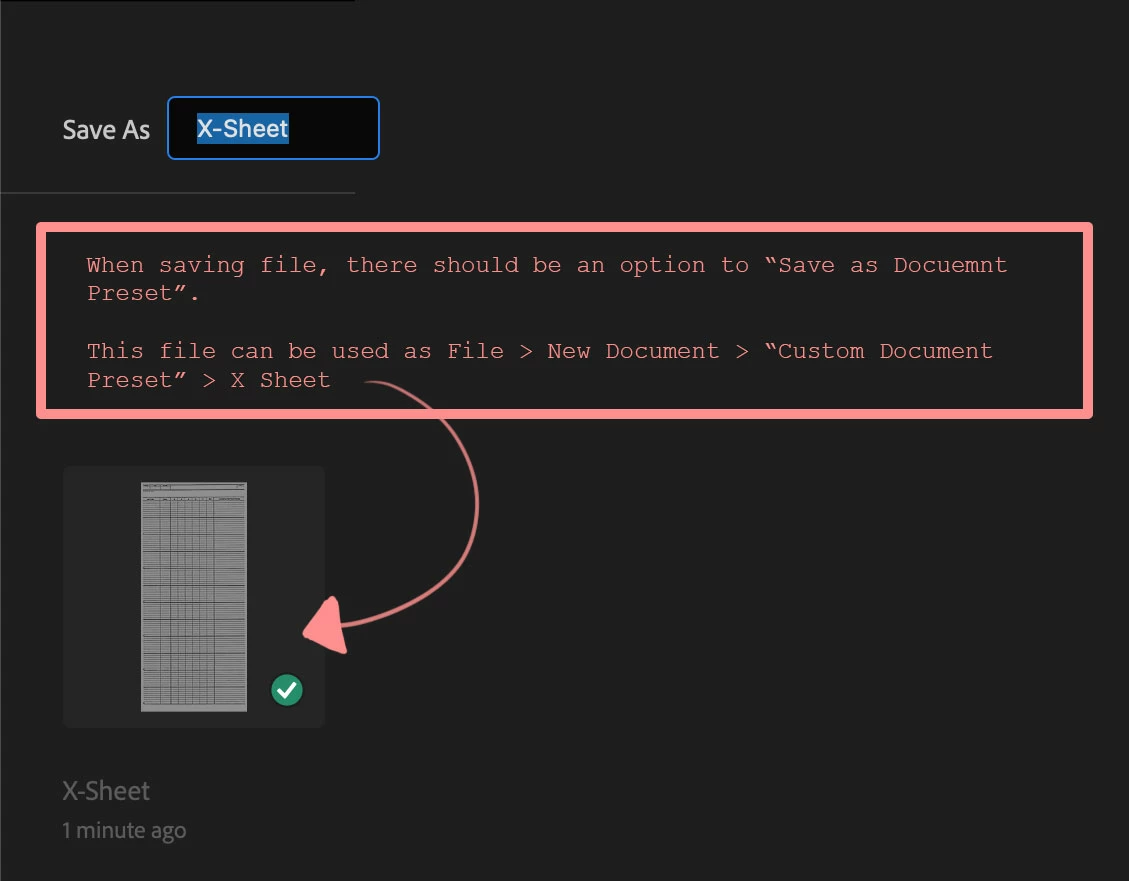
Requesting for the following:
File > New Document > Saved > Select File as Document Preset

Thanks

6 replies

PECourtejoie
Community Expert
Community Expert
February 7, 2023

Glad to be of help, I hope others will find the discovery you made useful, I didn't know it would work from Libraries, that is indeed a serious booster!

Do not hesitate to stay around, and pay it forward even more by helping others if you can!

johnjoeparrot
Known Participant
February 7, 2023

I uploaded a .psdt photoshop template file to Window > Libraries and it works perfectly. Each time I open a new document it creates a Untitled document from the template in the library. Thanks @PECourtejoie ! This is a game changing production efficiency.

PECourtejoie
Community Expert
Community Expert
February 7, 2023

Hi, do you mean as PSDC, or saved to libraries ?

johnjoeparrot
Known Participant
February 7, 2023

Hello @PECourtejoie ,

This is very helpful thank you!

Is there a option for this to be applied to files in the cloud?
I have photoshop on different devices

PECourtejoie
Community Expert
Community Expert
February 6, 2023

Hi, @johnjoeparrot @does this function do what you want, if so, I can convert this feature request into a discussion.

PECourtejoie
Community Expert
Community Expert
February 5, 2023

Hi, a document Template is what you are looking for: https://www.youtube.com/watch?v=WqzH0bxa8oE