

Answered
How to Change Opacity via Alt-Right Click Brush Sizing?
Opacity is shown along with Diameter and Hardness, when Alt - Right click is done while using a round brush (in this case, with the Dodge tool).
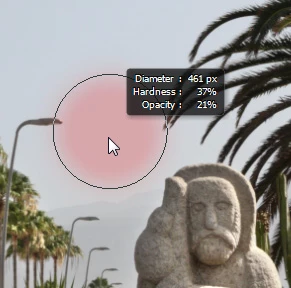
I guess it's late, but I don't sense a gesture that causes the Opacity to change in this mode. Am I just missing it? I tried all the modifier keys and moving the mouse every which way. I even tried the scroll wheel, but couldn't get the Opacity to change.
How do I change the Opacity (besides the old traditional way)?
-Noel
 AdChoices