
Participant
June 1, 2020
Answered

How to Clear Text that seems to be in my Photoshop text tool by default

  • June 1, 2020
  • 2 replies
  • 1456 views

When I attempt to use the text tool in Photoshop I open the tool and the following text is in the tool by default - Lorem ipsum dolor sit amet, consectetur adipiscing elit, sed do eiusmod tempor incididunt ut labore et dolore magna aliqua. Quis ipsum suspendisse ultrices gravida. Risus commodo viverra maecenas accumsan lacus vel facilisis. Every time I use the tool I have to delete this text that appears by deafult before entering the text that I want to enter. How can I clear this annoying default text? I have no idea what the text means and I was not able to translate it so I appologize if the text is in any way innappropriate. The text appears by deafult and was not entered by me
This topic has been closed for replies.
Correct answer Marianne-Deiters

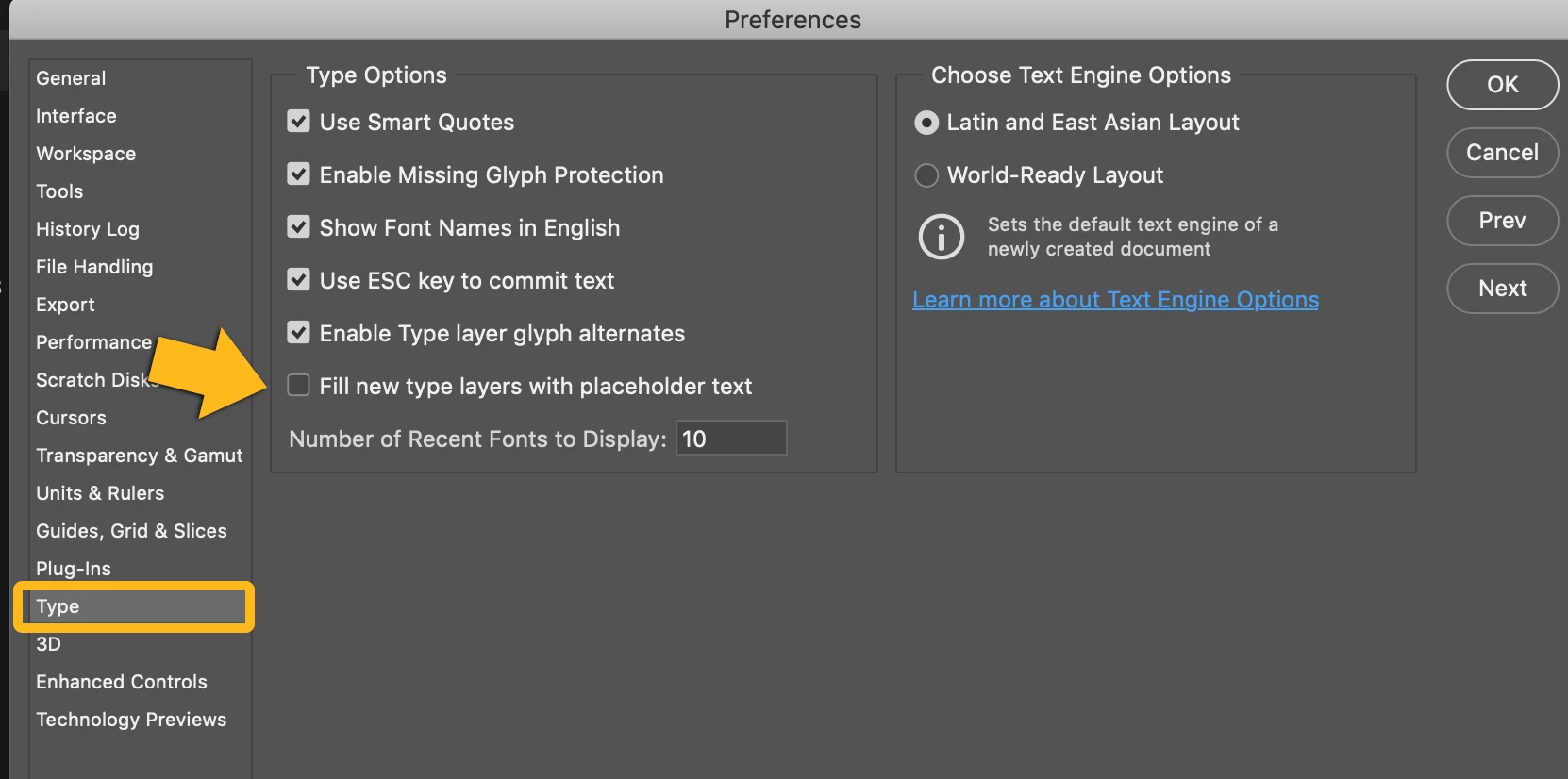
You can uncheck the Option "Fill new type layers with placeholder text" under "Preferences" > "Text" 

2 replies

Legend
June 1, 2020

The text, by the way, is called "Lorem Ipsum". It's messed up Latin and has been used for over 100 years as nonsense text to fill up a page and show how it will look when design is complete. It may be useless to you, of course. https://en.wikipedia.org/wiki/Lorem_ipsum

Marianne-Deiters
Marianne-DeitersCorrect answer
Participating Frequently
June 1, 2020

You can uncheck the Option "Fill new type layers with placeholder text" under "Preferences" > "Text" 

Participant
June 1, 2020

Marianne - thank you very much for the assistance! Your suggested fix worked and solved an issue that has been an annoyance for some time.

regards,

pete