
Participant
August 3, 2021
Question

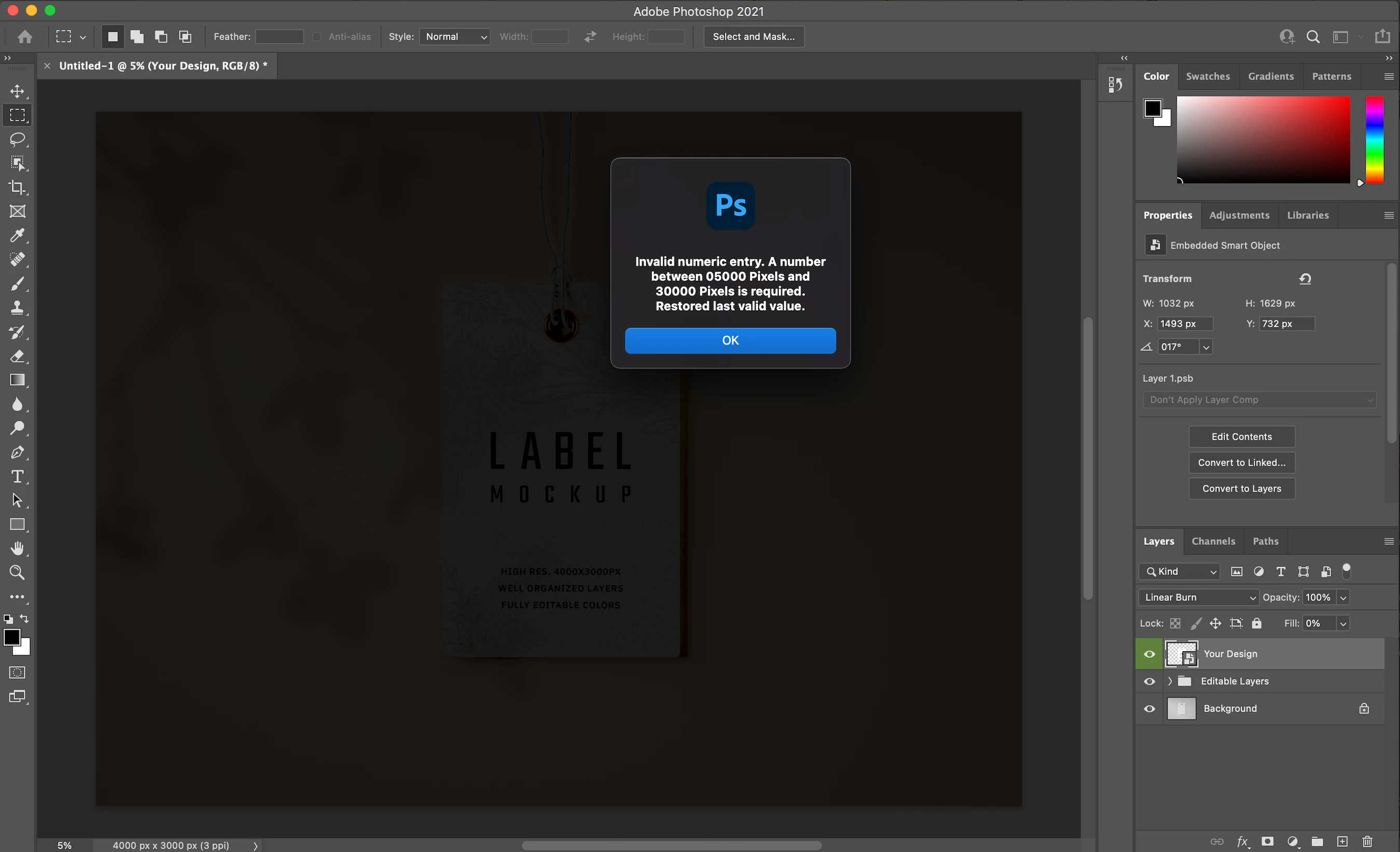
Invalid numeric entry and greyed out artboard

  • August 3, 2021
  • 1 reply
  • 270 views

As I launch Photoshop, I keep getting the infinite Invalid numeric entry error message and can't use any tools or menus. Also the artboard with my artwork is all greyed out. All other CC apps work fine.

I have macOS Big Sur 11.5.1, Photoshop 22.4.3
This topic has been closed for replies.

1 reply

S_Gans
Community Expert
Community Expert
August 3, 2021

Somehow, somewhere, PS thinks you're actually IN a numeric dialog box. Perhaps you were entering some numbers somewhere, when you last shut down? Have you tried resetting Photoshop Preferences?Try this link: On Mac, 

Adobe Community Expert / Adobe Certified Instructor
l_lukiAuthor
Participant
August 3, 2021

Unfortunately, resetting the Preferences doesn't work. I still keep getting the infinite error message and can't access tools and menus.