
Answered
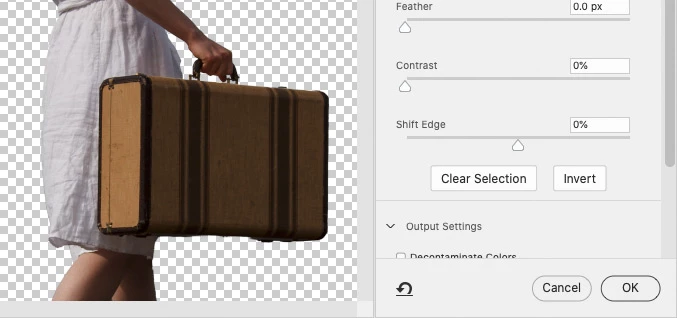
OK button is not shown in the Mask Panel.
Unfortunately I can’t attach the JPG file, but it’s simple. A landscape and a person in the middle. I want to select and mask that person. This is what I did.
- I selected the person through “Select Subject” (anyway this is irrelevant).
- I clicked on “Select and Refine Mask”.
- The mask panel opens and get ready to work with refining tools, borders, sharping, feather, and son on, all that works fine.
- However, where is the OK and Cancel button? I noticed that hitting Return key twice is like hitting the OK button. If I want to reset I hit ESC, but... is it a new implementation of Adobe PSD Mask Panel? No more OK button? Or what am I doing wrong that OK BUTTON is not shown? Is this a bug?
The border, refining an output settings are collpased, they work fine. I try to scroll down anyway, I don’t even have a scroll bar to scroll down to see if those buttons are below, but nothing. Any ideas? Thanks a lot.
 AdChoices