
March 24, 2017
Answered

Photoshop CS5 Resolution Issues w/ Cintiq 13HD

  • March 24, 2017
  • 1 reply
  • 1476 views
  • I have two monitors both run at 1920 x 1080
  • I plugged my Cintiq 13HD in and it is also at 1920 x 1080, no issues here.
  • Photoshop runs fine at the right resolution on both my main monitors, but when I drag Photoshop over to my Cintiq 13HD it puts it at the wrong resolution (Photoshop itself is blurry, yet the Cintiq background is still at the right resolution).

I am running Windows 10 and this is the first time I have tried it on Windows 10. I know it works perfectly fine on Windows 7 and Mac OSX

Anyways to fix this issue?
This topic has been closed for replies.
Correct answer JJMack

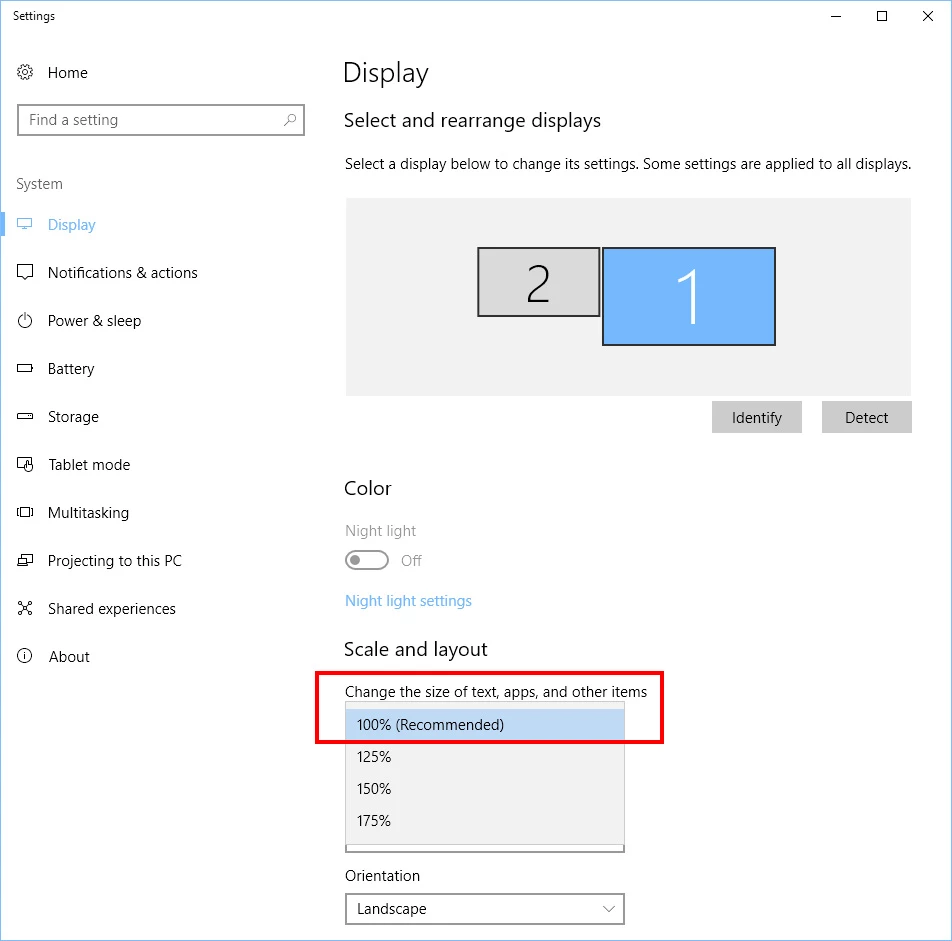
Photoshop is coded not to use Windows scaling. Did you modify tot Windows 10 register to uses external manifest files snd create one for Photoshop. Windows sealing is per display.  Make sure your Cintiq display  is set to Windows scaling to 100% not any other windows setting.

1 reply

JJMack
Community Expert
JJMackCommunity ExpertCorrect answer
Community Expert
March 24, 2017

Photoshop is coded not to use Windows scaling. Did you modify tot Windows 10 register to uses external manifest files snd create one for Photoshop. Windows sealing is per display.  Make sure your Cintiq display  is set to Windows scaling to 100% not any other windows setting.

JJMack