
Inspiring
July 28, 2021
Answered

PS CC unable to open Sony XAVC HS 8K video

  • July 28, 2021
  • 1 reply
  • 1091 views

I was dismayed to find that Photoshop CC (nor any other app I tried) could not open my mp4 video files (XAVC HS 8K) created by my new Sony Alpha1 camera. The error I get is:
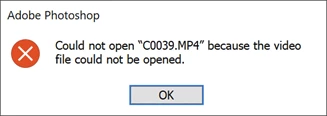
It appears that it needs an HEVC codec, which I didn't have, so I went to the Microsoft website and tried to download it but got stuck in associating the codec with a default app when it did not let me choose PS.  Any idea how to be able to view and edit these videos in PS CC?


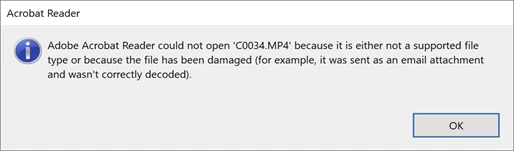
I was also unable to open it in Adobe Acrobat Reader:
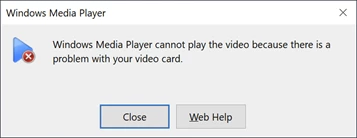
Windows Media Player could not open it either:
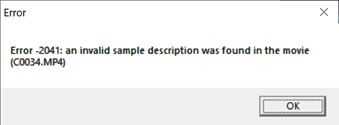
Quick Time Player could not open it either:
 

My PC specs:

Operating System

Windows 10 Home 64-bit

CPU

Intel Core i9 @ 3.60GHz


Kaby Lake 14nm Technology

RAM

32.0GB

Motherboard

ASUSTeK COMPUTER INC. ROG STRIX Z390-E GAMING (LGA1151)

Graphics

ASUS VG289 (3840x2160@60Hz)


3071MB NVIDIA GeForce GTX 1080 Ti (ASUStek Computer Inc)

Storage

931GB Samsung SSD 980 PRO 1TB (Unknown (SSD))


1863GB Samsung SSD 980 PRO 2TB (Unknown (SSD))


465GB Samsung SSD 860 EVO 500GB (SATA (SSD))


14904GB Intel Raid 0 Volume (RAID )

Optical Drives

ASUS SDRW-08U9M-U USB Device

Audio

NVIDIA High Definition Audio

Thanks much for any help!

Janet


    This topic has been closed for replies.
    Correct answer photogal11

    Sony support said that I must use their Catalyst Browse software to work with the videos.  It is supposed to enable me to export the videos into smaller sizes and video types that hopefully will enable me to edit them in Photoshop.  Now I am learning another software tool and sorry that I chose to capture my video segments in the highest possible format available in the Sony A1 camera.  I'll see how the Sony software works.

    1 reply

    Nancy OShea
    Community Expert
    Community Expert
    July 28, 2021

    [Moderator moved from Using the Community (forums) to Photoshop.]


    This is not a Photoshop problem.  Did you get the latest software updates and drivers from Sony yet?

    https://www.sony.com/electronics/support/e-mount-body-ilce-1-series/ilce-1/downloads


    Nancy O'Shea— Product User & Community Expert
    photogal11AuthorCorrect answer
    Inspiring
    July 29, 2021

    Sony support said that I must use their Catalyst Browse software to work with the videos.  It is supposed to enable me to export the videos into smaller sizes and video types that hopefully will enable me to edit them in Photoshop.  Now I am learning another software tool and sorry that I chose to capture my video segments in the highest possible format available in the Sony A1 camera.  I'll see how the Sony software works.

    Nancy OShea
    Community Expert
    Community Expert
    July 29, 2021

    Photoshop is NOT my first choice for editing video.  Photoshop is mainly an image editor.


    For video editing, look at After Effects, Premier Elements, Premier Rush or Premier Pro.


    Nancy O'Shea— Product User & Community Expert