
jackr50058388
Participating Frequently
April 4, 2019
Question

Resizing 'smart object' to multiple artboards

  • April 4, 2019
  • 1 reply
  • 1378 views

Hi guys

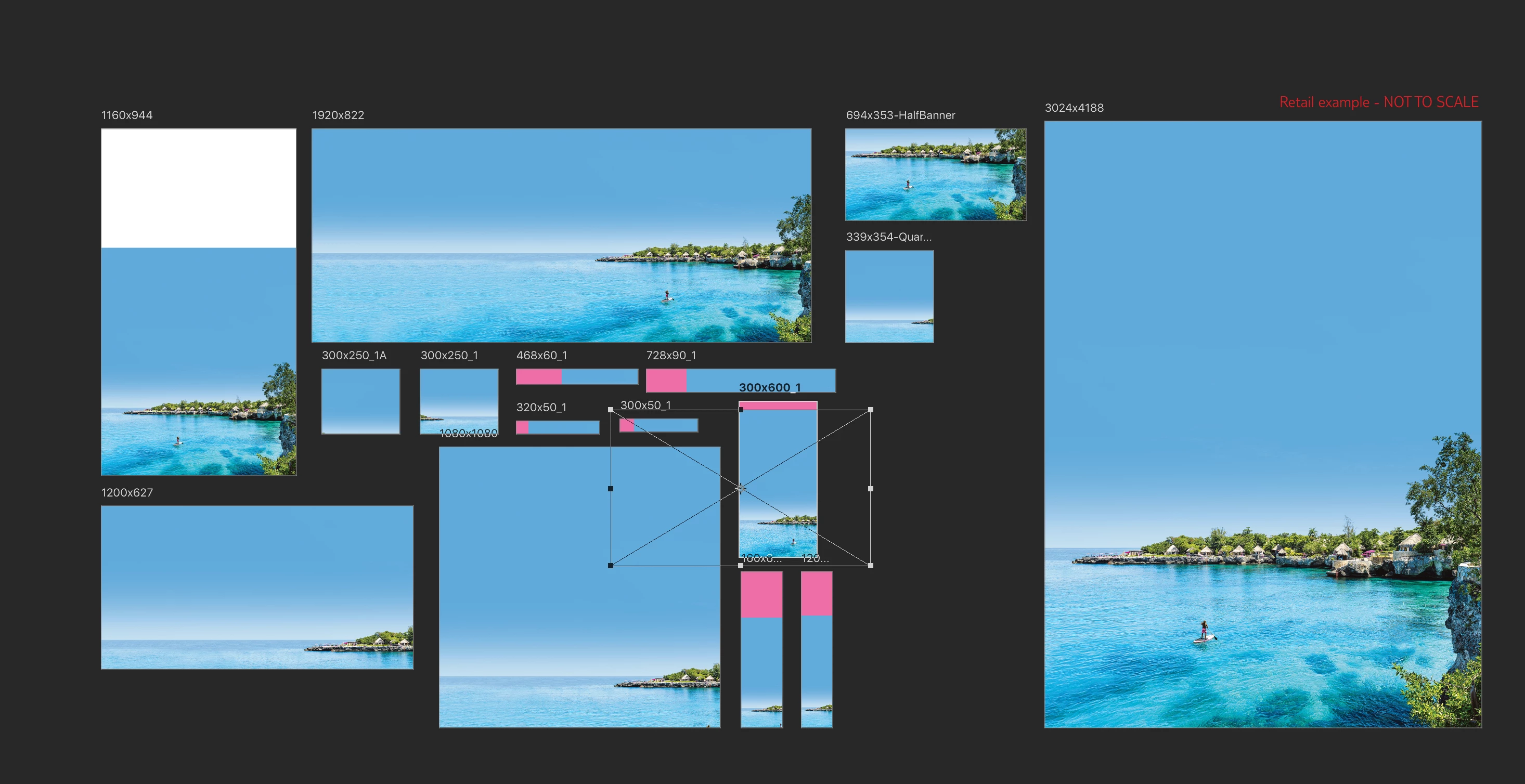
Basically I have multiple artboards set up with a smart object inside of it, which the artboards are all different sized banners. Is there a way to be able to resize the image to fit the artboard. Like how 'fit-frame' etc work in indesign? So I dont have to manually go through each artboard and resize it to fit?

1. I drop a image in the smart object

2. It updates all the images across all the artboards because its a smart object

3. I then have to go through all the artboards and transform them to fit properly within the artboard

Part 3 I want to speed up the process so I havent got to do as much work resizing each image.

I know I will still need to resize them a bit but just looking to speed up the process!
Thanks!

This topic has been closed for replies.

1 reply

JJMack
Community Expert
Community Expert
April 4, 2019

jackr50058388  wrote

Hi guys

Basically I have multiple artboards set up with a smart object inside of it, which the artboards are all different sized banners. Is there a way to be able to resize the image to fit the artboard. Like how 'fit-frame' etc work in indesign? So I dont have to manually go through each artboard and resize it to fit?

1. I drop a image in the smart object

2. It updates all the images across all the artboards because its a smart object

3. I then have to go through all the artboards and transform them to fit properly within the artboard

Part 3 I want to speed up the process so I havent got to do as much work resizing each image.

I do not use artboards. However. Your steps two where when you replace one smart object it updates all artboards it sounds like you are using smart object layers that share a single object. If each artboard has its own smat object layer.  Basicly a layer duplicate for each artboard that is moved onto each artboard.  Each of these these smart object layers should have their own associated transform that you can size the object for the particular artboard it was moved into and if the aspect ratio need to be different in different artboards the resized layer can be masked to the proper aspect ratio.

Anyway that how things work in mockup templates.  When you replace the object  Part 3 is automatic all the smart object layer that share the object layer content is replaced and the associated layer transform warp, size , and rotate the layer content and the layer mask constrains what is visible.  You doe the resize once when yoy create the smat object layer.   If artboards create the sharted smart object layer automaticly If the doe noe alsos automaticle resize it foe the artboard created I would think you would juse need to resize ithe layers when the artboard is added.  I don't use artboards I even removed the tool from my toolbar. So what do I know....

JJMack
jackr50058388
Participating Frequently
April 4, 2019

JJMack

Hi JJMack

I do not resize the artboards at all they stay as is. I know affecting the size of the smart object will affect all the artboards when updating.

The main idea I am thinking of is there a tool that i can 'click' that sizes the layer i have selected to the artboard. Basically the indesign fit tools in photoshop. But for artboards instead of the frame tool.