
Participant
November 25, 2019
Question

Warp Transform - How to change angles

  • November 25, 2019
  • 2 replies
  • 715 views

Hi,
I was very excited by the new Warp Transform features, as I thought it would allow me to easily bend one edge of a smart object around a radius. However I can not figure out how to change the angle of the control handles in relation to each other. Please see the image below. I am trying to get the handles to match the red lines.
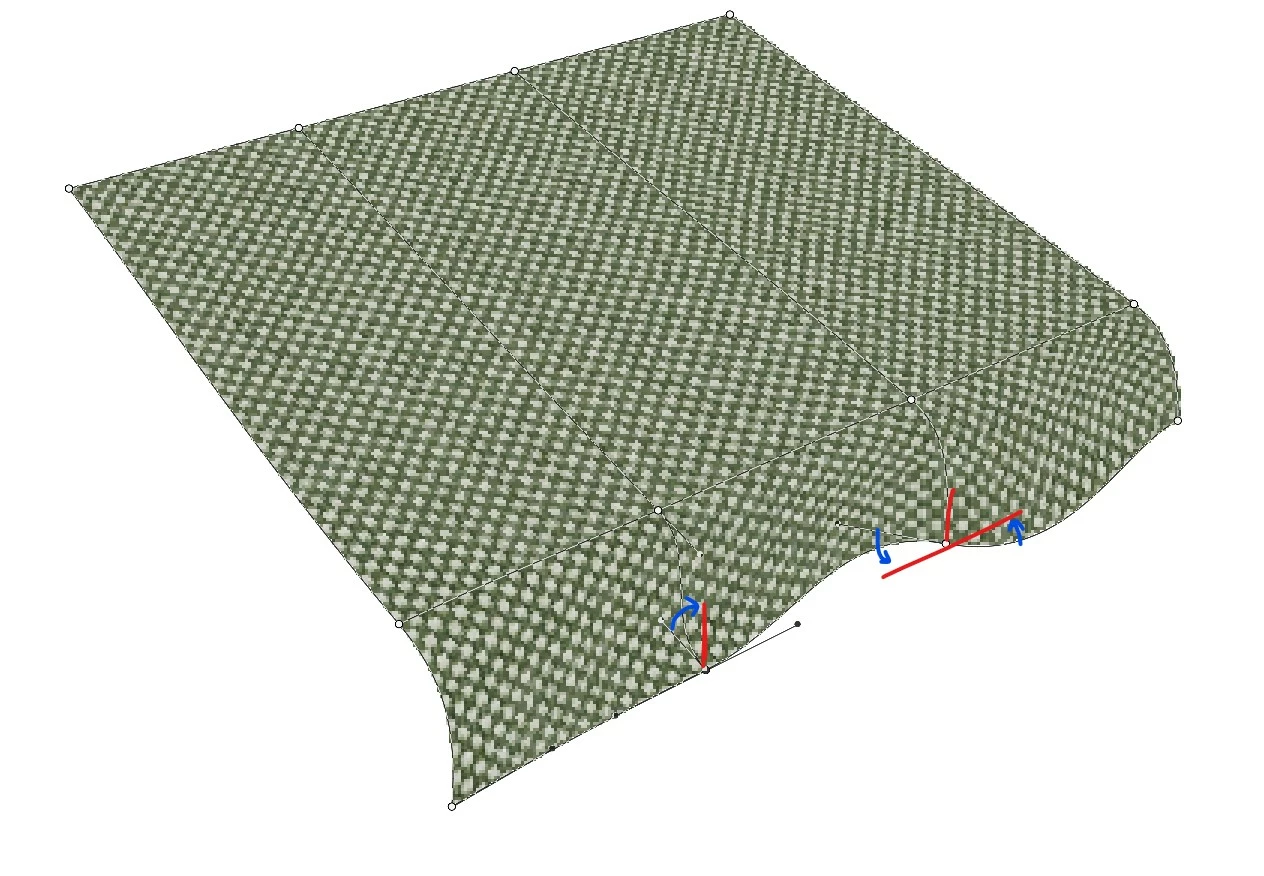

If this functionality doesn't exist, I'm curious as to how you would achieve a similar transform? Is there a way to apply a radius to the perspective warp?

Many Thanks,
Tom

This topic has been closed for replies.

2 replies

Known Participant
April 10, 2020

I have been struggling with the same thing. Following a compund curve is impossible without multiple transformations, which is not possilbe with smart objects, for example

JJMack
Community Expert
Community Expert
April 11, 2020

What you wrote is not correct "I have been struggling with the same thing. Following a compund curve is impossible with out multiple transformations, which is not possilbe with smart objects, for example" If you duplicate  a smart object layer not via newn smart object via copy the new smart object layer is not an independent smart object layer the layers share the same object.  Each smart object layer has it own associate layer transform that transform the smart object harden rendered pixels for the layers pixels.  Typical use Mockups and picture package templates.  You can move the smart object layer  pixels location and have side by side views of different transform warps.

JJMack
Known Participant
April 27, 2020

I didn't know there was a differnece between duplicating a smart object and "new smart object via copy". That makes sense now, thanks!


However, if I try to apply a multiple warp transformations to one smart object layer, I still get this warning:

(specificaly, I used a 4x4 grid warp then tried "arc lower")


Workaround solution:

I discovered that I can apply a preset warp like "arc lower" to a smart object layer and then "Convert to Smart Object" again. I have to open two objects deep to edit the original instance, but it avoids the "discard edits" error.

JJMack
Community Expert
Community Expert
November 25, 2019

Try a 6 1 custom grid. evan a 1 x 1 grid,

JJMack
JJMack
Community Expert
Community Expert
November 25, 2019

Also use PS 3D preset meshes


JJMack