
Participant
November 25, 2023
Answered

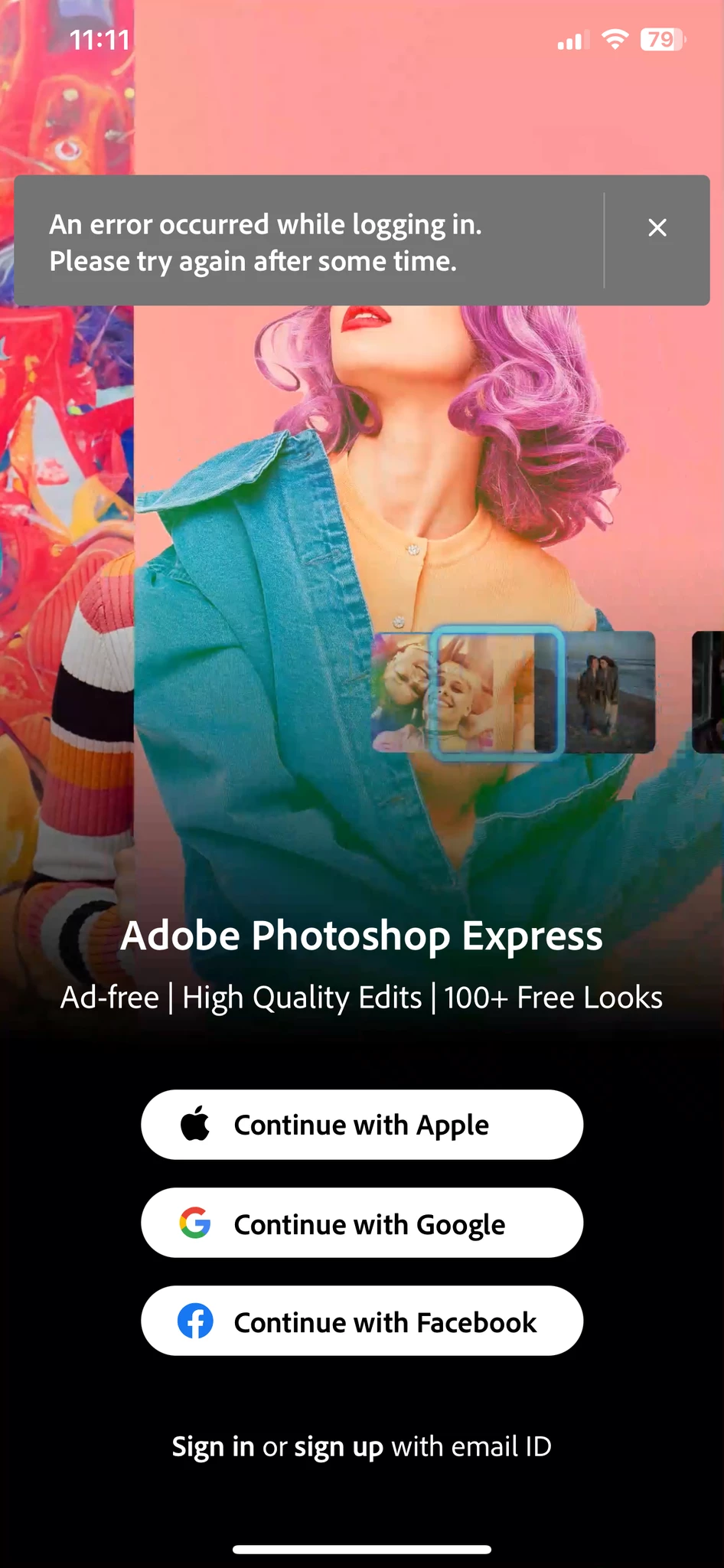
Can't sign in through PS Express on iOS using any method

  • November 25, 2023
  • 1 reply
  • 1081 views

I've tried:

- email login

- login through google

- login through apple ID

- resetting password

- ending all active sessions through account screen

- uninstalling/reinstalling iOS app


I can sign in with any of the above methods in my web browser, but no matter what I try I get the error "An error occurred while logging in.  Please try again after some time" (see attachment)


Today is my second round of attempts, I first tried several days ago.  I thnk that counts as "some time"


Close to giving up trying to give my money to Adobe.  Very frustrating and unhelpful error message.


This topic has been closed for replies.
Correct answer jane-e

I appreciate that you're trying to help, but I think I've provided a pretty clear and detailed explanation of what the issue is, but it's like I'm speaking in tongues or something because nobody seems to grasp what I'm saying.


I am unable to purchase or even open the Photoshop Express app, because the first thing that happens when you try to purchase it in the ios app store, is that it opens the Photoshop Express app and asks you to sign in to your Adobe account in the Photoshop Express app.  That is what I'm unable to do.  I get the cryptic error message described and screenshotted above.


I know I am using the correct credentials because I have no problem signing into my Adobe account directly on the web.


You and the official tech support keep telling me Apple needs to help me, but Apple can't help me sign into my Adobe account.  And apparently neither can Adobe.  Thanks anyway.


Eric


@Eric338417614och 


If you need to cancel or have billing issues, contact Apple.


If you try again with Adobe Customer Care, get a case number at the start of the call, then ask for Tier 2 support. Insist on it.


We do not have access to your records on this forum, so all we can do is point you in the right direction.


Jane

Forum volunteer

1 reply

Participant
November 25, 2023

I contacted Adobe support with all these details and they're telling me to contact Apple for help, even though the issue is I can't sign into my Adobe account.  I guess I'm giving up

jane-e
Community Expert
Community Expert
December 4, 2023


Close to giving up trying to give my money to Adobe.

By @Eric338417614och


Hi Eric


If you purchased from the App Store, then you purchased from Apple, not from Adobe. Try Apple Support first. If you need to cancel or ask about billing, they are the only ones who can assist. If you simply stop using the app, it will automatically renew.

https://support.apple.com/apps

https://www.apple.com/contact/ 

See if they can assist with your login.


IF YOU STILL NEED HELP:


As to your sign-in, did you sign in with your Adobe ID? If so, choose the bottom option that says "Sign in with email ID" and use your Adobe ID and PW.


Try going to https://account.adobe.com/ to confirm your Adobe ID. You can also change your Adobe ID and PW from this site.


If you can't get into that site, then contact Adobe Customer Care and tell them you cannot log into your account. Try the link to auto-open the Chat:
https://helpx.adobe.com/contact.html?rghtup=autoOpen  
Type "agent" to get a human

If your browser blocks the Chat window, try the troubleshooting tips here:
https://community.adobe.com/t5/creative-cloud-services/how-to-contact-adobe-support/td-p/11875703  

You can also send a post through X (formerly Twitter) to @AdobeCare.

Do not reply to PMs, which are likely to be scammers.


Once you have your correct Adobe ID and PW, try to log into PS Express again.


Jane


Participant
December 4, 2023

I appreciate that you're trying to help, but I think I've provided a pretty clear and detailed explanation of what the issue is, but it's like I'm speaking in tongues or something because nobody seems to grasp what I'm saying.


I am unable to purchase or even open the Photoshop Express app, because the first thing that happens when you try to purchase it in the ios app store, is that it opens the Photoshop Express app and asks you to sign in to your Adobe account in the Photoshop Express app.  That is what I'm unable to do.  I get the cryptic error message described and screenshotted above.


I know I am using the correct credentials because I have no problem signing into my Adobe account directly on the web.


You and the official tech support keep telling me Apple needs to help me, but Apple can't help me sign into my Adobe account.  And apparently neither can Adobe.  Thanks anyway.


Eric