

Mike_Gondek10189183
Adobe Expert
June 24, 2023
Question

Cutouts, paste, and move layer

  • June 24, 2023
  • 1 reply
  • 12668 views

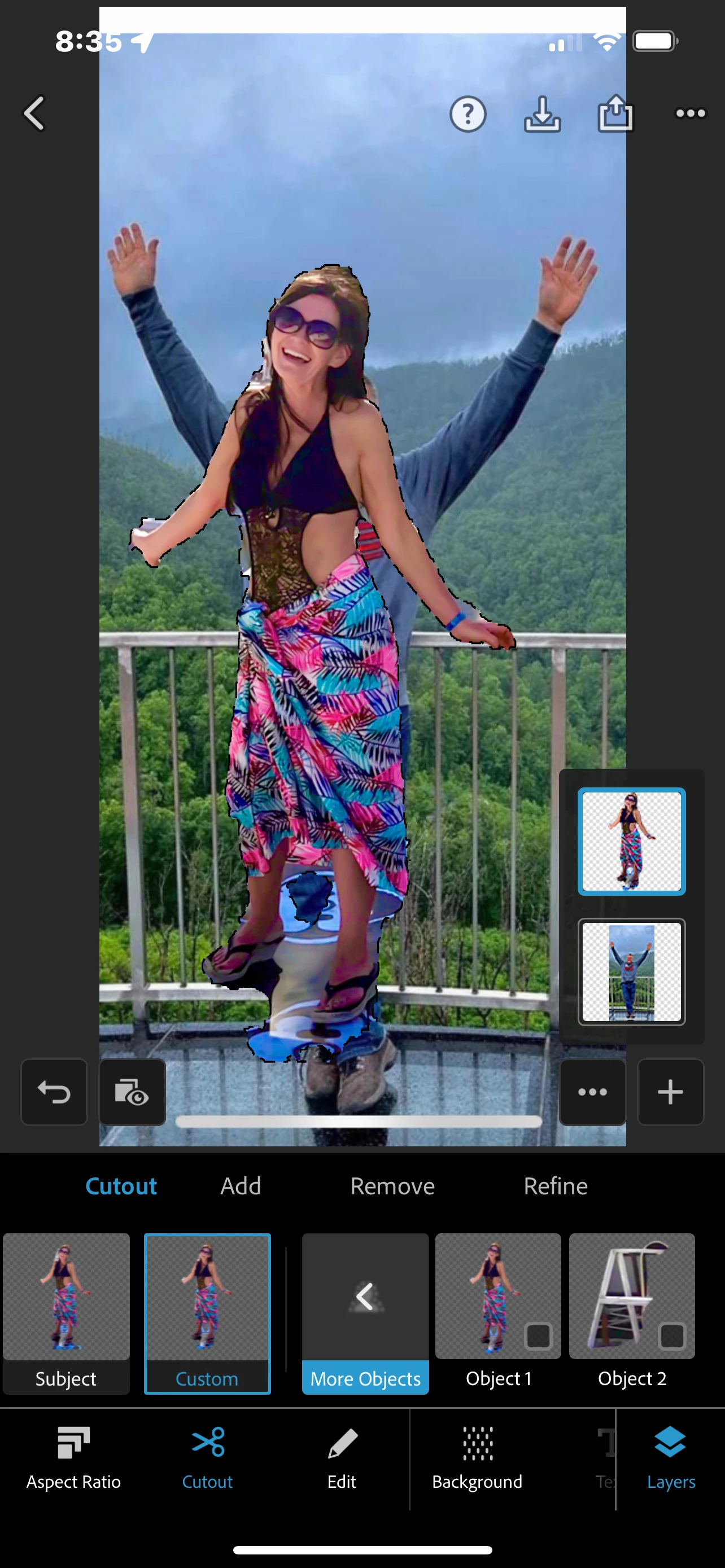
I am finding that doing cut outs in messages is better quality than in Photoshop express. I would like to paste my cut out onto another photo and then to be able to move the layer. Am I missing something? I cannot find where to move the layer. The below example should show you where I'm stuck at and give you a basic idea what I want to do. This cut out was done in Photoshop and you can see that the bottom underneath the legs didn't cut out. I'm surprised that I cannot paste the clipboard after that I would like to move the girl over to the right so that it looks like we are both together.
This topic has been closed for replies.

1 reply

Neelamk
Brainiac
June 27, 2023

Hi Mike,


Thank you for reaching us. We are sorry for your difficulties. Could you please let us know if you have tried the below steps:

Cutout objects

You can cut out a part or multiple parts of a picture to isolate what you need. For example, you may want to separate the object from the background.

To cut out and select objects, do the following:


  1. Open the image in the Mix workflow.
 

2. Tap Cutout.


3. Photoshop Express detects all the objects present in the image. Select a particular object or multiple objects.

4. If an object is missing from the selection, tap Add and use Smartcut to select the missing object.

5. Accept the changes to cut out the selected objects.


Please let me know if this helps.


Thank you,

Neelam

Inspiring
June 28, 2023

Hi Neelam, I'm having a similar problem. Suddenly, about a month ago, the Mix Workflow disappeared from my screen. I’ve attached a screenshot. I’ve been emailing & chatting back & forth with Adobe Customer Support and the latest response I received is that the Mix Workflow has been discontinued altogether from PS Express Premium. Is that really correct? I've attached the email.

I tried to restore purchases and get the error message that my subscription has expired, although it does not actually expire until March 2024. Screenshots also attached.

Since the Mix-Cutout with transparent background is the only feature on PS Express that I use, I tried to cancel my premium subscription purchased through Apple, but since it has been over 90 days, they will not refund or prorate my upgrade purchase price. What a terrible result! Can you please help me figure out what’s going on? Thank you!


I’m on iPhone SE and iPad Air 4th Gen, both IOS v 16.5.1

My PS Express shows Release 23.23.0

Neelamk
Brainiac
July 12, 2023

Hi @GMKmc1r ,


There is no option for mix now we have a photo editor in place; you can use the combine option for the same as mix workflow. Please let us know if this helps.


Thank you,

neelam