
Exit
  • Global community
    • Language:
      • Deutsch
      • English
      • Español
      • Français
      • Português
  • 日本語コミュニティ
  • 한국 커뮤니티
0

Photoshop Express: Keep the Download Button but bring back the Toggle Changes Button

New Here ,
Jan 31, 2023 Jan 31, 2023

The Photoshop Express UI changed recently in very minor way - on the main menu there was a button that toggled between the original image and all changes made. It made checking changes to an image as simply as pressing a button. It was conveniently located and effective. It was replaced with a button that initiated downloading the image, which is illustrated in the following screenshot:
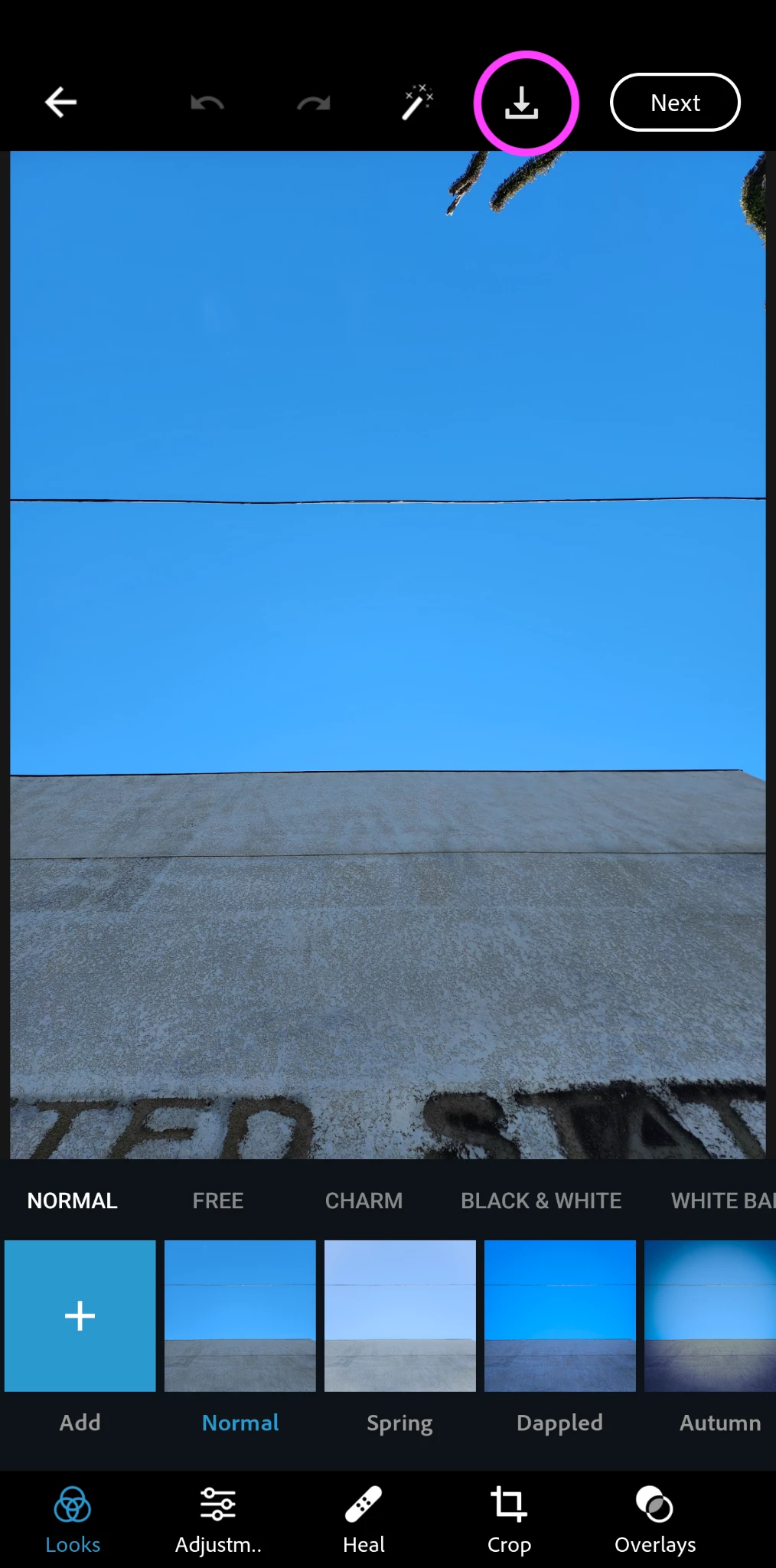
Photoshop Express Screenshot showing new download button where changes toggle button was previously.png

Why did the UI change?

While I appreciate the addition of a simple download button to the main menu, I cannot find how to toggle between the original and changed imate at all any more. I'm unsure if it is even still an option to perform such a check at all.

Can we get the toggle changes button back on the main menu???

235
Translate
Report
Community guidelines
Be kind and respectful, give credit to the original source of content, and search for duplicates before posting. Learn more
community guidelines
New Here ,
Jan 31, 2023 Jan 31, 2023

Addendum: I was sent here from technical support, because there is no option to select "Photoshop Express" from the ideas main page drop down menu. They assured me this was the correct forum in which to post this.


If anyone knows the steps to perform to toggle the changes in an image in the Photoshop Express app, I would love to know.


Also, but FYI I am running Photoshop Express on Android 13.

Translate
Report
Community guidelines
Be kind and respectful, give credit to the original source of content, and search for duplicates before posting. Learn more
community guidelines
Community Expert ,
Feb 01, 2023 Feb 01, 2023
LATEST

Moved to the Ps Express forum.

Translate
Report
Community guidelines
Be kind and respectful, give credit to the original source of content, and search for duplicates before posting. Learn more
community guidelines