
Known Participant
May 24, 2023
Question

Subject: No Internet Connection Error on Scrapbook For Collage Feature

  • May 24, 2023
  • 1 reply
  • 759 views

Hello,


I'm having issues with using the Scrapbook for Collage feature on the iOS PS Express App, which is below:



When I click on Start Now and select my photos, I then get the following error:
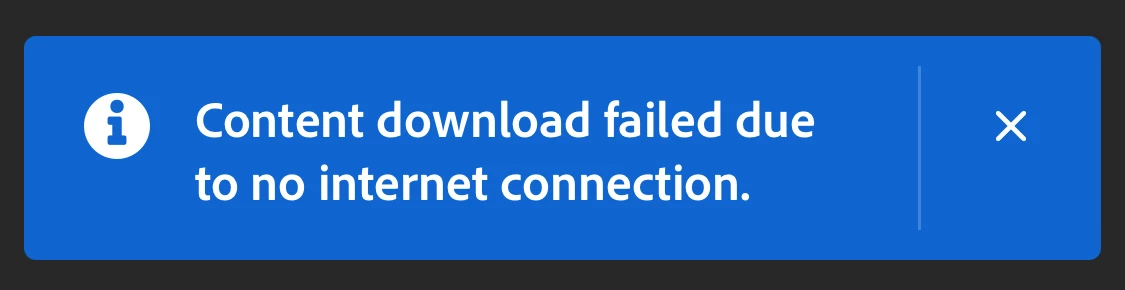


The issue is I am FULLY CONNECTED TO THE INTERNET. I have attempted to reinstall the app and even power cycled my iPhone but still that same error. When that error occurs it just creates a regular standard collage and never does th e scrapbook cutouts. Can you explain why I'm getting this error? Does it have to do with my account?


Thanks!


This topic has been closed for replies.

1 reply

Lyn_D
Inspiring
May 25, 2023

Hi @ContentCreator14,


Thank you for reaching out, and I'm sorry to hear you're experiencing difficulties with the Scrapbook for Collage feature.


I've just created a Scrapbook on my iPhone 14 Pro Max.


Updating the app and iOS to the latest version can improve the user experience.


If you‘ve already tried this and still have those issues, kindly send me a walk-through video via DM.


I'm here to help and looking forward to hearing from you.


Lyn 🙂

Known Participant
June 14, 2023

@Lyn_D @Hello,


I have updated the iOS PS express app and my iPhone's iOS, but I'm still getting the same error when using the Scrapbook for collage feature. The screenshot of the error is below:


Then, it just creates a regular collage. Could it be an issue with my account? Anybody else having this issue up until now? As you can see, Im fully connected to the internet so the issue is native to the app.


Thanks!

Known Participant
June 24, 2023

@ContentCreator14, Thank you for sharing, and I apologise for the delayed response.


Would you mind sharing more details?

You would have to go to the PS Express App - > Settings -> Help US Improve.


This will then open an email. Please copy the body of the mail from App Version down to Status and share this information with me via DM.


I'm looking forward to hearing from you.

Lyn


Hello @Lyn_D ,


I have tried the steps you gave me just now, and I kept getting a message that said the following:


 Because of this message, it will not let me proceed to the next step, even though I CLEARLY HAVE AN EMAIL ADDRESS on my account. Can you help further?


Thanks,


Sno