

1 Pixel Difference in Selections (Bug?)
The behavior applies to all selections created from pre-existing content, including masks. The following is just to quickly illustrate the problem. Please don't focus on how I'm doing it.
Scenario
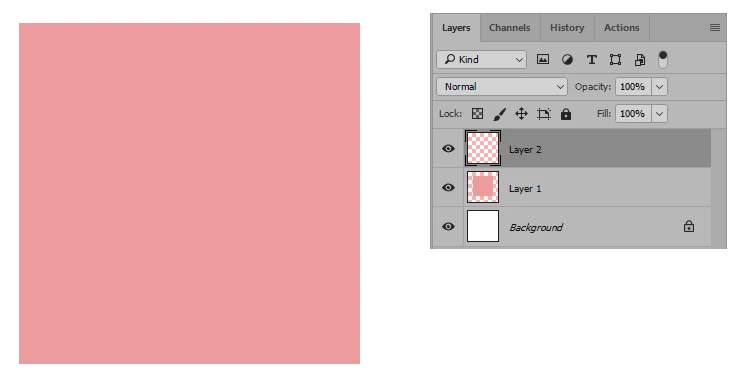
I have a circle, a square below it, and a background. Three layers total. The square is just for visibility.
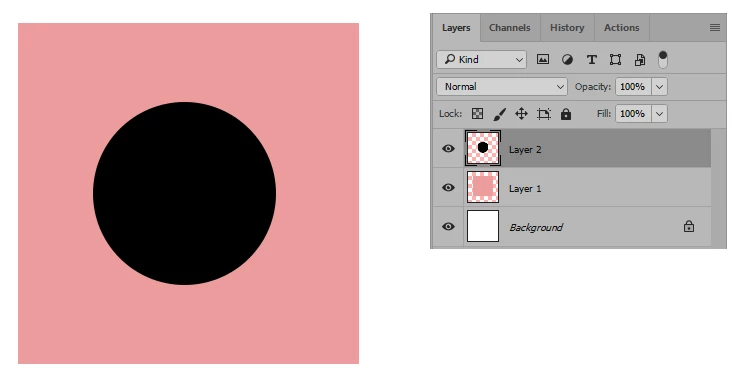
I ctrl+click on the circle layer and it creates a selection based on the contents of that layer as expected.
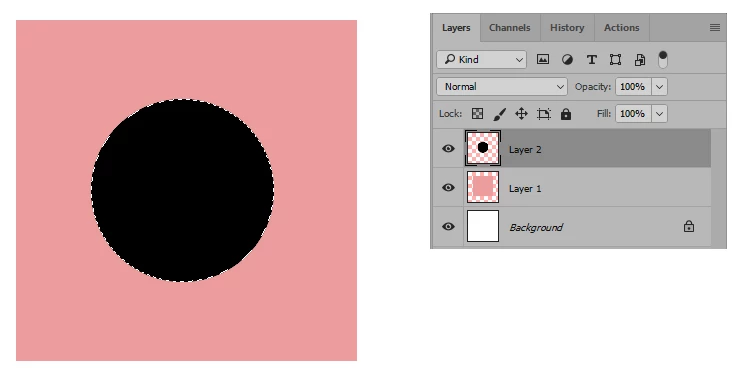
The problem is that the selection doesn't actually match the contents it was created from. It's 1 pixel smaller. To illustrate this, I use the eraser tool on the selection to erase the circle.
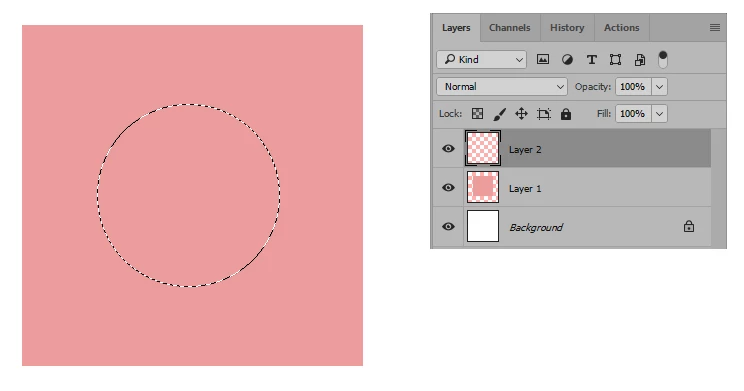
It looks fine at a glance, but once I deselect it, you can clearly see the outline leftover from the 1 pixel difference. The outline is never visible while the selection is active because the marching ants cover it.
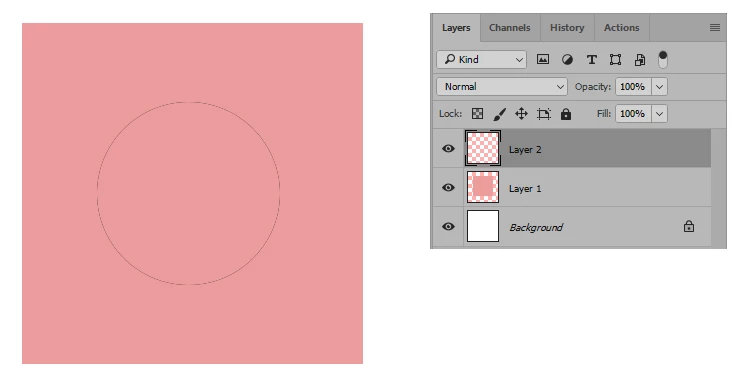
To further prove the difference, I go back to the beginning. This time, after I ctrl+click on the circle layer to create the selection, I increase the size of the selection by 1 pixel using Select>Modify>Expand>1. Then I use the eraser tool on the circle as I did before. As you can see, when I deselect it now, there's no leftover outline.
The work I do needs to be very precise at the pixel level and I depend heavily on masks and selections based on layer content. The ability to ctrl+click on a layer or mask to quickly create new selections on the fly that I can transform and apply anywhere else is in the project has always been a key feature.
This issue breaks that functionality. I can get around it by manually erasing the leftover or by expanding the selections as shown before using them, but both add time and time is money.
Technical Details
The problem isn't recent. I believe it started in the update where the engineers finally included a built-in overscroll option and it's happened ever since. I'm currently on CC 2017. I haven't done the update that just came out yet because I'm in the middle of a lot of projects and want to wait until they're done.
I wonder if it's something on my end rather than a global issue because I haven't seen anyone else mention it. Also, before overscroll was introduced as a built-in option, people would use plugins, scripts, or even make changes in the registry or inside Photoshops's files to enable the behavior.
I implemented one of those non-plugin methods to force overscroll. I don't remember which one or what I did, but I vaguely recall that it entailed telling Photoshop to add or subtract pixels to something in order to force it to scroll over the document bounds.
Because of that, I don't know if this behavior is a bug or if it's tied to whatever I did back then that has somehow never been overwritten or deleted in spite of all of the updates I've been through and me having reset preferences numerous times.
It could be completely irrelevant, so I'd rather people not assume that's the issue. I just thought I'd mention it because it's interesting that I did something on the backend involving pixels to force overscroll and once overscroll became a built-in preference, selections were now suddenly off by a pixel.
 AdChoices