
Participant
November 20, 2018
Answered

100% black mask doesn't make it entirely transparent

  • November 20, 2018
  • 2 replies
  • 749 views

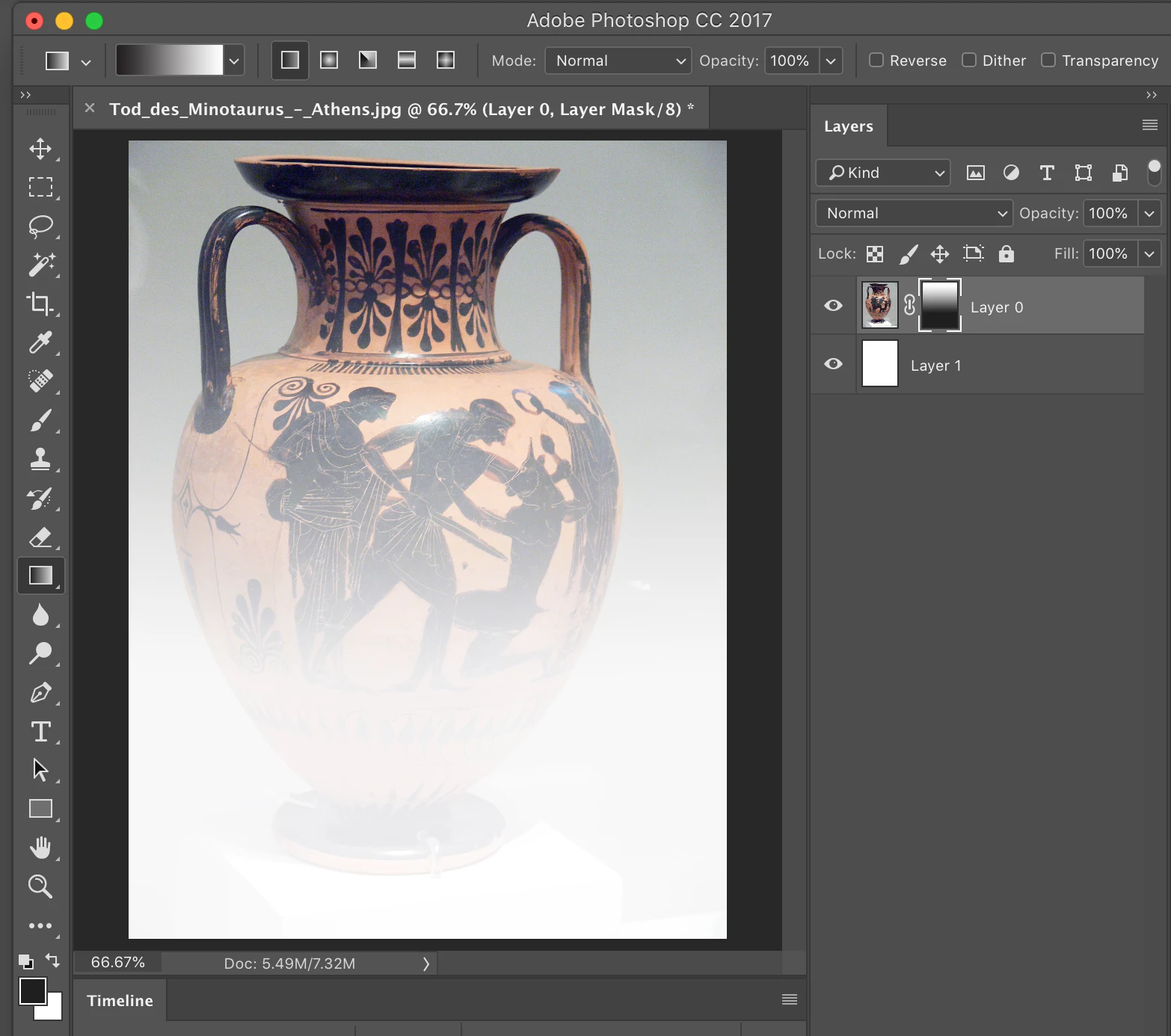
Hello, In Photoshop CC 2017, when I use 100% black to mask areas on a layer it doesn't make it fully transparent anymore. It leaves a very light translucent ghost of the image. Either with a brush or gradient, the result is the same. It used to work fine.http://
    This topic has been closed for replies.
    Correct answer Chuck Uebele

    Have you double checked to make sure you have pure black?

    2 replies

    Chuck Uebele
    Community Expert
    Chuck UebeleCommunity ExpertCorrect answer
    Community Expert
    November 20, 2018

    Have you double checked to make sure you have pure black?

    Participant
    November 20, 2018

    Yes, it's C0M0Y0K100

    jane-e
    Community Expert
    Community Expert
    November 20, 2018

    I tried this in 2019 and 2018 and got the same results as you when I dragged the Gradient from top to bottom.

    Try Shift + Drag from top to 2/3 or so down instead of all the way down.

    Photo Credit: davescm​ in this week's photo challenge — Something for the weekend - Part 46 - Get it off your chest!

    Participant
    November 20, 2018

    I did start my gradient from the 1/3 of the image on my test. What you see at the bottom part is not possible to get rid of. Even with a 100% black brush, it doesn't go away.

    Semaphoric
    Community Expert
    Community Expert
    November 20, 2018

    With the layer mask active, what do you see in the Info panel when your cursor is over the area that is black?