
Question
Adding Two Black & White Adjustment Layers
Hi
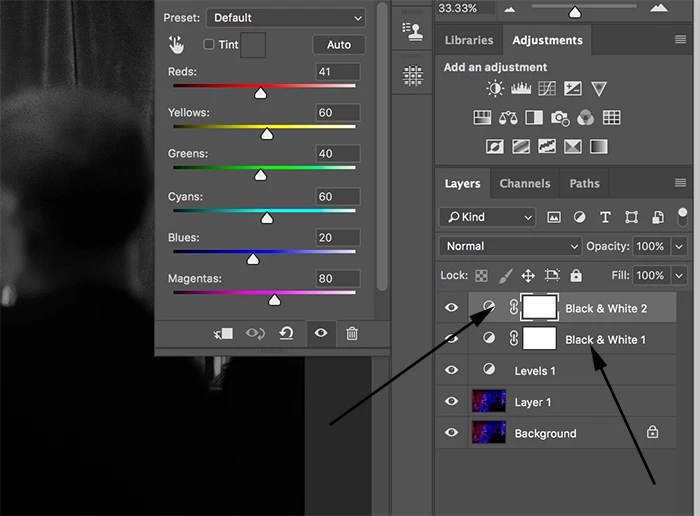
Is there anyway to have 2 active black and white layer masks on an image?
I have used one to change the image to black and white from color, but I would like to mask out part of a shadow which goes too dark.
I can't do this on the main B & W layer because the color image underneath will show though. When I try and add another B & W layer above, when I play with the sliders to change the reds for instance, nothing happens? (image attached).
How can I add a secondary B & W adjustment layer that only targets one aspect of the the image?
Any advice or help would be wonderful.
Paul.
 AdChoices