
Participant
September 14, 2018
Answered

Align and Export

  • September 14, 2018
  • 2 replies
  • 1221 views

I am working on a time lapse taking photos every day on a specific location for the next 30 days. Although I am doing my best to center the photos always in the same obviously the various photos will need to be aligned. I will create the final time lapse with a specific software however I still would like to align all the photos to the first with Photoshop. Is there a way to do the alignment and then export back every single aligned photos?

Thank you Fabrizio
This topic has been closed for replies.
Correct answer D.A.R

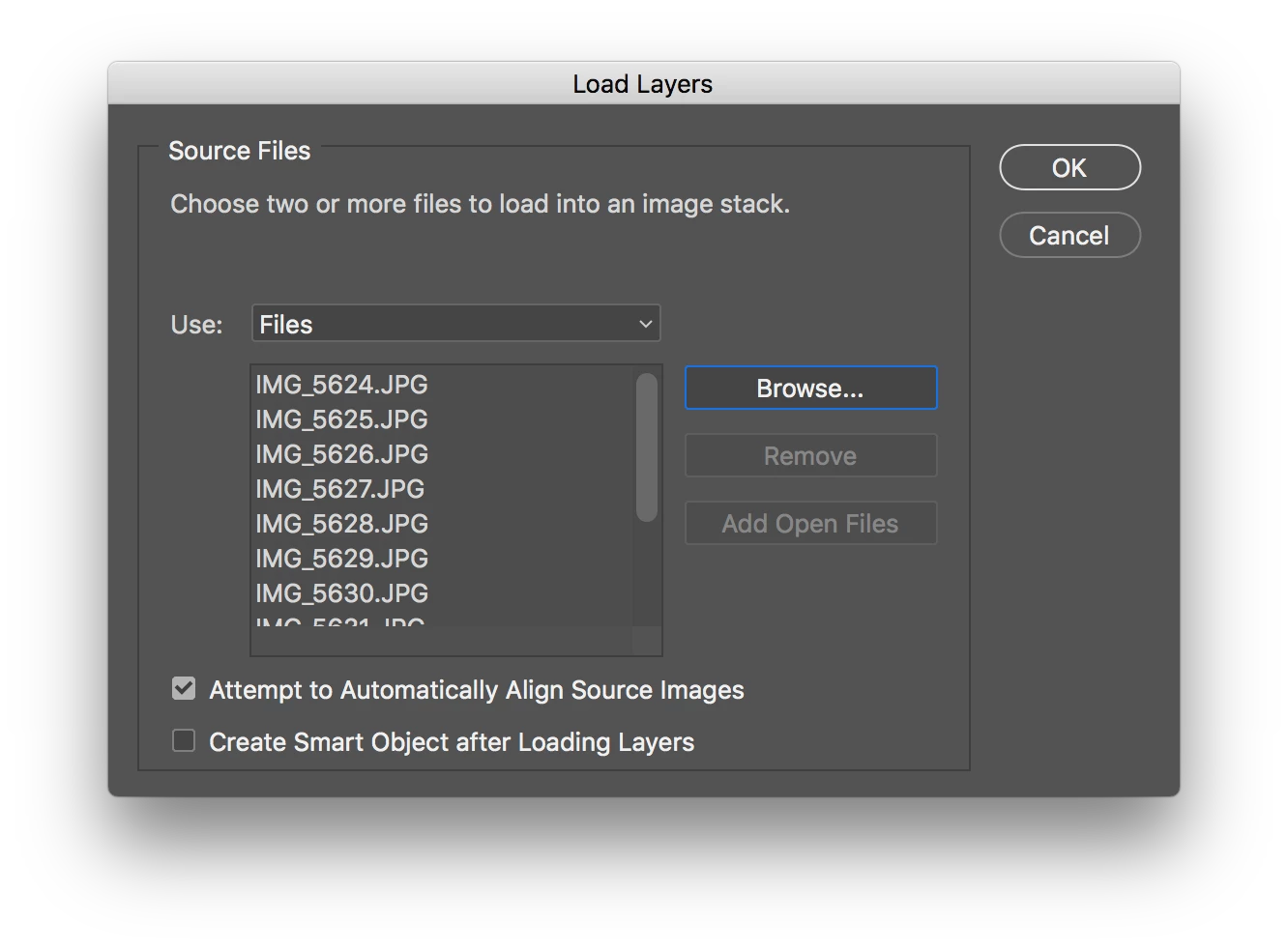
Load the files into a stack. File > Scripts > Load File Into Stack...

Check the box for auto alignment attempt.

Select all Layers. Select > All Layers..

Then export. File > Export > Layers To Files...

Depending on how far out of alignment they may be you may need to crop into the stack to lose any transparency caused during the shifting when aligning.

2 replies

D.A.R
D.A.RCorrect answer
Legend
September 14, 2018

Load the files into a stack. File > Scripts > Load File Into Stack...

Check the box for auto alignment attempt.

Select all Layers. Select > All Layers..

Then export. File > Export > Layers To Files...

Depending on how far out of alignment they may be you may need to crop into the stack to lose any transparency caused during the shifting when aligning.

Participant
September 14, 2018

Thank you D.A.R, I will give it a try

kglad
Community Expert
Community Expert
September 14, 2018