bartonlew
Legend
February 23, 2018
Answered

aligning offset borders in an image

  • February 23, 2018
  • 2 replies
  • 1148 views

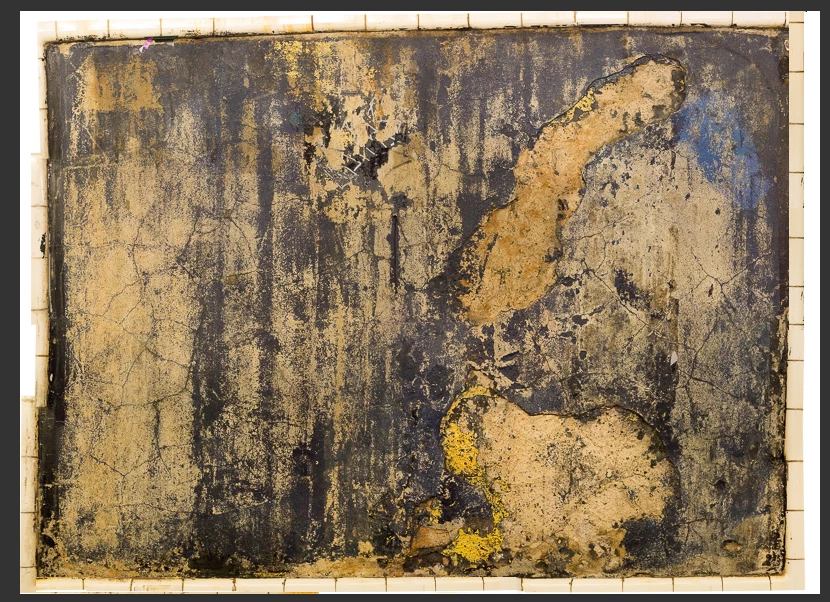
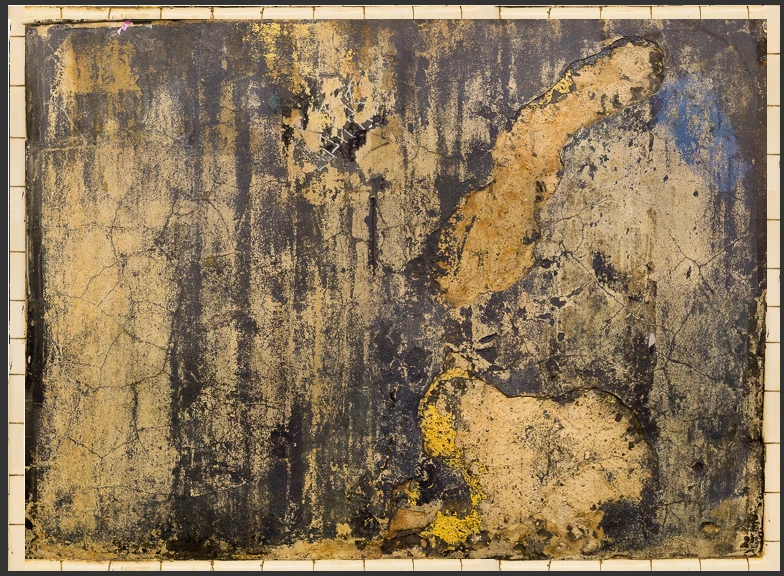
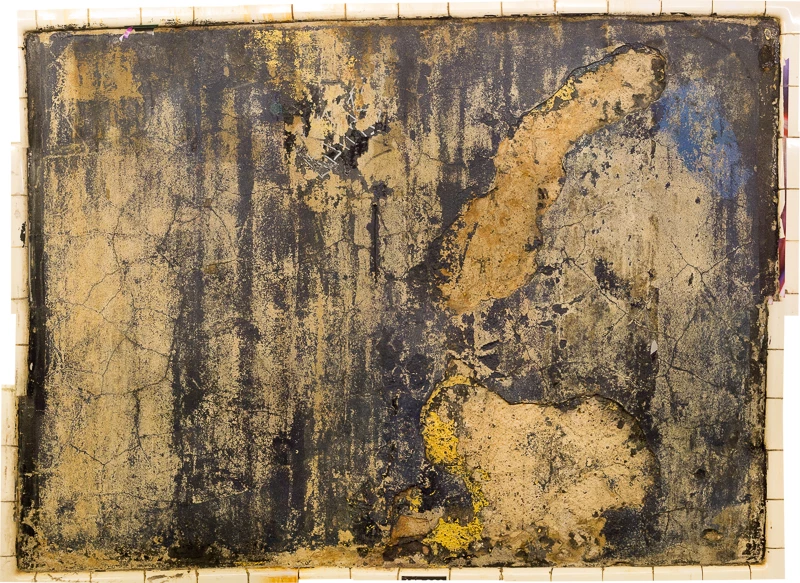
Hello, I am hoping someone can tell me what the best tool or method would be to fix the misaligned borders in this image, which was created from 16 photos stitched together as a panorama.  Unfortunately, the tile borders are misaligned on the right and left.  I tried using the Patch Tool and the Magic Wand separately to replace the inner image area above and below the inner line of tile with tile, but neither worked.  If someone can tell me what my best options would be for aligning the tile borders I would be most appreciative.  Thank you.
This topic has been closed for replies.
Correct answer barbara_a7746676

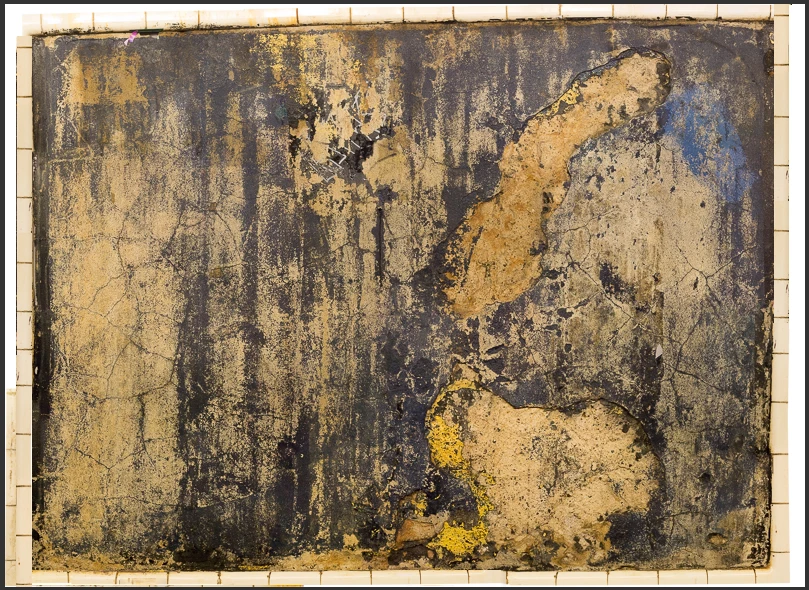
In that case, you could select portions of the border that are aligned correctly and duplicate them.

First I fixed the dark spot on the bottom with Content Aware Fill.

Then selected the good area.

And duplicated it by Control (windows) Command (Mac) + Alt dragging it.

Repeated the same routine on the right side, although I had to make the duplicate piece a little narrower to match up with the piece below.

Selected the right side and copied it to the left side.

Copied the bottom border to the top.

Content Aware filled the white spot in the upper left.

Then used the Crop tool to crop away extra white areas on the outer edges.

2 replies

Bettina Di Virgilio
Participating Frequently
February 23, 2018

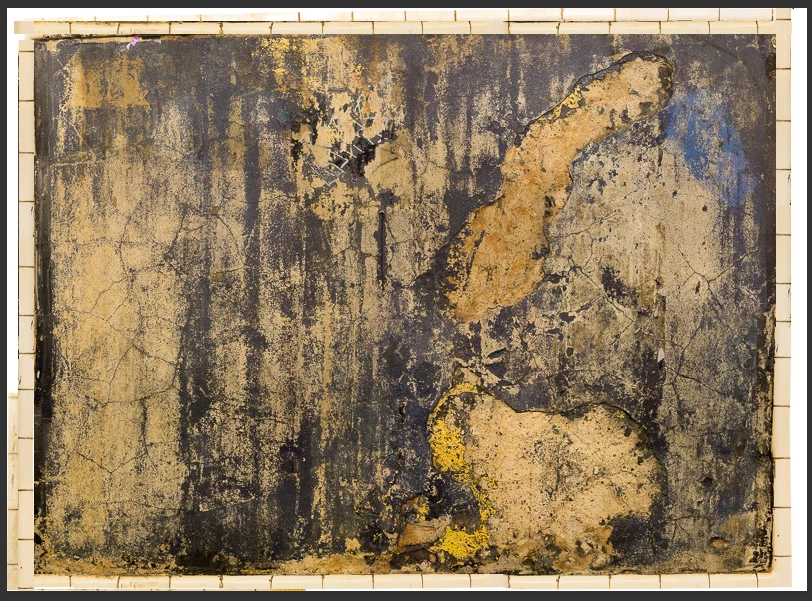
Use the Crop perspective tool, clic on the angles adding points, then apply and it will automatically let it be a rectangle. But I think you will need to fix the image with retouch tools after this.

barbara_a7746676
Community Expert
Community Expert
February 23, 2018

You could make a selection through the area that needs to be adjusted and use the Edit > Free Transform command. If you hold down Control (Windows) or Command (Mac) you can drag each handle individually.

That should get you most of the way there. You may need to do some touch up afterwards.

bartonlew
bartonlewAuthor
Legend
February 23, 2018

Thank you.  The tile looks great now, but this skews the rest of the image, which was aligned correctly in panorama and is after all the lion's share of the image.  So I really don't want to have to realign the interior.  Is there no way to align the tile borders separately?  Or alternatively paste tile border above or below to create a seamless border effect?  I don't mind losing a little bit of the edge of the interior to do that.  Thanks.

barbara_a7746676
Community Expert
barbara_a7746676Community ExpertCorrect answer
Community Expert
February 23, 2018

In that case, you could select portions of the border that are aligned correctly and duplicate them.

First I fixed the dark spot on the bottom with Content Aware Fill.

Then selected the good area.

And duplicated it by Control (windows) Command (Mac) + Alt dragging it.

Repeated the same routine on the right side, although I had to make the duplicate piece a little narrower to match up with the piece below.

Selected the right side and copied it to the left side.

Copied the bottom border to the top.

Content Aware filled the white spot in the upper left.

Then used the Crop tool to crop away extra white areas on the outer edges.