
July 22, 2019
Question

Auto-align not constraining crop - Photoshop on Windows Os

  • July 22, 2019
  • 2 replies
  • 2082 views

When I "auto-align" images, I get a checkered barrier showing the portion of the image that was cropped.  (image #1).

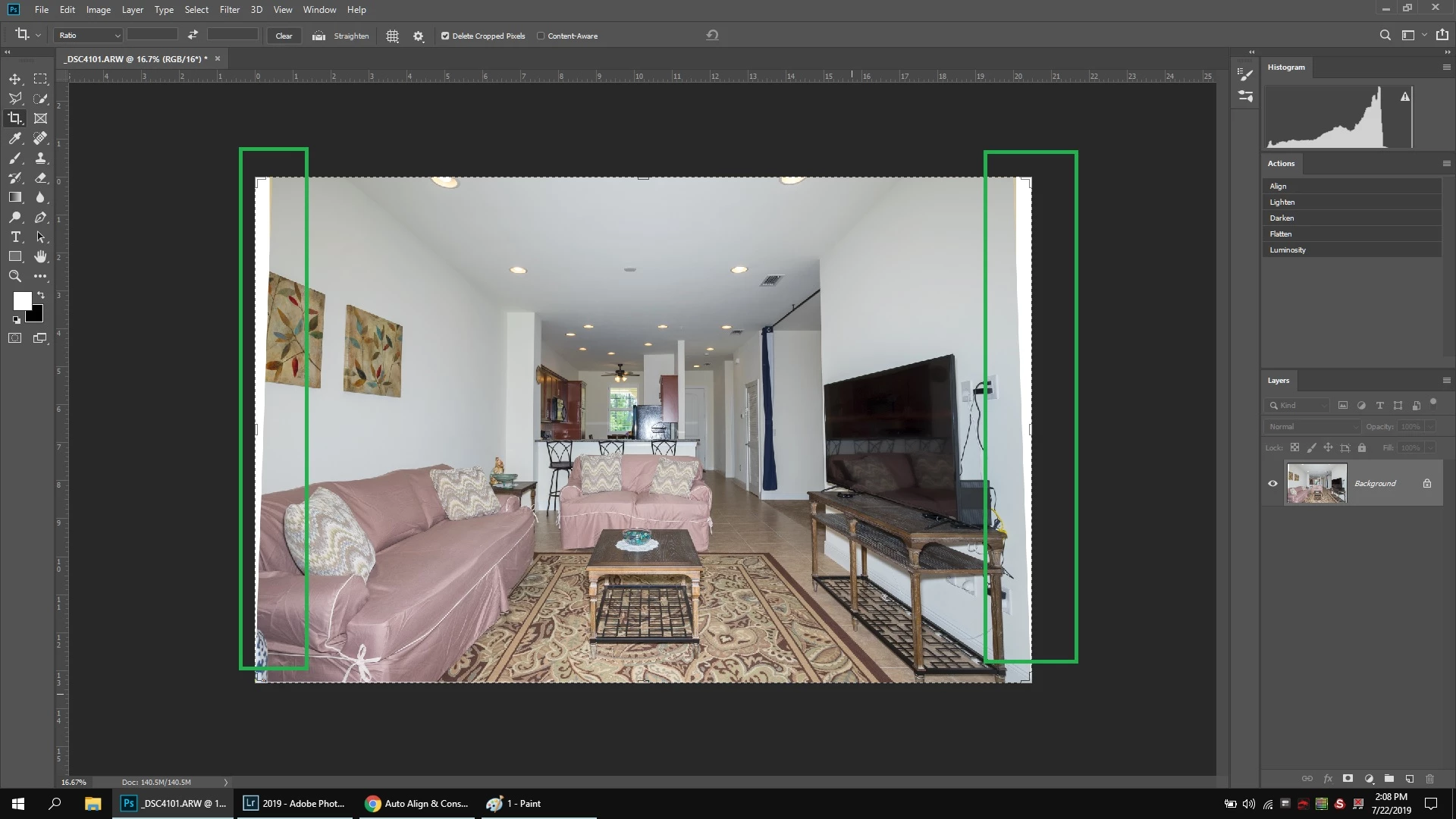
When flattening image, the checkered barrier turns to white.  (image #2).

Saving image loads into Lightroom with the white barrier still present.

I recall this working before, is there an auto-constrain setting that I've disabled?

Image #1 (notice checkered background from aligning)
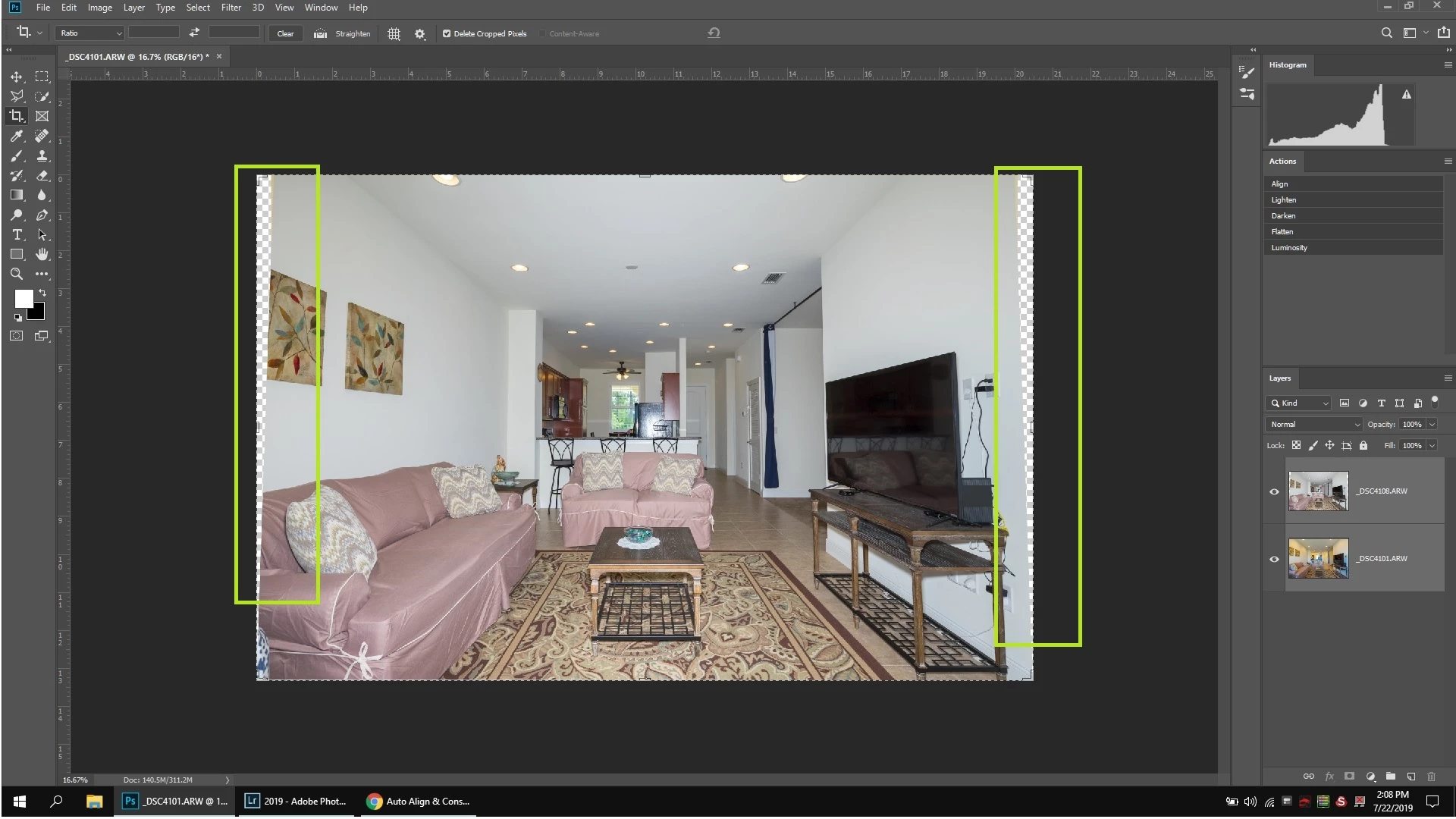
Image #2 (flattening changes to white, then saves image back to lightroom with white barrier.)
{Thread renamed by moderator}

This topic has been closed for replies.

2 replies

davescm
Community Expert
Community Expert
July 22, 2019

Hi

It looks normal to me, and those transparent areas just arise because each single image is not straight. You need to crop the image after auto-alignment to remove the transparent areas (or fill them with cloning or content aware fill).

Flattening an image with transparency will fill the transparent areas with solid color as they are flattened to become a background layer which does not support transparency.

Dave

July 22, 2019

Thanks Dave.  This is a new issue for me.  Been using PS for years and never had this happen. The software used to automatically crop the image to not include the extra space from alignment.

JJMack
Community Expert
Community Expert
July 23, 2019

The crop made in this case was not rectangular or the crop was transform  to correct some perspective problem.  You can try selecting the transparent areas in this case and expand the selection a couple of pixel to see hoe well Content Aware Fill may work.

JJMack
Sahil.Chawla
Adobe Employee
Adobe Employee
July 22, 2019

Hi there,

That shouldn't be happening, let's make it right.

Could you please let us know the version of Photoshop and the operating system you're working with?

Also, could you try resetting the preferences of Photoshop and let us know if it helps?

Preferences in Photoshop

Note: Make sure that you back up all your custom presets, brushes and actions before restoring Photoshop's preferences. Migrate presets, actions, and settings

Regards,
Sahil

July 22, 2019

I have WIndows 10 x64 version 1903.  (attached system details)

Adobe Photoshop Version: 20.0.5 20190605.r.83 2019/06/05: 1206907  x64

I recall this issue started a month or 2 ago.  Before I would never have to crop and the image would automatically adjust it's size to not include the borders from aligning.

Concerning the preference reset, I tried in the "General" preferences menu to 'reset preferences upon quit."  Didn't change anything.