
Participant
October 25, 2017
Answered

Auto-select problem Photoshop 2017

  • October 25, 2017
  • 6 replies
  • 6026 views

I'm having a problem with the auto-select, basically, everytime I try to select a layer, it simply select another one. Normally, it always select the same layer (very often a text layer) in the document. So if I try to select a shape using auto-select (or even the CTRL hotkey), it select a random layer in my document. Does anyone knows what is happening?
This topic has been closed for replies.
Correct answer Barb Binder

You unchecked auto-select and still can't Ctrl+click to select the layer under the cursor? That's odd.

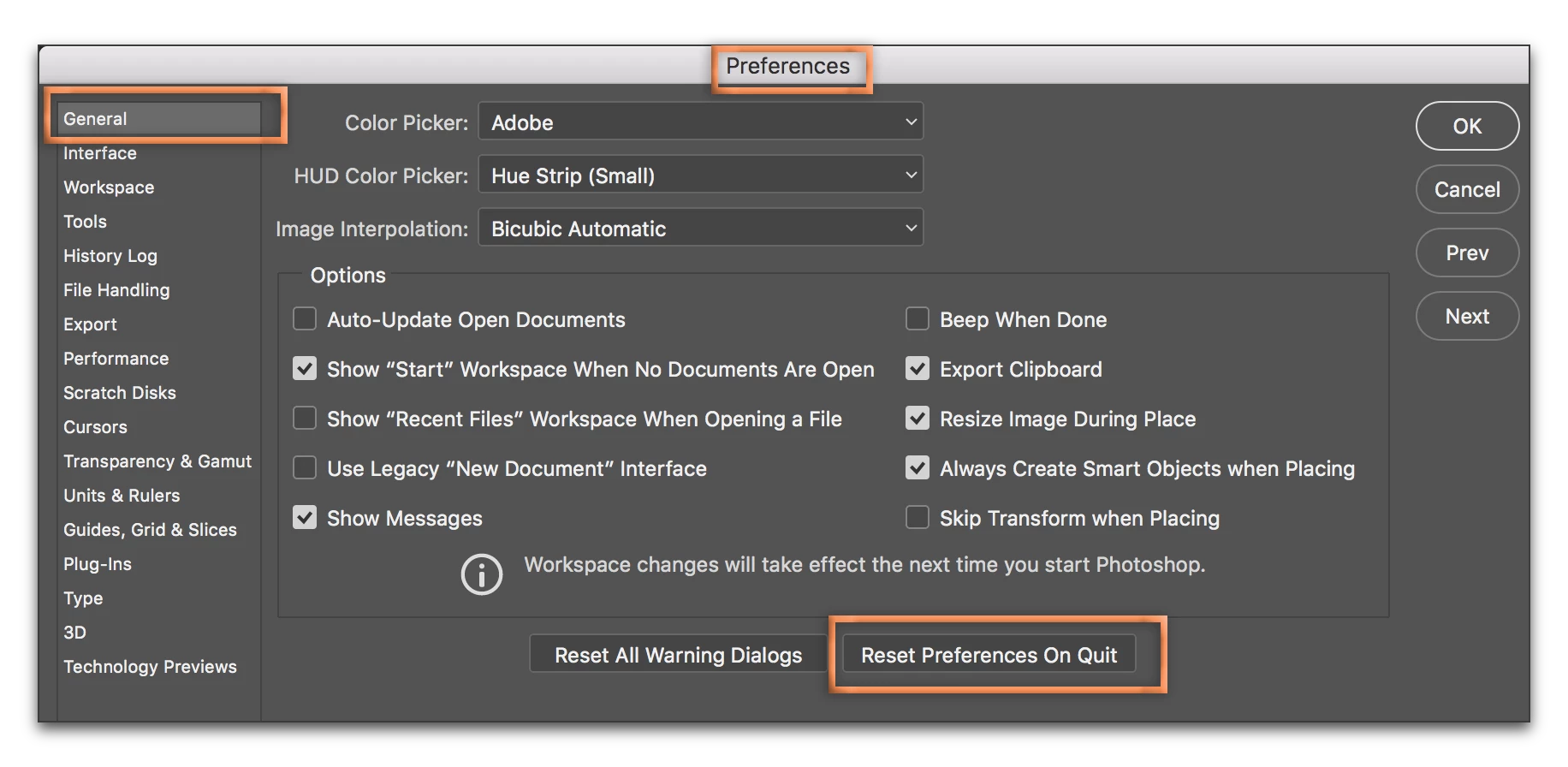
Well, when the software starts misbehaving you can reset preferences. Be sure you've saved your workspace and brushes, etc.

6 replies

RoderickUsher
Inspiring
August 19, 2018

If you are autoselecting an object from the canvas or artboard and that object has any transparency, autoselect will not be activated if you click on the transparent regions.

Participant
March 12, 2018

This is not a text issue. I'm painting in photoshop doing illustration.

Participant
March 12, 2018

I'm also having similar issues with auto select not selecting correct layers I am clicking on. It's been going on for a few months.

Roei Tzoref
Legend
January 20, 2018

are you maybe selecting a text layer by marquee selecting with auto select and that is in a paragraph text mode and has a blank space in the paragraph box? because unfortunately Ps is selecting it if you are on top of that space.

if you click and drag over that space, the layer will be selected. this can cause problem and I am about to report this as a bug.

Participant
December 19, 2017

I noticed when I right click over an object, where it usually shows all the overlapping layer names, it only shows the parent layers. None of the linked layers show up.

Barb Binder
Community Expert
Community Expert
October 25, 2017

Did you try turning Auto-select off to use the Ctrl+click technique?

Or is it set to Auto-select groups?

~Barb at Rocky Mountain Training
Participant
October 26, 2017

Yes, still not working...

Barb Binder
Community Expert
Barb BinderCommunity ExpertCorrect answer
Community Expert
October 26, 2017

You unchecked auto-select and still can't Ctrl+click to select the layer under the cursor? That's odd.

Well, when the software starts misbehaving you can reset preferences. Be sure you've saved your workspace and brushes, etc.

~Barb at Rocky Mountain Training