Hello, I really need help.
I have windows 7 64 bits. WHen I tried to install photoshop CC 2017 there was an error that I could find the solution. There was dll files x86 and need to be x64).
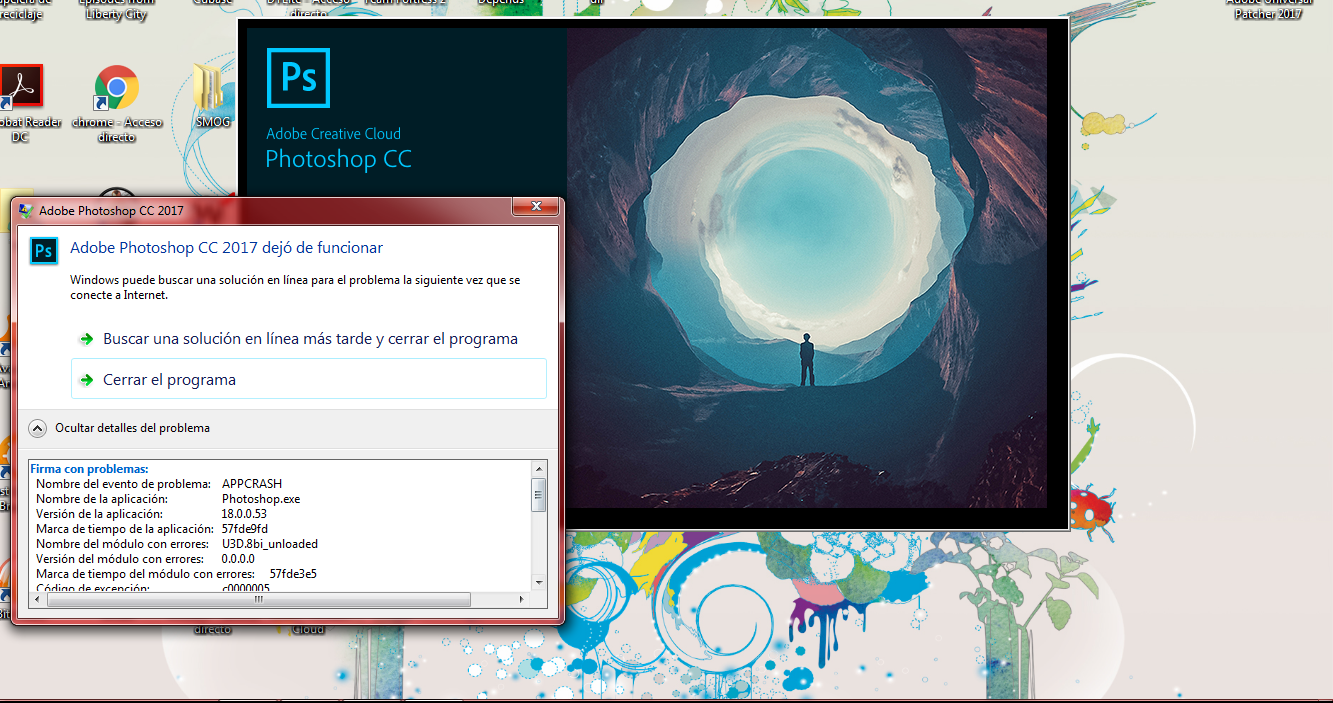
When I try to open photoshop crash and launch this error:
Firma con problemas:
Nombre del evento de problema: APPCRASH
Nombre de la aplicación: Photoshop.exe
Versión de la aplicación: 18.0.0.53
Marca de tiempo de la aplicación: 57fde9fd
Nombre del módulo con errores: U3D.8bi_unloaded
Versión del módulo con errores: 0.0.0.0
Marca de tiempo del módulo con errores: 57fde3e5
Código de excepción: c0000005
Desplazamiento de excepción: 000007fedd4e4bd0
Versión del sistema operativo: 6.1.7600.2.0.0.256.1
Id. de configuración regional: 11274
Información adicional 1: 0da5
Información adicional 2: 0da5a2c63e42f1dc99d5213b892be068
Información adicional 3: fb4e
Información adicional 4: fb4e9dd4afb8906dee94d8030bcf3fe7
Lea nuestra declaración de privacidad en línea:
http://go.microsoft.com/fwlink/?linkid=104288&clcid=0x0c0a
Si la declaración de privacidad en línea no está disponible, lea la declaración de privacidad sin conexión:
C:\Windows\system32\es-ES\erofflps.txt
What is module U3D.8bi_unloaded and how can I solve this problem? I tried everything I could and I dont know what to do. I really dont want to unisntall windows again.
Someone know what's going on?
THX!!!





 1
Reply
1
Reply





 AdChoices