

JJMack
Community Expert
Community Expert
July 29, 2020
Question

Galaxy S7 and S8 mockup templates

  • July 29, 2020
  • 1 reply
  • 2008 views

elvisk 99891586 The thread we were use dealing with your mockup seems to be busted.


The thread I started yesterday was slammed to the old thread and now has vanished from the Photoshop form.


Lets try again:


I had look at your mockup templates they basically had two problems. So I create three that should work and posted a link them. However, the post to them did not get posted in that thread. The thread is busted??? And the thread I started yesterday has vanished.


Your Phones Mockup Templates have two different aspect ratios and your smart objects design has a third aspect ratio.


The Smart Layers that shows the content of the smart object design on your Phone Cases have linked Layer Mask. They should not be linked. You want to be able to scale the smart object for the size and position of the case in your mockup. You want to mask the scaled object for the Shape of the case and the cut-outs in the case.


Your S7 phone has a 0.493 aspect ratio. Your S8 and S8+ case have a 0.467 aspect ratio which is close to the S7 aspect ratio. Your Smart Object design has a 0.588 aspect ration. A wide aspect ration like that content will not scale well for your cases aspect ration its content would need to be cropped.


When you use my script with the wrong aspect ration replacement content and use its edit option to fit the content to the smarts object my script will scale the replacement to fill the smarts object area either the height or width will be the correct size. The smart object canvas size will clip off any excess image. The replacement will be like a centred aspect ration image crop. The Mockup template should have an aspect ratio that is good for the case with a proper aspect ration for the case. Only replacement images with the same aspect of the Smart Object will be perfectly fitted to you cases. Other aspect ratio designs will be like centred aspect ration crops.


So I creates a smart object that is larger than the S7 case that has the same Aspect ratios as your S7 case. I scaled the smart object layer for the S7 Case size and position it in the mockup template. I then added your layer mask not linked to the smart object content. The mask is for the case which is in many layers that need the be in same alignment. Changing the layer's transform to tweak the design content would mess up the layers alignment and size if the layer mask was linked. I use the same smart objevt in the three mockups. I squeezed in the design a little in the S8 abd S8+ template girls will be a little thinner. Not a bad thing...


I then through some random portraits replacement images at the mockups in general the cases mockup look good however some of the wider portraits virtual centred corps composition is not very acceptable. Design for your cases need to have a narrow aspect ratio.
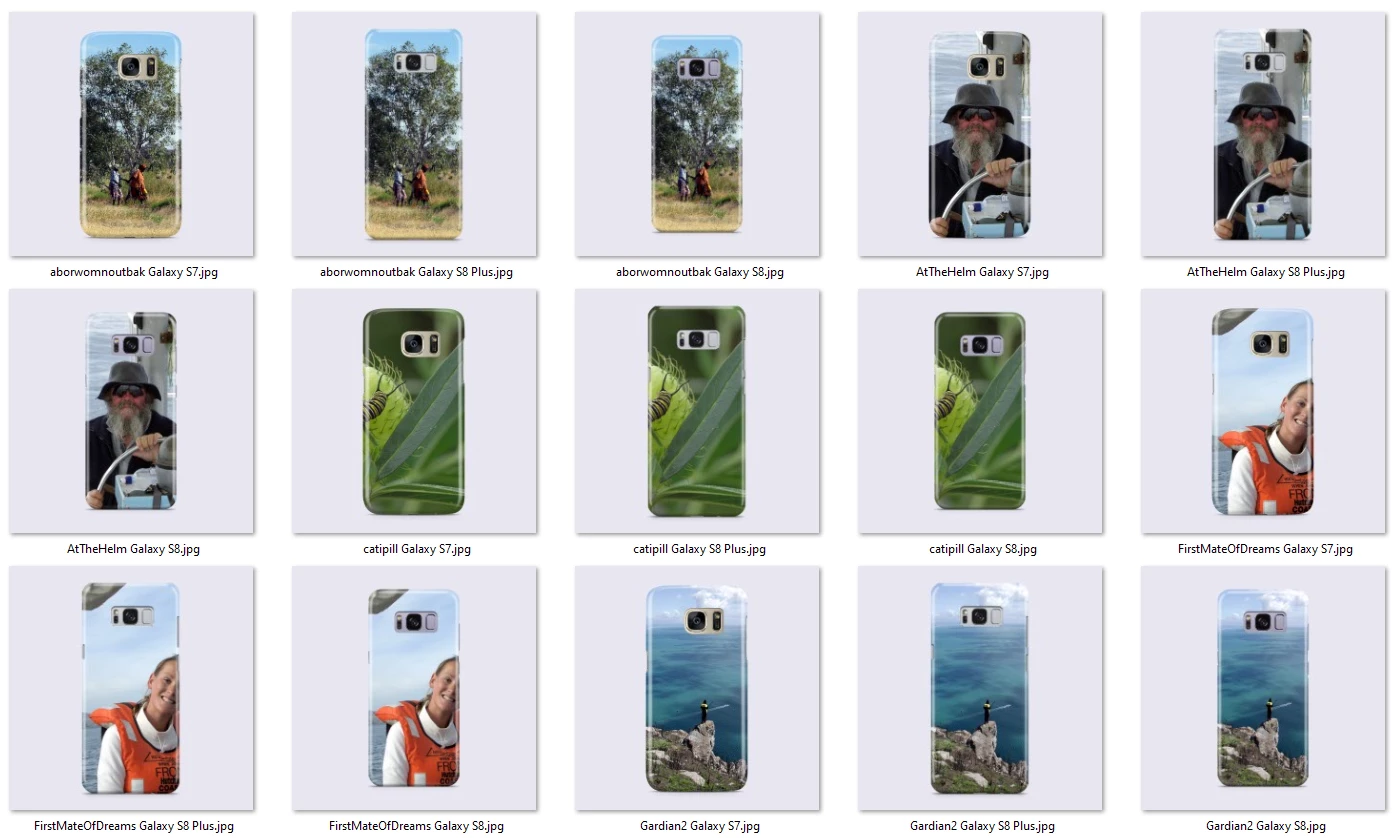
 

PhoneTemplates.zip 


This topic has been closed for replies.

1 reply

Participating Frequently
July 29, 2020

Sorry, I am new to scripting and having issues with the accepted solution for the OP.


When I run the script, it keeps bringing up a warning saying the smart layer is not on top (I am assuming in the layer panel)? 

However, I cannot have it at the top as there are effects layers that I need to keep.


I ended up finding this on Github;


#target photoshop
if (app.documents.length > 0) {
var myDocument = app.activeDocument;
var theName = myDocument.name.match(/(.*)\.[^\.]+$/)[1];
var thePath = myDocument.path;
var theLayer = myDocument.activeLayer;
// JPG Options;
jpgSaveOptions = new JPEGSaveOptions();
jpgSaveOptions.embedColorProfile = true;
jpgSaveOptions.formatOptions = FormatOptions.STANDARDBASELINE;
jpgSaveOptions.matte = MatteType.NONE;
jpgSaveOptions.quality = 8;
// Check if layer is SmartObject;
if (theLayer.kind != "LayerKind.SMARTOBJECT") {
alert("selected layer is not a smart object")
} else {
// Select Files;
if ($.os.search(/windows/i) != -1) {
var theFiles = File.openDialog("please select files", "*.psd;*.tif;*.jpg", true)
} else {
var theFiles = File.openDialog("please select files", getFiles, true)
};
if (theFiles) {
for (var m = 0; m < theFiles.length; m++) {
// Replace SmartObject
theLayer = replaceContents(theFiles[m], theLayer);
var theNewName = theFiles[m].name.match(/(.*)\.[^\.]+$/)[1];
// Save JPG
myDocument.saveAs((new File(thePath + "/" + theName + "_" + theNewName + ".jpg")), jpgSaveOptions, true,Extension.LOWERCASE);
}
}
}
};
// Get PSDs, TIFs and JPGs from files
function getFiles(theFile) {
if (theFile.name.match(/\.(psd|tif|jpg)$/i) != null || theFile.constructor.name == "Folder") {
return true
};
};
// Replace SmartObject Contents
function replaceContents(newFile, theSO) {
app.activeDocument.activeLayer = theSO;
// =======================================================
var idplacedLayerReplaceContents = stringIDToTypeID("placedLayerReplaceContents");
var desc3 = new ActionDescriptor();
var idnull = charIDToTypeID("null");
desc3.putPath(idnull, new File(newFile));
var idPgNm = charIDToTypeID("PgNm");
desc3.putInteger(idPgNm, 1);
executeAction(idplacedLayerReplaceContents, desc3, DialogModes.NO);
return app.activeDocument.activeLayer
};


It seems to do the job but I have two aspects that I would like to improve for it to really work as I would like;


1- How to make it so that it automatically selects the smart layer? Currently, the smart layer has to be pre-selected.

2- How can I automate it to place the image in the smart layer across all open files? Right now it only does one file so I have to keep switching and running the script. I then created an action for this so it goes to the next open file after it is done but I still have to select the file to place in the smart layer manually through a pop-up.


Thank you! 

JJMack
Community Expert
JJMackCommunity ExpertAuthor
Community Expert
July 29, 2020

But you can have the smart object that need to be replaces on the top of the layer stack.  That should not be a problem. The smart object layer on the top of the layer stack do not have to be visible in the templates composition.  Smart Object Layer that share the objects in the top level smart objects can use(display)  the object in the templates composition.  For example here is a Car Seat mockup template. It has two top level smart object layers. The Driver Seat and the passenger seat covers.  They are not visible.  In the Mockup Group there are four smart object layers that share the seat objects at the top of the stack two share the driver seat two the passenger seat. They display the seat backs and the and the seat bottoms  in the composition.  The issue is you did not know how to make  your mock up compatible with the script.  You lack some knowledge about Photoshop. We all share this issue no one knows everything that can be done with Photoshop. We only learn what we need to use.... over time as we use Photoshop.

JJMack
Participant
May 10, 2024

That mockup is great. What do I need to do for you to get a copy of it?