
Participant
July 27, 2020
Question

Black colors on all mods
  • July 27, 2020
  • 4 replies
  • 1011 views

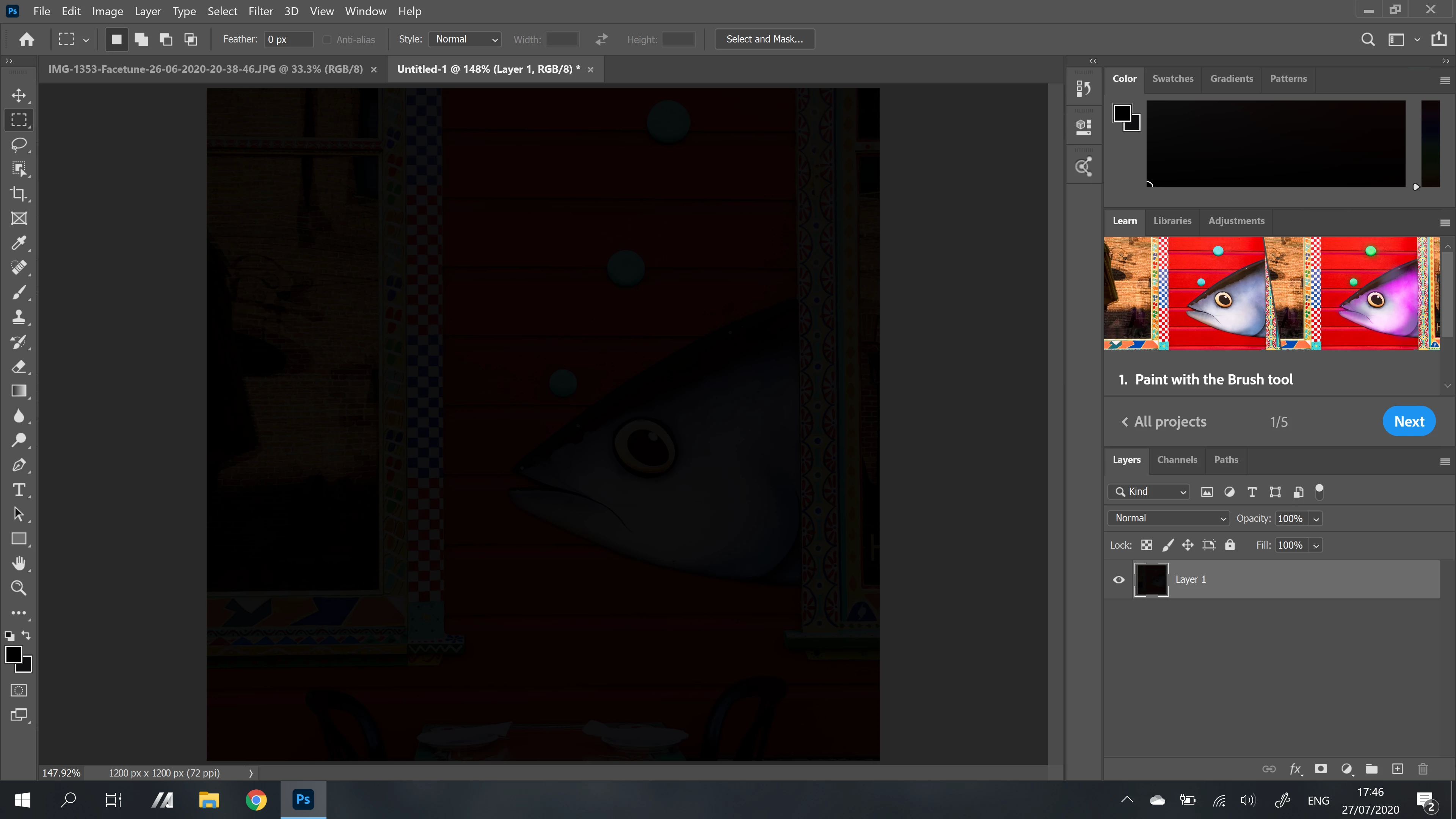
I've just installed PS and it's showing only black colors and open images look like the have a black overlay on them or somthing. I used to do a bit of editing back in the days of the PS6 bus this was a long time a ago so this is all pretty new again. it looks like that in every photo or a new document. the color picker also show black colors. and all color books show the same color. btw i kind of messed up the color book because of that, how do i set it to the default config?


Is my rtx2060 a problem? 

**I have the Asus zenbook pro duo ux581. and the colors used to be normal on the second display(3840x1080) *I just got a Windows update and a CC update and now the colors are the same as in main display.

This topic has been closed for replies.

4 replies

D Fosse
Community Expert
Community Expert
November 13, 2020

"I just got a Windows update"


That's probably it right there. Chances are you got a broken monitor profile from Asus, distributed through Windows Update. Monitor/laptop manufacturers do that, and considering how many of these profiles are defective in various ways, I don't understand why Microsoft still allows that.


The proper way to deal with it is to use a calibrator to make a new profile, but if you don't have one, replace your current profile(s) with sRGB IEC61966-2.1 here:


Relaunch Photoshop when done. The profile is loaded at application startup.


If that's not it, and unchecking GPU doesn't do anything either, there's something very odd going on.

Participant
November 13, 2020

Hi,


Thanks you so much for the solution.  It's really helpful. The problem is now solved by running the asus colour calibrate software.

Participant
November 13, 2020

Hi there, have you found a solution to this now? I bought a asus zenbook pro duo ux581LV recently and also engaged with the exact same problem. I tried driver updates, preference resetting, installing older version of PS, etc, but none of them worked. 

jane-e
Community Expert
Community Expert
July 27, 2020

"btw i kind of messed up the color book"


Can you tell us what you mean when you say "color book"?  Both your foreground and background swatches are black. To reset them, type "D" for "Default", but you may mean something else.


~ Jane

leNeoAuthor
Participant
July 29, 2020

i tried different options from the "color library" they where under the title "books". I did a reaset so its probably fine

Kevin Stohlmeyer
Community Expert
Community Expert
July 27, 2020

Check your Photoshop Preferences/Performance - is the graphics card recognized?

Have you run updates for your graphics card to match the newer Photoshop version?

leNeoAuthor
Participant
July 29, 2020

the  PS preference says it the intel uhd graphic. it deosn't recognize  the rtx2060.  i run update in both graphics cards and the colors still haven't changed. 

I think it's worth to mention that i have a second screen on my laptop at wierd resolusion and the colors are fine..