
Blending a rainbow into a cloudy sky
I've been working on this and still have a question about how to approach making this Rainbow PNG blend into the clouds.
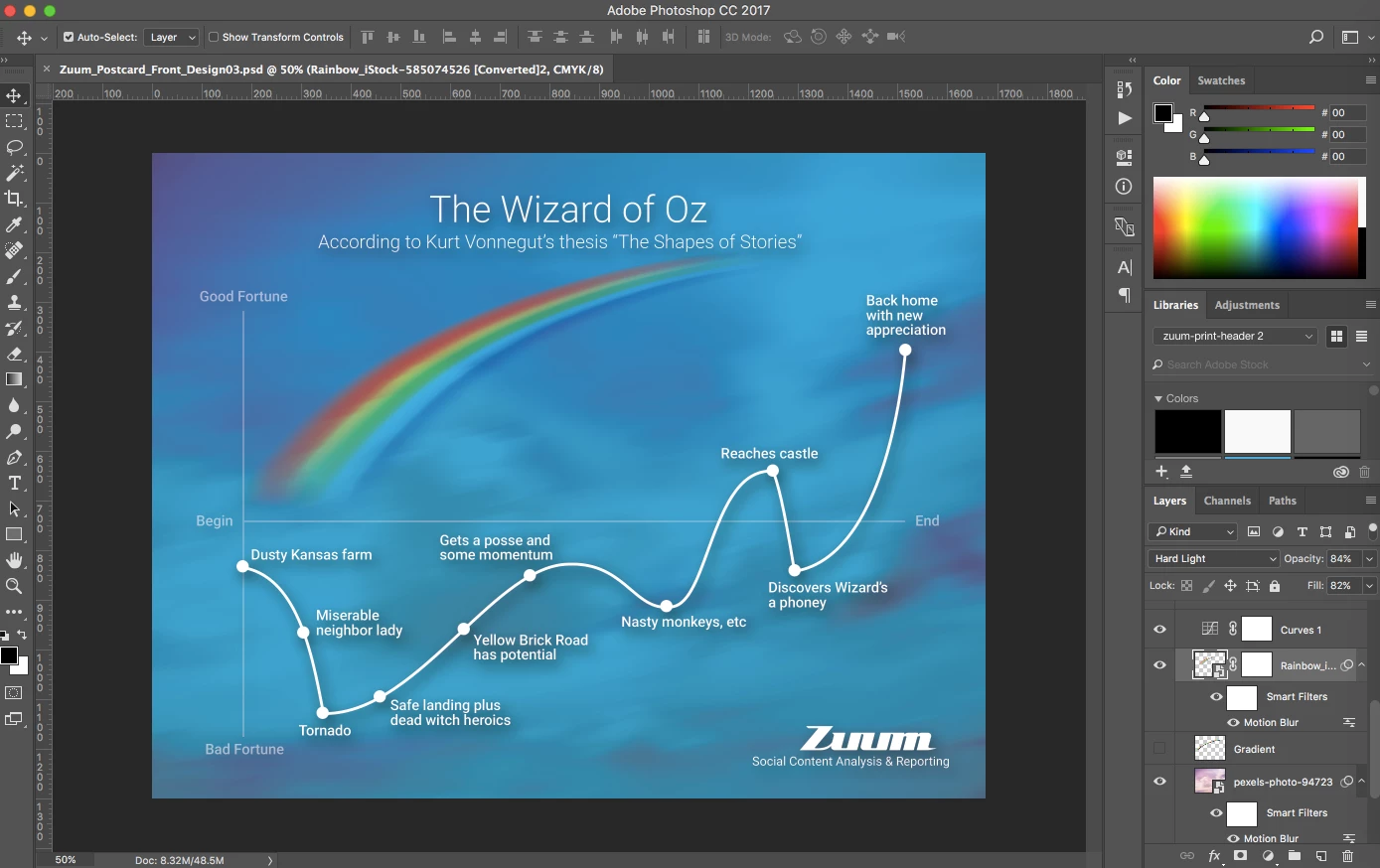
In the layers panel, the Rainbow image is above the sky image, in the Images 2 group.
I've also created a mask around the rainbow, so as to limit any effects to only the rainbow, and not surrounding areas.
There's a group of clouds in the lower left of the rainbow. I'd like the clouds to appear over the top of the rainbow, with the rainbow fading into the bunch of clouds in the lower left, right at the horizontal line in chart.
I'm using CMYK, as this will be printed as a postcard when finished.
My main questions are around the following settings, and the effects they'll produce.
Paintbrush hardness and diameter: I thought I'd want a lot of softness in the paintbrush to avoid hard edges of the effect. Also, i thought a medium diameter would also help soften the edges.
Mode: I'm thinking this setting, combined with strokes of the brush on the mask, should remove the rainbow, making the clouds more apparent above it. However, when I'm doing this in the current settings on the screen, it's creating a dark blue underneath the rainbow.
Opacity: I felt moving this down to around 65% would make any changes with the paintbrush more gradual. However, my end result isn't working, so not sure what the right setting for this would be.
Flow: I'm not clear on what this does, or if it's anything I should bother with.
Any input on this will be greatly appreciated.
thx
 AdChoices