
Question
Brush is different from the one I selected in Brush Presets
Hello,
I'm having trouble with my Brushes. When I use the Clone Stamp, I select the "Soft Round Pressure Opacity" brush - with the soft edges - from the "Brush Presets window"
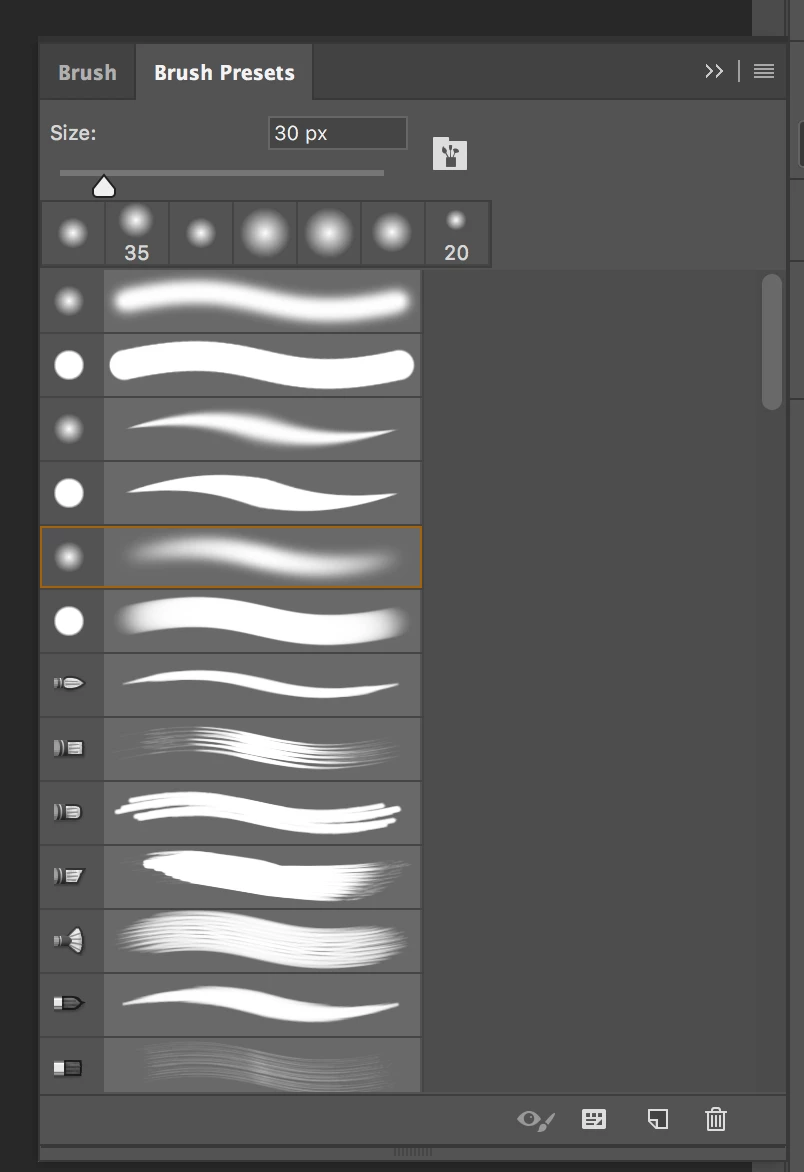
But... When I click on the "Brush window" it gives me the "Soft Round Pressure Size" brush - with the pointed edges.
I need to use the soft edges for cloning, not the pointed edges.
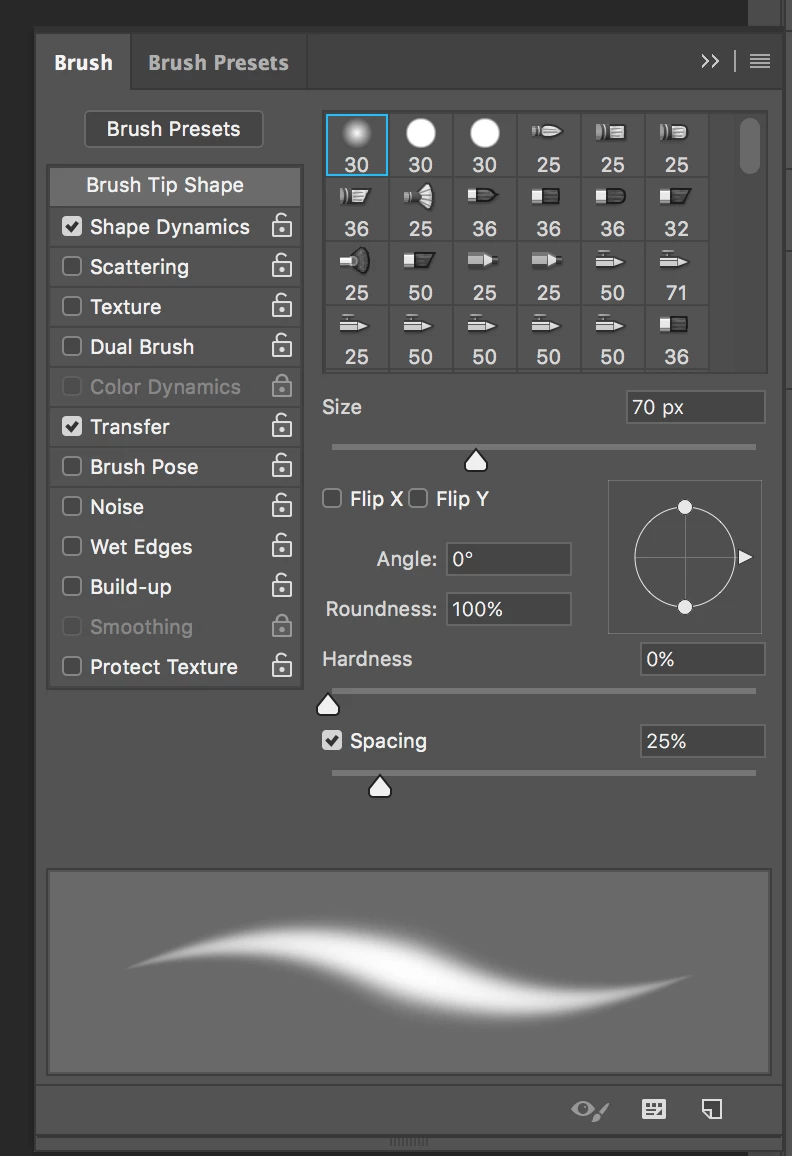
I've already Reset my brushes, but I keep having the same problem. These are the standard Photoshop brushes.
It seems to work fine when I'm in using the regular Brush Tool, but not the Clone Stamp.
I have Photoshop CC and a 2017 MacBook Pro with a Wacom tablet.
Thanks for any info!
 AdChoices