Known Participant
March 23, 2019
Answered

Brushes Settings Don’t Work [2019]

  • March 23, 2019
  • 5 replies
  • 1781 views

Hello everyone,

i applied some settings to the classic smooth e rond preset brush, i created a new brush with those settings but i don't n

know why the brush is still the same.
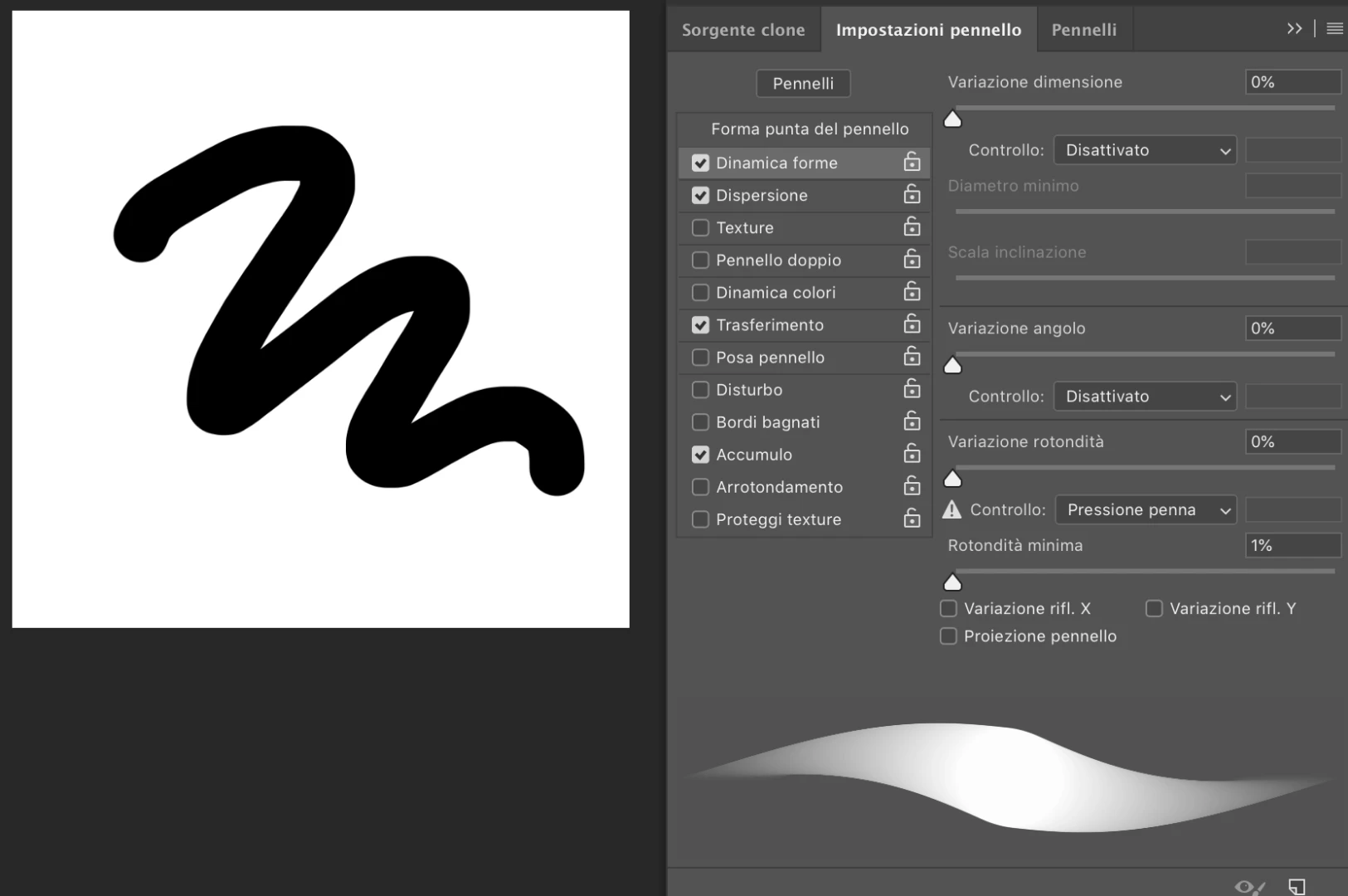
Somoeone culd tell me how to fix that problem.

Thanks in advance.
This topic has been closed for replies.
Correct answer JJMack

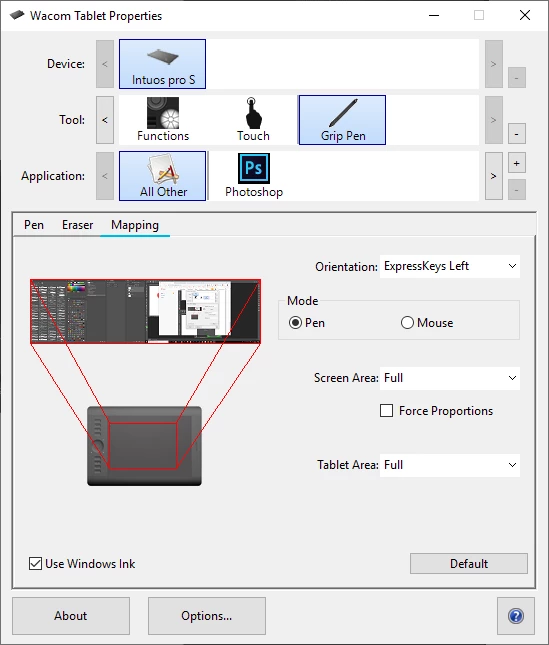
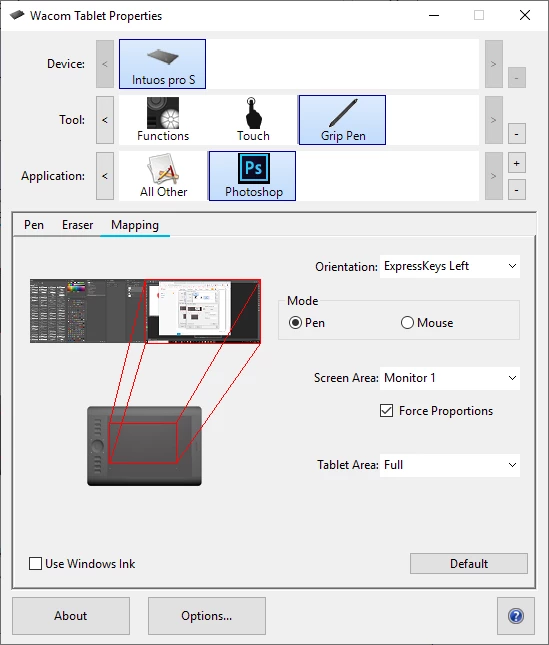
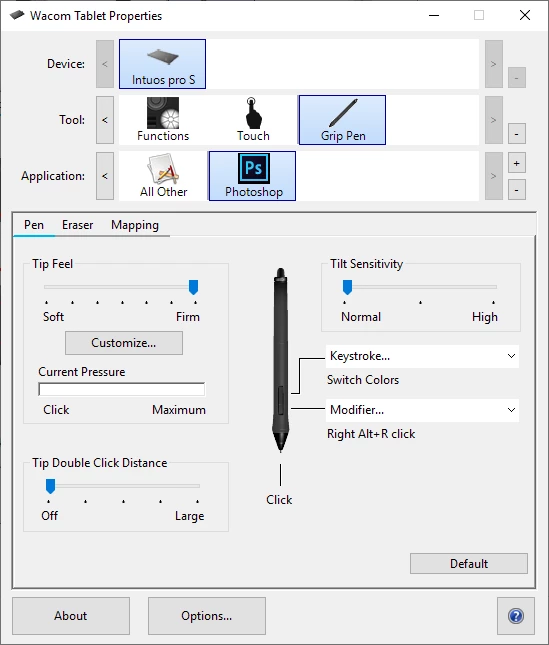
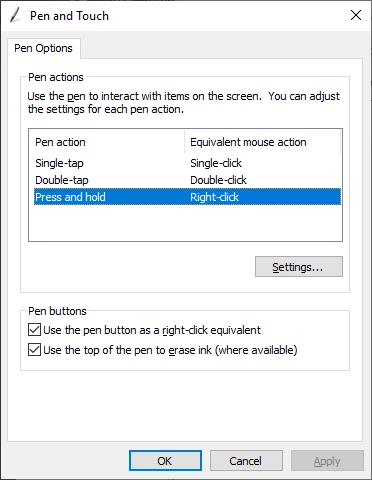
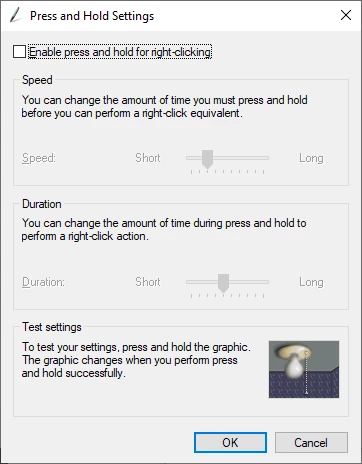
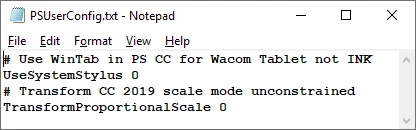
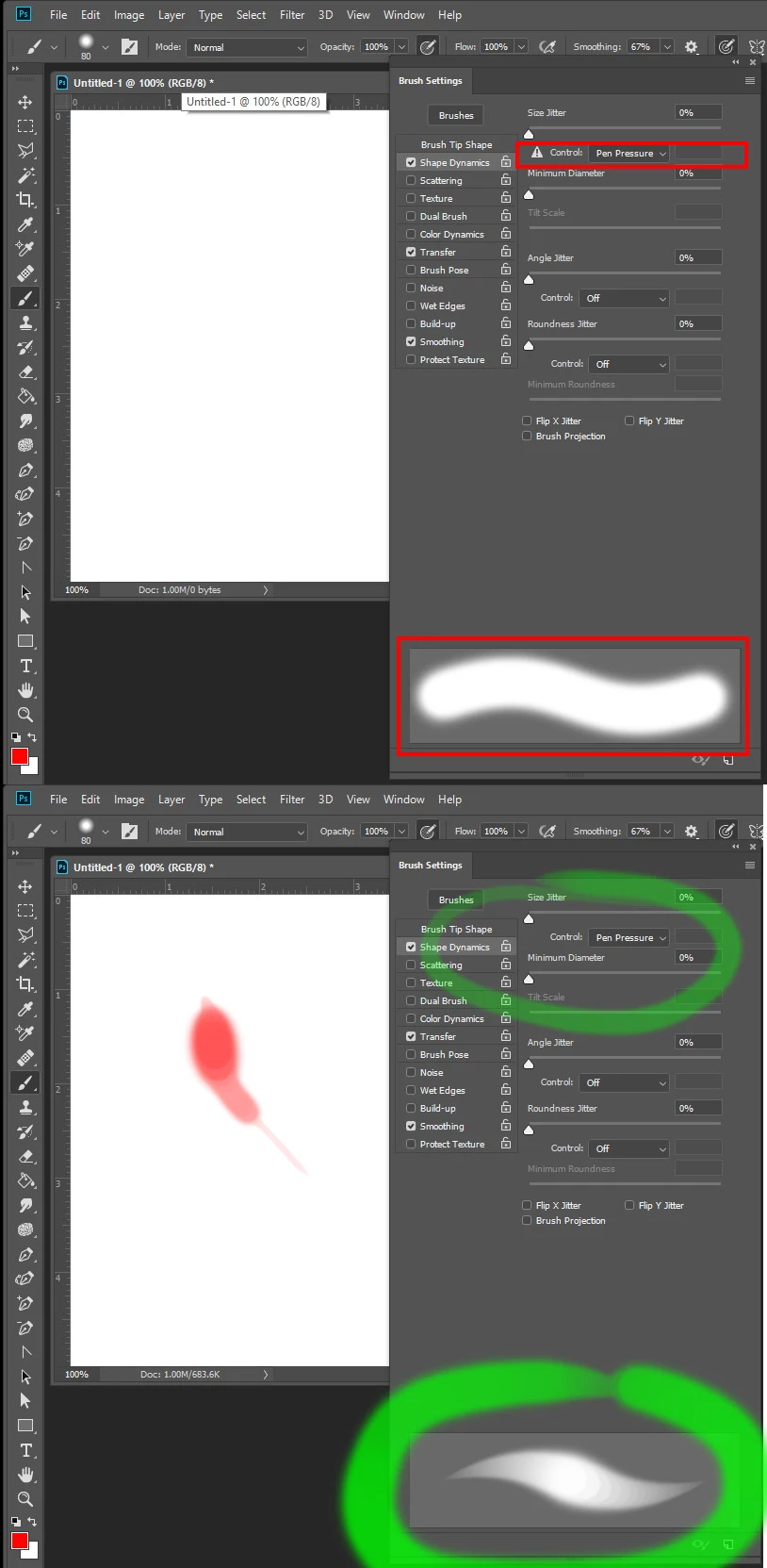
Before I use my Wacom pen Photoshop indicates I do nor have a pen with a warning triangle.  I have CS3, CS6, CC 2014, CC 2018 and CC 2019 installed.  Old version Of Photoshop only support Pens through Wintab APIs. So I have My Wacom Presences set not to use windows INK with Photoshop and have add PSUserConfig.txt files to my Photoshop Preferences for CC 2014, CC 2018 and CC 2019 not to use Windows INK with Photoshop.  Once I use my Wacom pen with CS3, CS6, CC 2014, CC 2018 or CC 2019 Photoshop removed the warning triangle and the Pen works fine. I see the warning triangle in you screen capture. Are you configured correctly?

]

5 replies

JJMack
Community Expert
JJMackCommunity ExpertCorrect answer
Community Expert
March 26, 2019

Before I use my Wacom pen Photoshop indicates I do nor have a pen with a warning triangle.  I have CS3, CS6, CC 2014, CC 2018 and CC 2019 installed.  Old version Of Photoshop only support Pens through Wintab APIs. So I have My Wacom Presences set not to use windows INK with Photoshop and have add PSUserConfig.txt files to my Photoshop Preferences for CC 2014, CC 2018 and CC 2019 not to use Windows INK with Photoshop.  Once I use my Wacom pen with CS3, CS6, CC 2014, CC 2018 or CC 2019 Photoshop removed the warning triangle and the Pen works fine. I see the warning triangle in you screen capture. Are you configured correctly?

]

JJMack
Known Participant
March 26, 2019

c.pfaffenbichler I'm tryng to achieve a pressure sensitive round brush that when the pressure is light the line is thin and faded and when i push the line is thicker and harder. JJMack​ i use a wacom tablet with his own pen. I already  did that kind of brush in past but now the settings do not respond, it changed something with the new updates or releases ?

The brush should  be exactly like the brush thumbnail in picture below. Now i have abled pressure settings but the brush is still flat.

JJMack
Community Expert
Community Expert
March 23, 2019

Are you using a Mouse or Pen?

JJMack
c.pfaffenbichler
Community Expert
Community Expert
March 23, 2019

What does »Dissativato« mean?

Known Participant
March 23, 2019

Sorry c.pfaffenbichler   but I do not understood which panel or kind of screenshot you prefer.

DISATTIVATO mean DISABLED

c.pfaffenbichler
Community Expert
Community Expert
March 23, 2019

So you have disabled pressure sensitivity for all Shape features except Roundness?

What are you trying to achieve with that?

The screenshot should not just include the Brush Settings Panel but at least also include the Options Bar.

c.pfaffenbichler
Community Expert
Community Expert
March 23, 2019

Could you please post a screenshot taken at View > 100% with the pertinent Panels (Layers, Channels, Options Bar, …) visible?

Why 0%?