Walter_H
Legend
July 15, 2021
Answered

Can Only Enter Upper Case Font Characters Only

  • July 15, 2021
  • 1 reply
  • 695 views

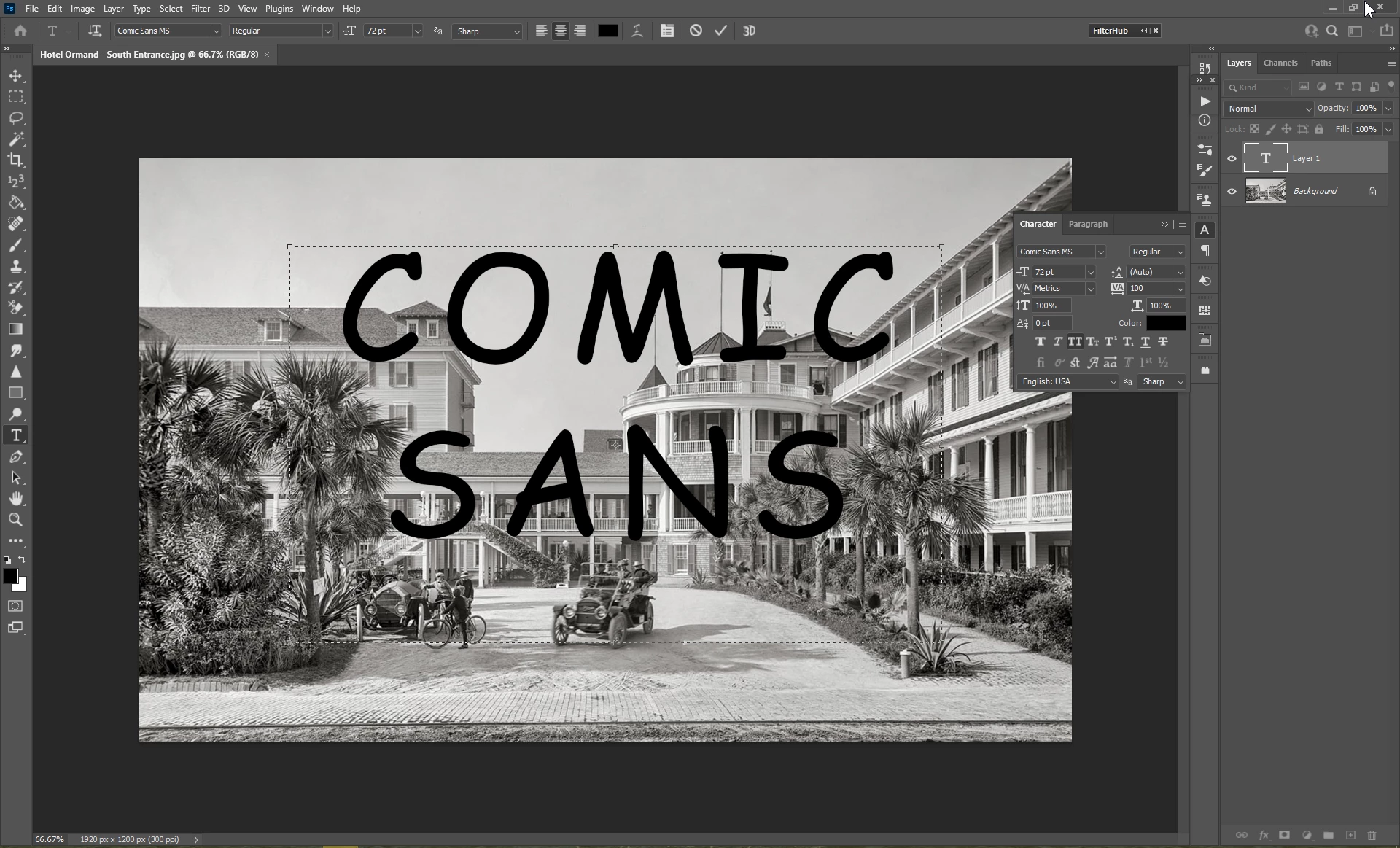
Hi, I am a new user of PS using PS v 22.4.2 on a Windows 10 PC. This is probably a silly question, but all of a sudden I can only enter upper case font characters. I do NOT have the caps-lock set on my keyboard. It has not always been this way. I was able to use upper/lower case characters before. The font I'm using is a standard Windows font. Other Windows apps like Word are just fine, it's just PS that's giving me this problem. Attached is a screenshot that shows my font settings.


What have I gotten screwed up to cause this?
 

This topic has been closed for replies.
Correct answer Stephen Marsh

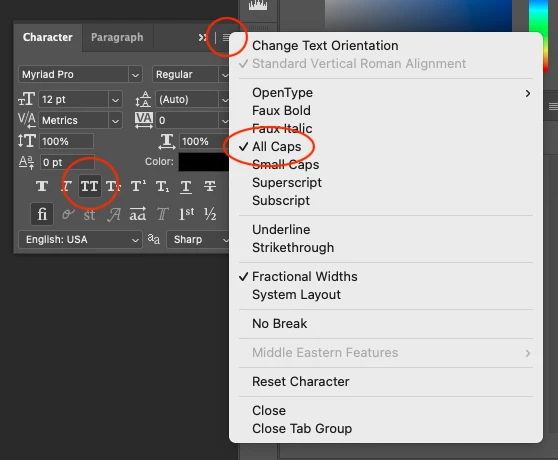
@Walter_H – I have marked Per's reply as the correct answer for you. Please close down all open documents and ensure that the UPPERCASE setting is turned off when no documents are open, as this will then apply to the entire program and not just the open/active doc.


Also note that the interface has tool tips on hover and that the options menu also shows UPPERCASE as well:


1 reply

Per Berntsen
Community Expert
Community Expert
July 15, 2021

You have All Caps activated.

Click the TT button to turn it off.


Walter_H
Walter_HAuthor
Legend
July 15, 2021
quote

You have All Caps activated.

Click the TT button to turn it off.


By @Per Berntsen


Thank You! I did not know what that line of icons meant - I do now thanks to you! It would also be nice if there was a little more contrast on the display.


--Walter in Davie, FL
Stephen Marsh
Community Expert
Stephen MarshCommunity ExpertCorrect answer
Community Expert
July 15, 2021

@Walter_H – I have marked Per's reply as the correct answer for you. Please close down all open documents and ensure that the UPPERCASE setting is turned off when no documents are open, as this will then apply to the entire program and not just the open/active doc.


Also note that the interface has tool tips on hover and that the options menu also shows UPPERCASE as well: