Participant
May 25, 2021
Answered

Can switch my timeline from frame to video, no option to switch

  • May 25, 2021
  • 1 reply
  • 1785 views

Does anyone have the solution of how to change my timeline fro frame to video plz. Ive searched and all the options of where it shouldbe arent there. neither on the drop down menu or any where on the options


Thanks

This topic has been closed for replies.
Correct answer JJMack
Correct both are not working.

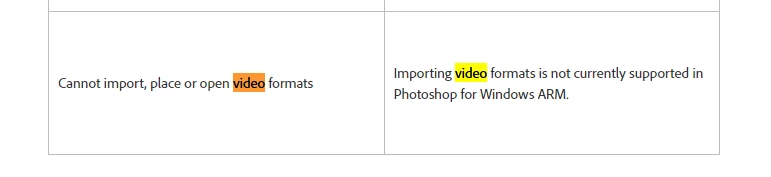
I believe it may be because of your ARM RISC chip.    

https://helpx.adobe.com/photoshop/kb/windows-arm-support.html 


Use a PC suitable for Adobe desktop applications. Adobe has a lot of work on its plate currently.  Some day  Adobe may convert their code to be able to run are a ARM processor. A lot more programming will be required for the ARM chip architecture.

1 reply

JJMack
Community Expert
Community Expert
May 25, 2021

Click convet to video timeline

JJMack
Participant
May 25, 2021

Hi JJMack


that is where I used to go to switch between the frame and cideo timeline but that option when i hover my mouse over just has a circle with a sttrike through is like isnt not possible.


ive even uninstalled photoshop and re installed the programme without luck.

JJMack
Community Expert
Community Expert
May 26, 2021

You should post screen captures not photos so we can see all of Photoshop UI.  I thought it may be because you have a single frame. But I my Windows PC the not a problem. Are you using a Mac? Try resetting preferences they  are not reset if you reinstall Photoshop.

JJMack